
This article covers key steps to help with Shopify metafields when setting up calculated shipping for eBay Australia.
Key Points:
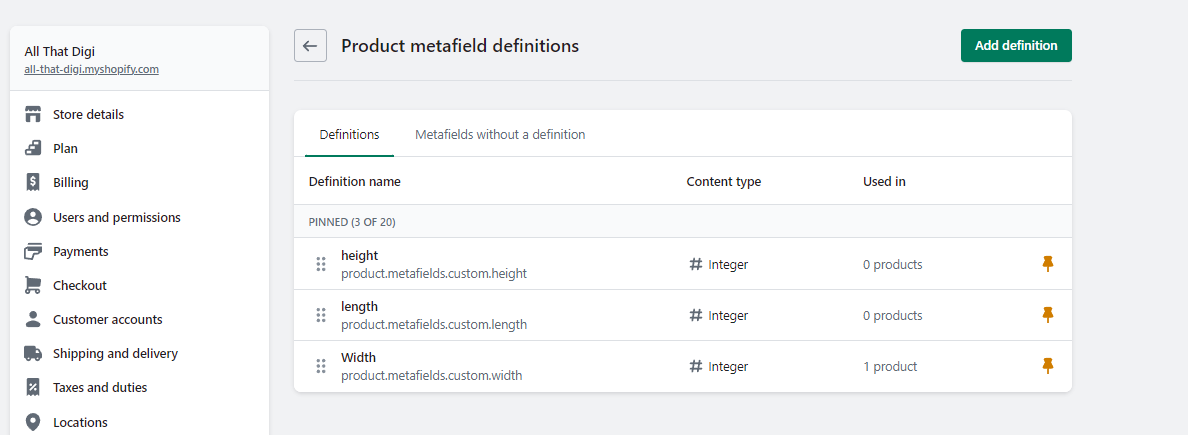
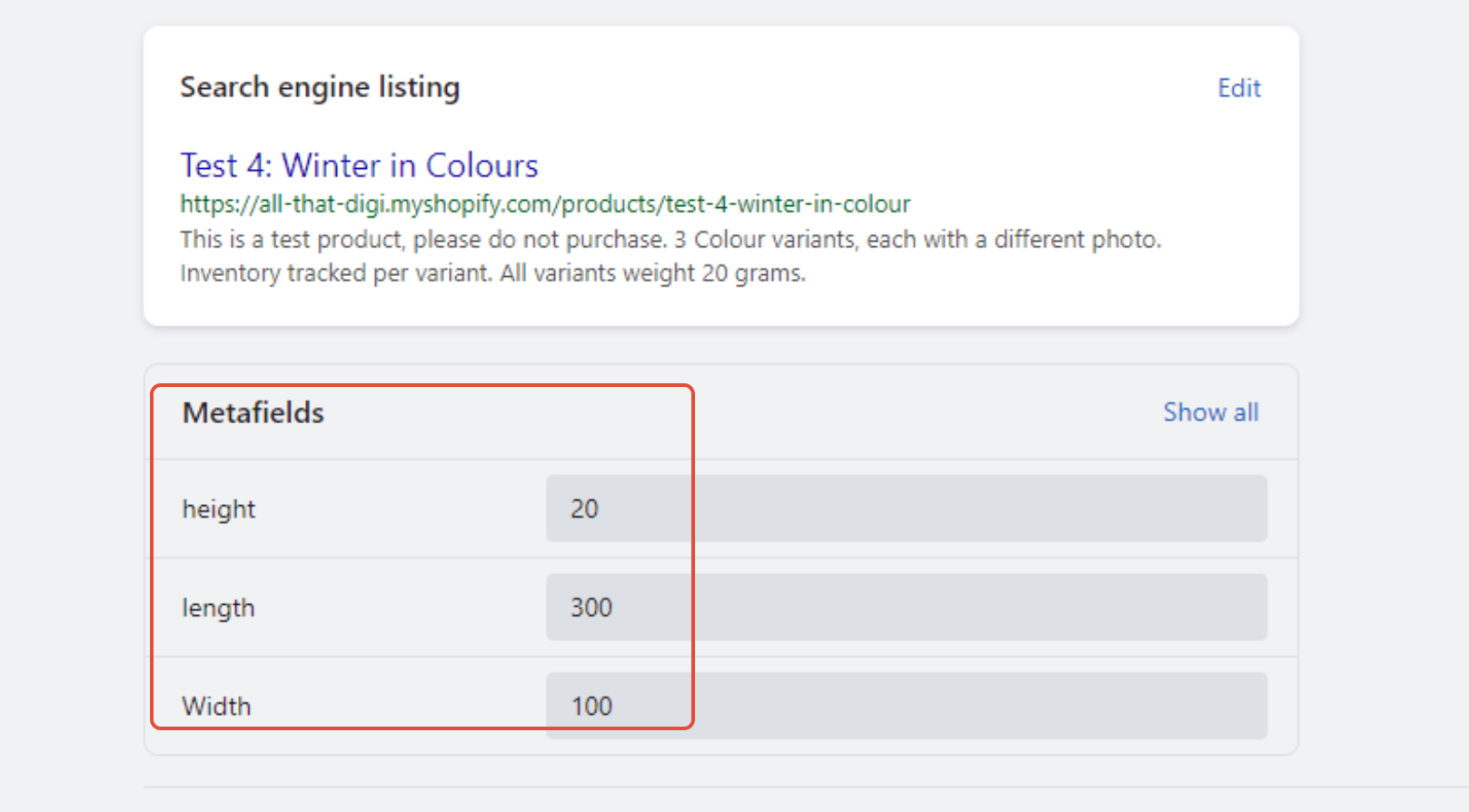
- Shopify users must setup metafields and they have to be dimensions of width, height, length, they must be integer (numeric only)
- You have to check that the dimensions have imported correctly after they are mapped in Omnivore.
- The shipping policy in Omnivore must have calculated as YES in order to be able to see the dimension data in the payload to eBay
See screen captures below to assist.
Product in Shopify:
Shopify Data View in Omnivore:
"id": 22162785370223,
"namespace": "custom",
"key": "width",
"value": 100,
"description": null,
"owner_id": 1589660385391,
"created_at": "2023-04-20T17:23:48+10:00",
"updated_at": "2023-04-20T17:23:48+10:00",
"owner_resource": "product",
"type": "number_integer",
"namespace": "custom",
"key": "width",
"value": 100,
"description": null,
"owner_id": 1589660385391,
"created_at": "2023-04-20T17:23:48+10:00",
"updated_at": "2023-04-20T17:23:48+10:00",
"owner_resource": "product",
"type": "number_integer",
When this is done accurately in Shopify we import it into Omnivore and it will show on the product page in Omnivore like this.

When we can see this in Omnivore we know the dimensions are setup correctly in Shopify and mapped correctly in Omnivore.
When the policy in Omnivore for shipping has calculated shipping marked as Yes we will send the data to eBay and it will be used for Shipping, in our data it will look like this:
Data to eBay
<ShippingPackageDetails>
<MeasurementUnit>Metric</MeasurementUnit>
<PackageDepth>20</PackageDepth>
<PackageLength>300</PackageLength>
<PackageWidth>100</PackageWidth>
<MeasurementUnit>Metric</MeasurementUnit>
<PackageDepth>20</PackageDepth>
<PackageLength>300</PackageLength>
<PackageWidth>100</PackageWidth>
See external FAQ's that has steps for the sellers:
https://support.omnivore.com.au/support/solutions/articles/17000123480-using-shopify-metafields
https://support.omnivore.com.au/support/solutions/articles/17000087193-calculated-shipping-using-weight-and-dimension-on-ebay
See this all that digi product that has it successfully setup.
https://m1.omnivore.com.au/product/view?retailerCode=all-that-digi&sku=1589660385391
