
This process outlines the procedure for changing the ticket automated response during pubic holidays.
The process will need to be repeated for each of the email automations, ie
- eBayLINK
- Omnivore
- Catchfeeder
- Traderunner
- Omnivore Emergency
- Coles Liquor emergency
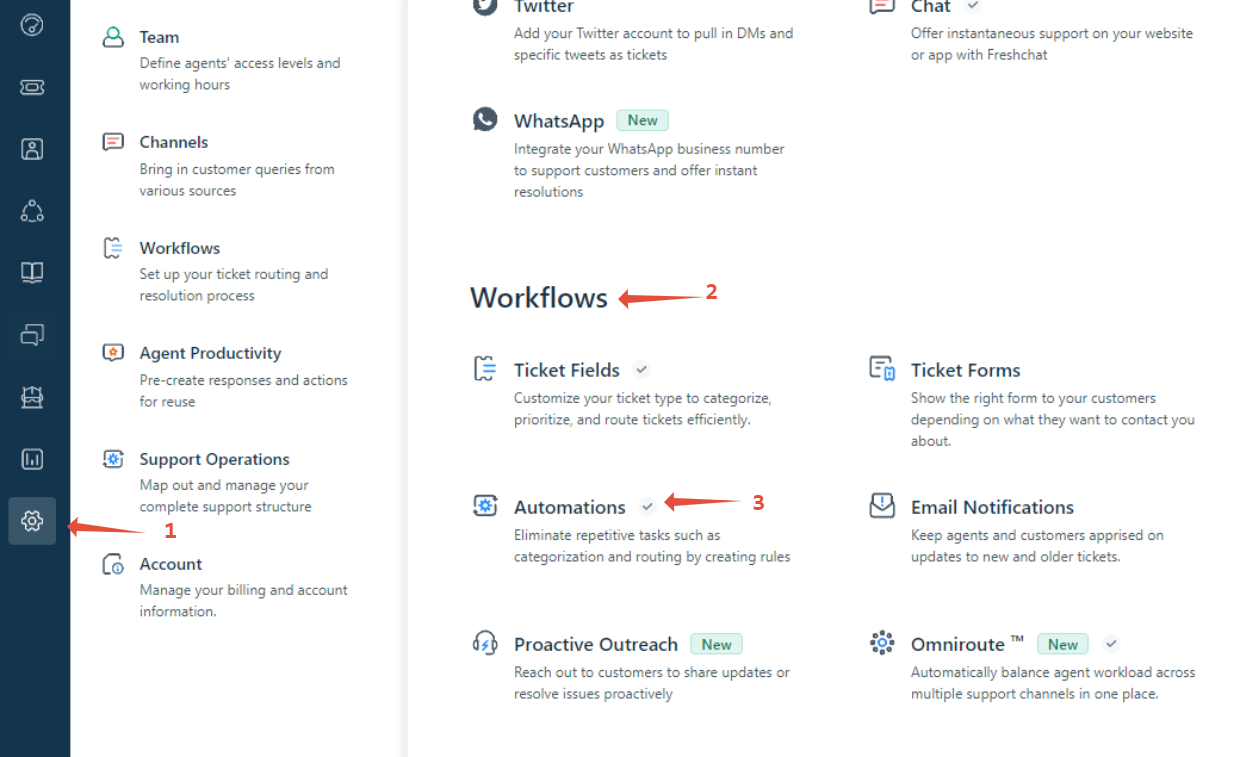
In Fresh desk , navigate to the Admin (Cog) section https://citybeachsoftware.freshdesk.com/a/admin
Then to Workflows- Automations
Once in here, click on "Ticket Creation"
Scroll down to the automation "eBay LINK auto response to new ticket created" and click the title to edit
Scroll down to the "Perform these actions"
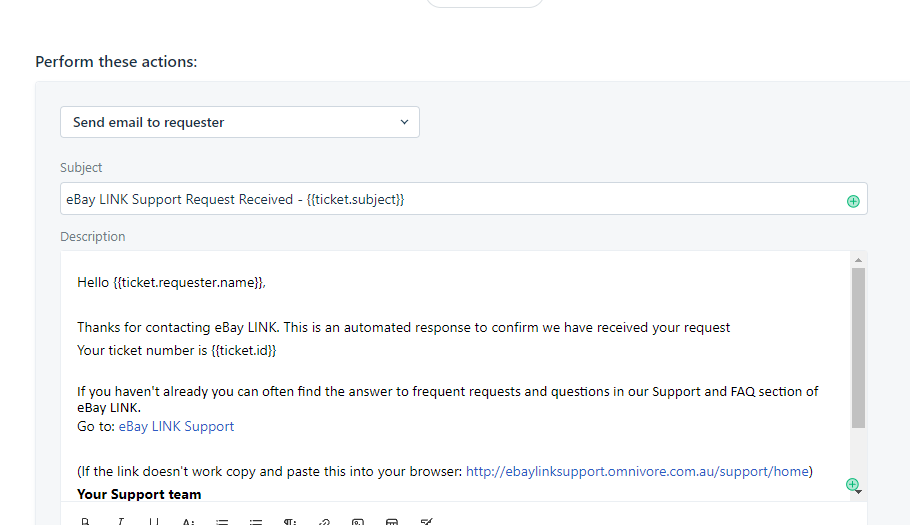
Insert the appropriate holiday message after the line Your ticket number is {{ticket.id}}
example:
Holiday Hours: Christmas and New Year
We’ll be operating with reduced services and support from Wednesday, 24th December to Friday, 2nd January, with emergency-only cover on the following public holidays:
- Thursday, 25th December
- Friday, 26th December
- Thursday, 1st January
Tickets submitted on weekends or public holidays will be addressed on the next business day unless it’s an emergency.
Please note that tickets requiring escalation beyond our support team may take longer than usual during this period.
Thank you for your support throughout 2025! Wishing you a Merry Christmas and a Happy New Year. We look forward to working with you in 2026!
Click Preview and Save, then Save if you are happy with the results.
Repeat for each of the email channels.
When the message is to be removed, follow the same process, except now you delete the message, replace with the standard support ticket acknowledgement, hit Preview and Save.
example standard message