
As of April 2024 themarket does not cover costs for new accounts who add themarket.
Accounts on themarket plan that is free will remain free for now. TheMarket have not decided what will happen to these existing free accounts.
Refer here: https://support.omnivore.com.au/a/solutions/articles/17000074340?portalId=17000029510
TABLE OF CONTENTS
Here is the process to follow when The Market agrees they will cover the cost of a retailer's fees for a period of time.
Important Notes - Read before proceeding:
The Market will only cover fees if the retailer is NOT already on Omnivore and selling on additional marketplaces. If they are already multimarket then let The Market know and DO NOT switch their plan. They need to remain on the Omnivore multimarket plan.
If the retailer is using TradeMe, then you can switch them to The Market plan.
If the retailer is using The Market and wants to add TradeMe, then you can keep them on The Market plan.
You MUST check whether the account you are changing is a Master / Sub Account (see here). In the event that it is a Master / Sub Account DO NOT proceed with any plan changes. For Master / Sub account billing to work all accounts have to be on the same plan. If unsure get advice from Jo / Bill.
The Market covering fees for a new retailer
New retailers only selling on The Market will automatically be signed up for The Market plan.
If you receive a ticket from a retailer that is only selling on The Market advising that The Market is covering their fees and they are not already on The Market free plan ensure you get confirmation from The Market that they are covering the fees. Do not make changes to plans without their confirmation i.e. do not change a plan just because the retailer asks you to do so.
The Market Onboarding team will advise if retailers are to have an extended free trial period at which point the Omnivore Support team will change the account type and enter the free trial period end date.
Any retailer who does not have their fees covered will be rolled off The Market plan.
Upgrading / changing an existing retailer's plan
Step (1)
Ensure you have confirmation from The Market that they are covering the retailer's fees. Do not make changes to plans without their confirmation i.e. do not change a plan just because the retailer asks you to do so.
Step (2)
Check that the retailer is not multimarket. If they are selling on any marketplaces other than The Market or Trade Me DO NOT change their plan. Advise The Market that the retailer is multimarket and leave the plan as it is.
Step (3)
Check that the account is not a master / sub account. If it is DO NOT change their plan. Advise The Market that the retailer has combined billing set-up and leave the plan as it is.
At any point if you are unsure check with Jo / Bill before making any changes.
Step (4)
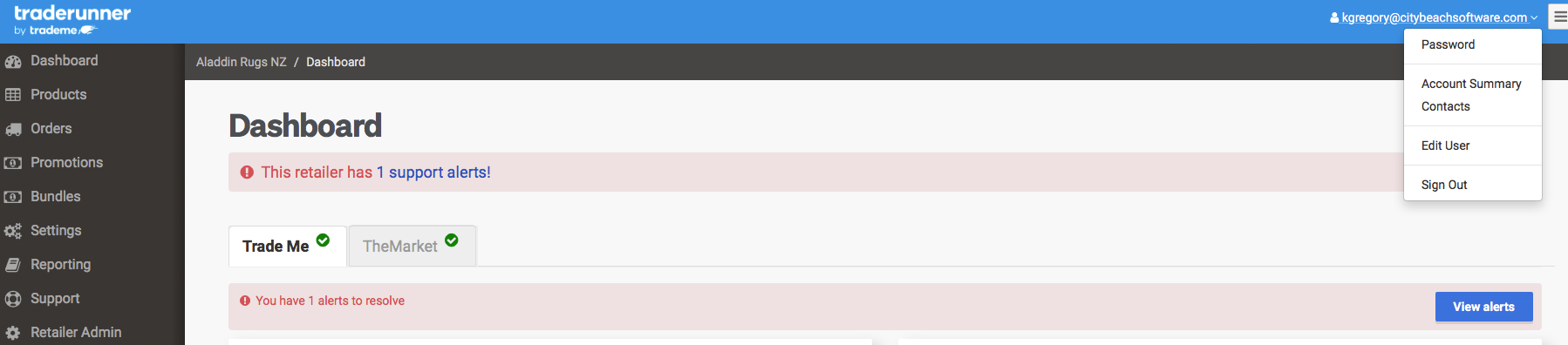
Navigate to the retailer account, select the drop-down menu from the account email and select ACCOUNT SUMMARY .
Step (5)
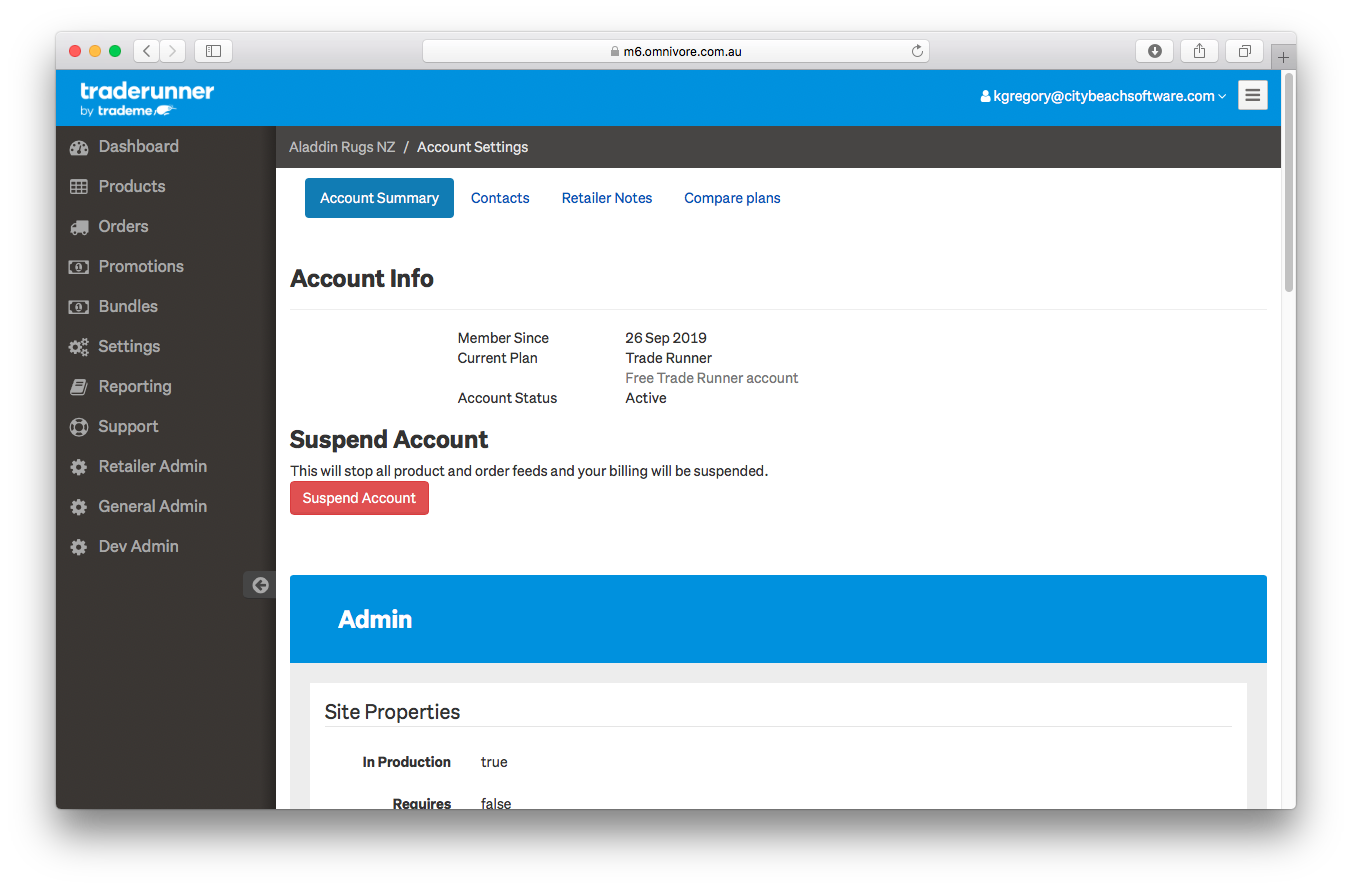
On the Account Summary page navigate to ACCOUNT PROPERTIES / ACCOUNT TYPE.
 Step (6)
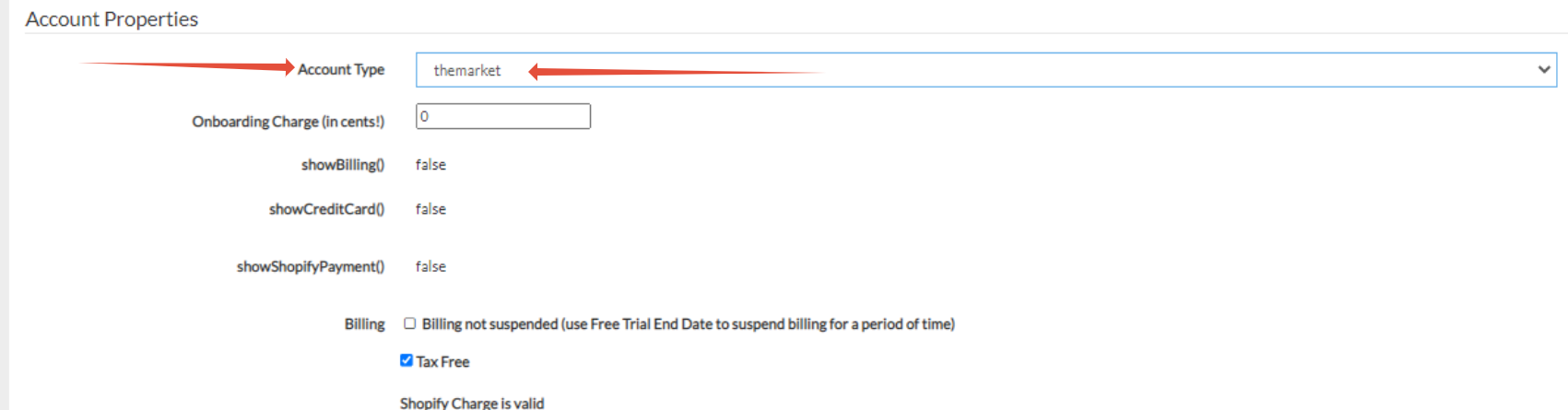
Select the account type themaket
Step (7)
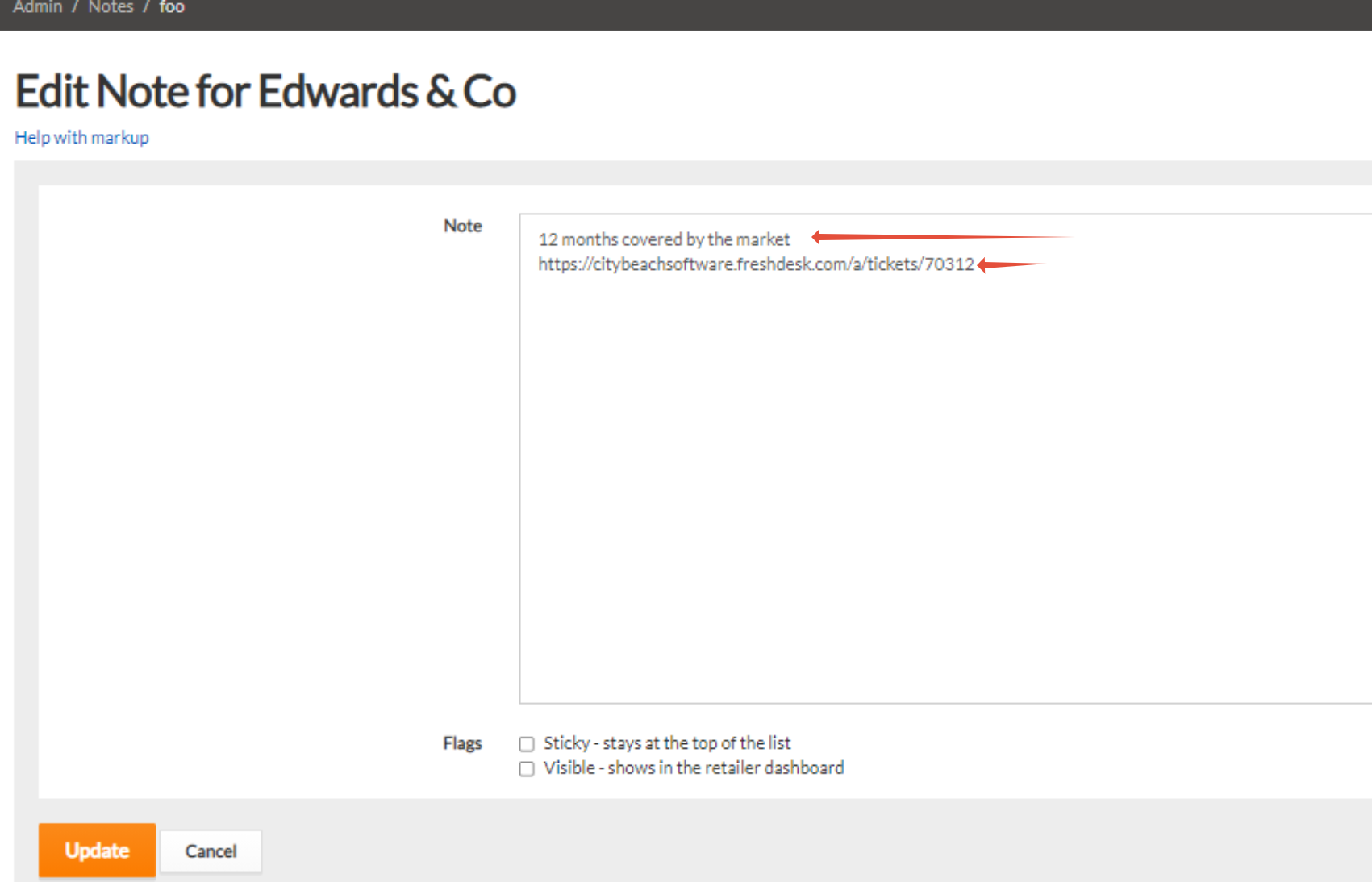
Add a note in the retailer notes indicating the ticket the request was made in
Step (8)
If requird, change the account skin to reflect the change to Omnivore.