TABLE OF CONTENTS
- Why Use Rate Tables?
- Before You Start
- Step 1: Set Up a Weight-Based Postage Rate Table on eBay
- Step 2: Apply the Rate Table in Omnivore / eBay LINK
- Physical Versus Volumetric Weight Calculation
Why Use Rate Tables?
- They allow different postage costs by region, which helps when shipping to remote areas or across States — giving more accurate and fair pricing.
- Allows you to set different postage costs for up to 100 regions in Australia and up to 40 rate tables per account.
- Rate tables are weight-based, so the weight you send to eBay matters.
- You can use any carrier for rate tables — it’s not limited to Australia Post.
- You can define different costs for Standard vs Express delivery.
- Flexibility: you can charge flat base cost plus per-kg rate, or make some regions free by setting their cost to zero.
Before You Start
- Make sure every product in your store has a weight value entered. Without this, eBay cannot calculate shipping correctly.
- Familiarise yourself with how shipping types work on eBay when used with Omnivore/eBay LINK. See this FAQ for more details.
- Read this FAQ that explains what weight value is used for shipping calculations.
Step 1: Set Up a Weight-Based Postage Rate Table on eBay
- Log into your eBay seller account.
- Go to Shipping Preference Settings at https://www.ebay.com.au/ship/prf where you will see this screen.
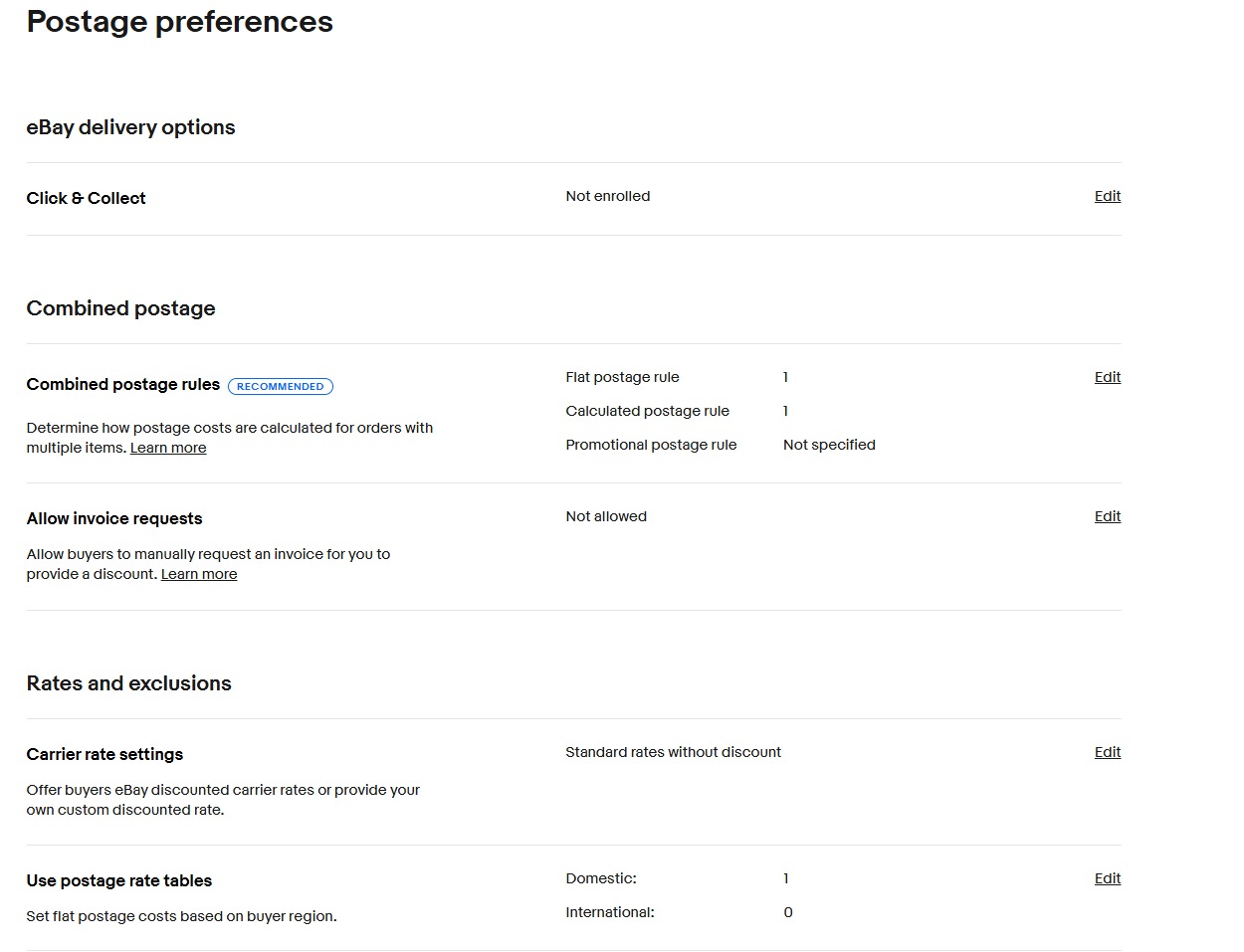
- Click “Edit” next to Use postage rate tables.
- Name your rate table (e.g. “Domestic Postage Rate Table”) and choose Weight as the rate basis.
- For each shipping service you offer (Standard, Express, etc.), define:
The regions/areas the rate applies to.
Base postage cost.
Additional cost per kilogram.

- To finish, click the blue ‘Save’ button.
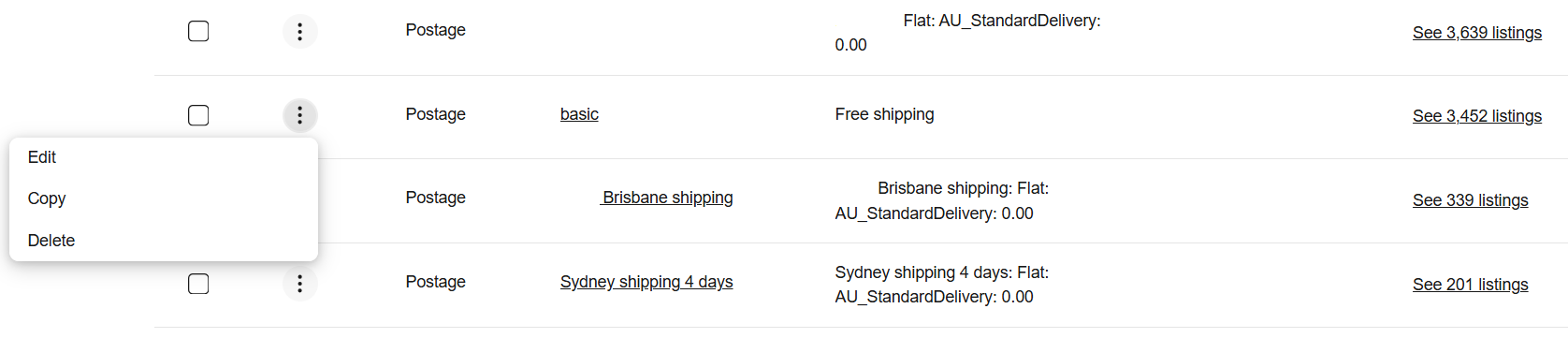
- Now link the rate table to the eBay Business Postage Policy you want it to apply to.
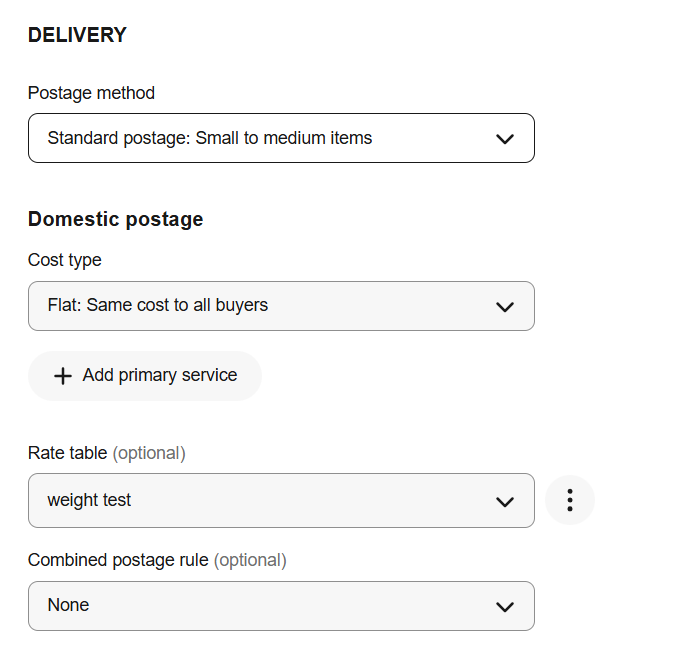
- Go to Business Policies → edit a postage policy → check “Apply domestic postage rate table” → select your rate table → Save. Note, the image below shows the basic policy being edited, but you can use a rate table with any policy.

- Ensure that Postage Method is set to Standard
- Cost type is set to Flat
- Select the Rate Table you want to apply in the Rate Table field
Tips:
- You can set a cost of $0 for regions you want to offer free postage.
- eBay’s default first weight break is 1 kg, even if your actual item weighs less.
Step 2: Apply the Rate Table in Omnivore / eBay LINK
Once your rate table is configured:
- Open Omnivore and navigate to Settings → eBay Australia → Shipping.
- Click the edit icon next to the same shipping policy name that you edited on eBay to use a rate table. In the screenshot below we are using the "basic" policy

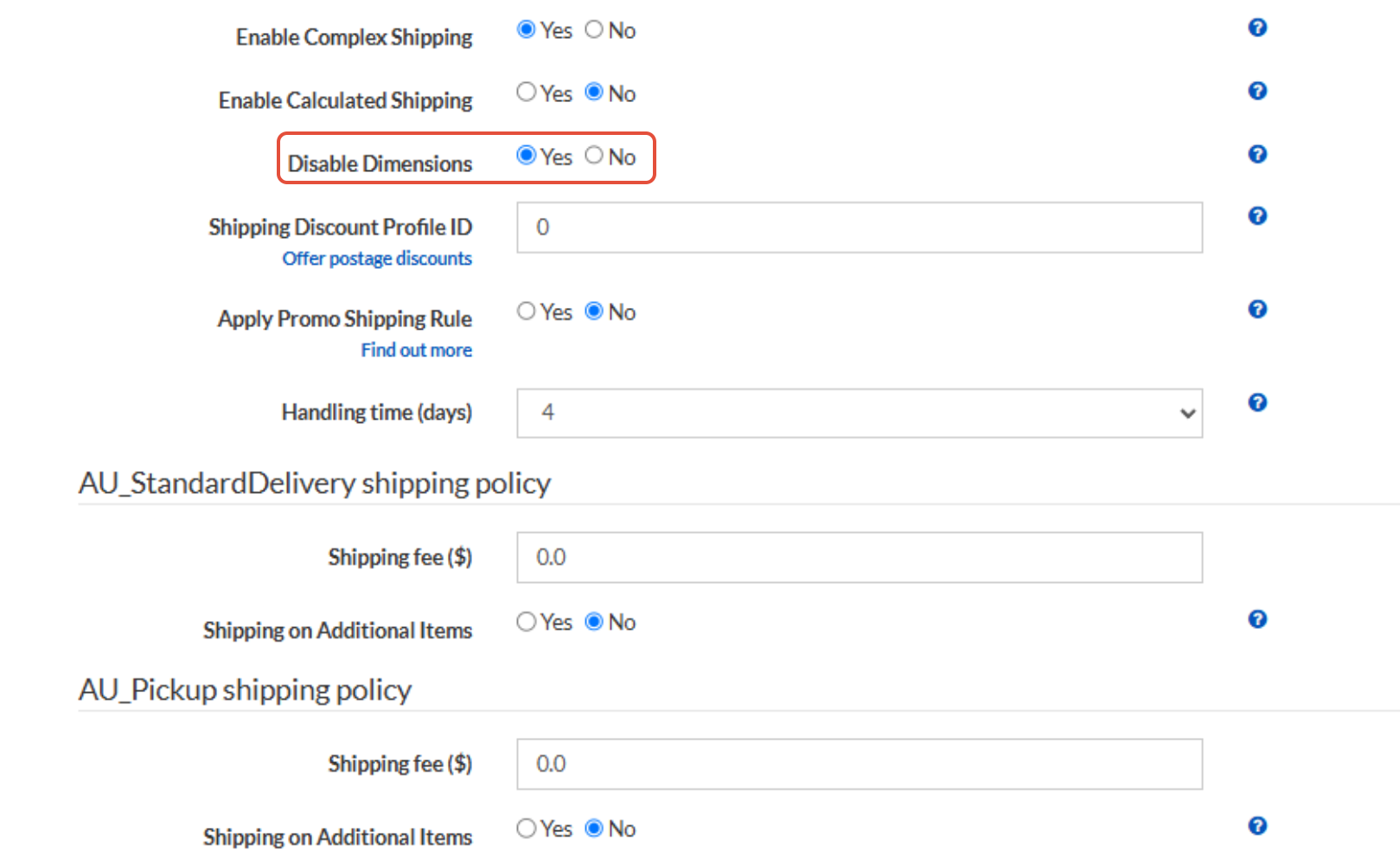
- Enable Complex Shipping and click Update.

After making these changes, click Synch policies to push the updated shipping settings to all affected listings.

Physical Versus Volumetric Weight Calculation
eBay now calculates postage using chargeable weight, which is the greater of actual (physical) weight or volumetric/dimensional weight.
If you ship using only physical weight and do not want eBay to use dimensions, you’ll need to edit your shipping policy after enabling Complex Shipping.
Once Complex Shipping is turned on, a new field called “Disable Dimensions” will appear. Set this to Yes to ensure only physical weight is used.
Please note: the Disable Dimensions field will only become visible after Complex Shipping has been enabled.