
TABLE OF CONTENTS
Overview
This table outlines common TEMU listing errors, explains the cause, and provides guidance on how to resolve each issue.
| Error or Warning | Suggested Fix |
TEMU Global Validation Error Attribute or Specification Error: Please reset the variants template and enter the required variants: Size. | This error occurs when the Sellers Size Value, e.g. Small, Medum, Large does not match with what Temu expects. Marketplace attribute mappings have to configured to map the sellers size with the Temu size option. E.g 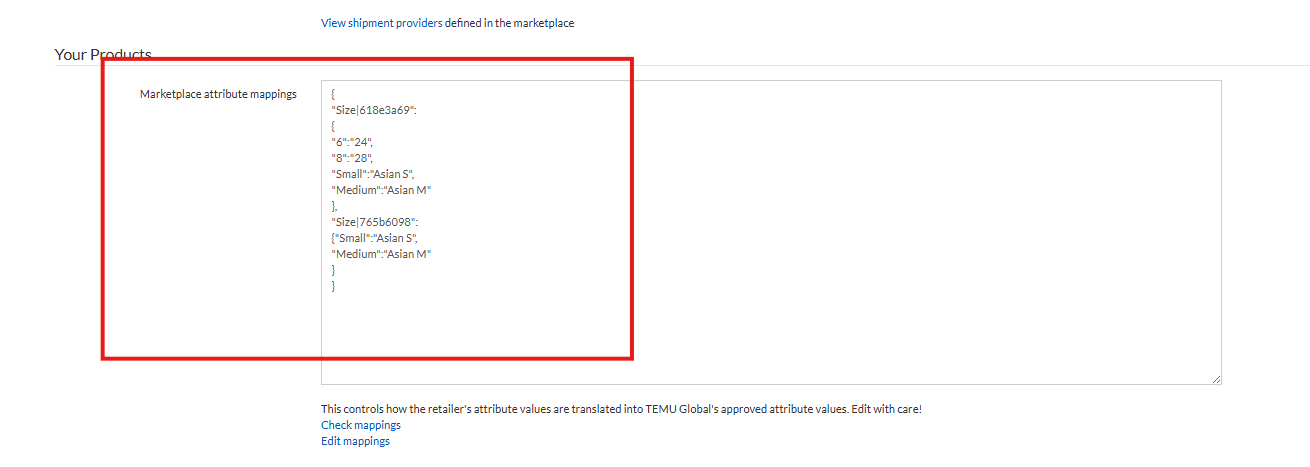 If you can see this error please our Support Team to apply the required mappings for you. |
The input base Price: null is incorrect, please modify it | This error means that a new variant has been added to the original product / listing and because of this TEMU have delisted it. The product will have to be deleted and re-uploaded to TEMU. If you can see this error contact our Support Team to delete this product from the TEMU feed. |
TEMU Global Validation Error The number of SKUs and the product of specifications do not match | See error in line one in this table. Follow the same fix to apply the attribute mapping configuration in Omnivore. |
| TEMU Global Validation Error - Invalid Request Parameters | This error occurs when there is a mismatch between the sellers variant option value and what TEMU expects and can accept. The fix is to take note of the SKU and product link in Omnivore and send the details to our Support Team who can apply the correct attribute mapping in Omnivore. A potential example is a colour variant as seen here, the product has Black/Brown but TEMU require Black. 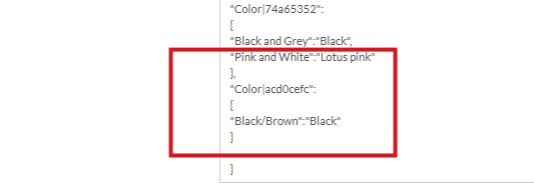 |
Temu Error - The size chart parameters are abnormal | The error means that the product listing needs a Size Chart based on the TEMU requirements. Within Omnivore you can add a Size Chart using a Product Action. Follow this FAQ to add your Size Chart - any changes you make to products in Omnivore require an upload to the Marketplace. The error will persist until the product has a size chart image attached to it. |
| TEMU Global Validation Error - The mall and goods not match. | This will happen when a product has been deleted directly in Temu. You will need to select "End all listing for selected on TEMU Global" on the listing errors page so the products can be pushed back up to TEMU as new listing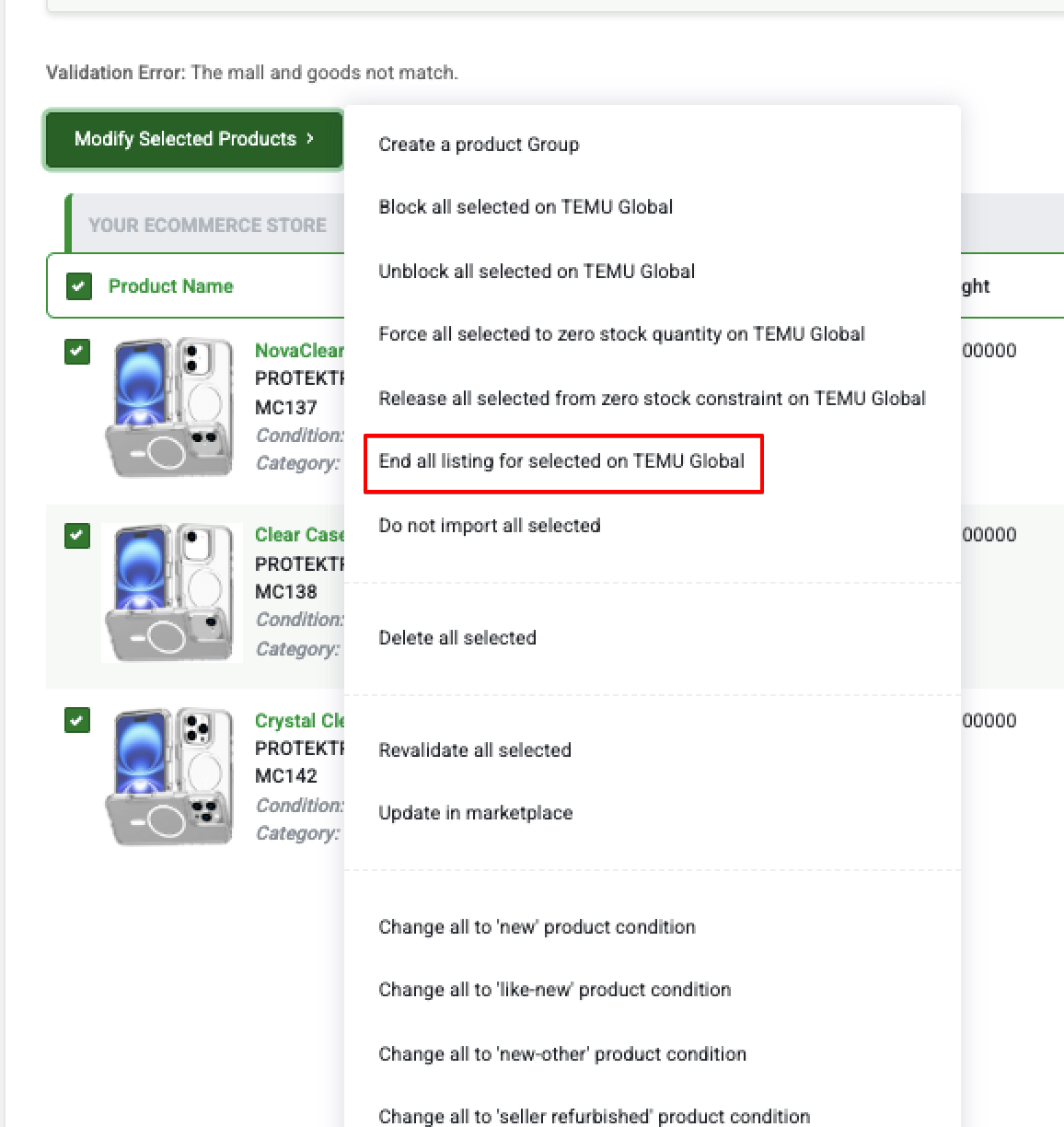 |