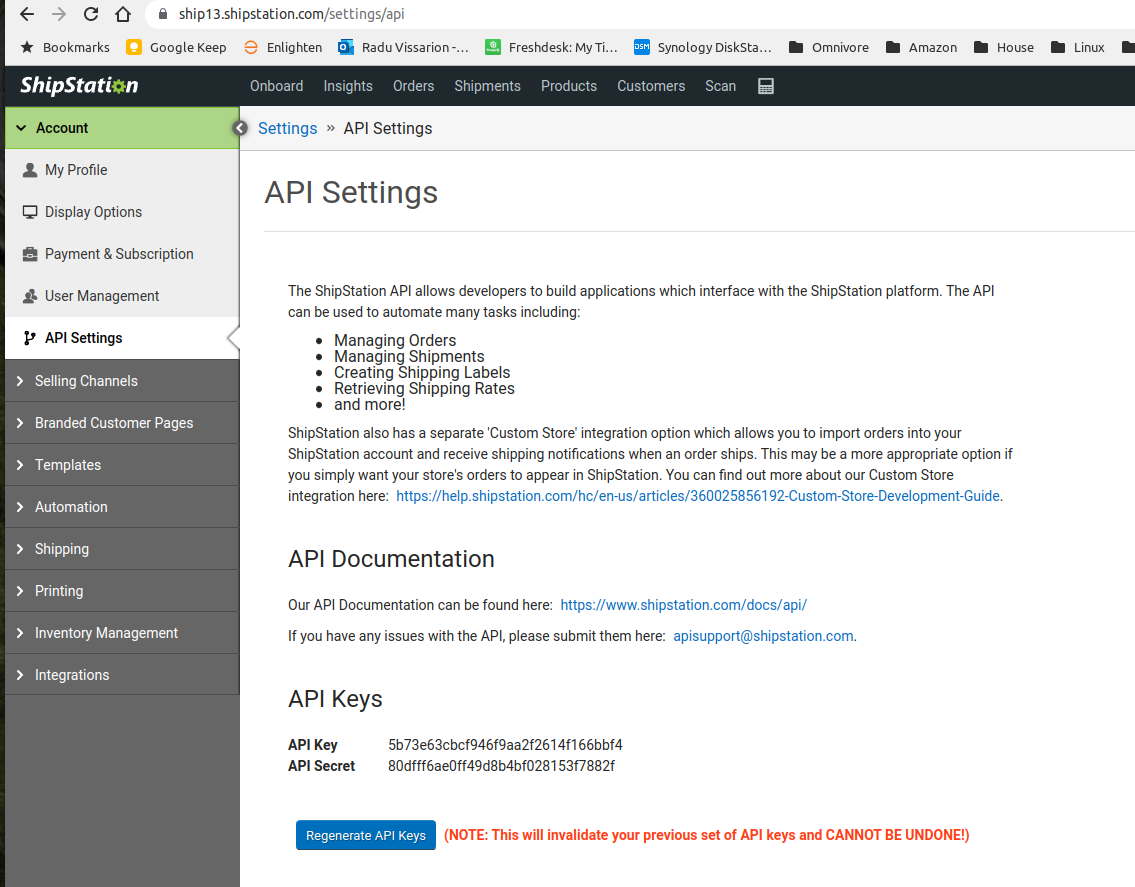
For function and more clarification on the development ask Radu or Will
This setup and change will redirect all incoming orders to Ship Station.
Setup Steps
- Navigate to Settings - Administration - Implementation - Order Adapter.
- Change Order Adapter to Ship Station.
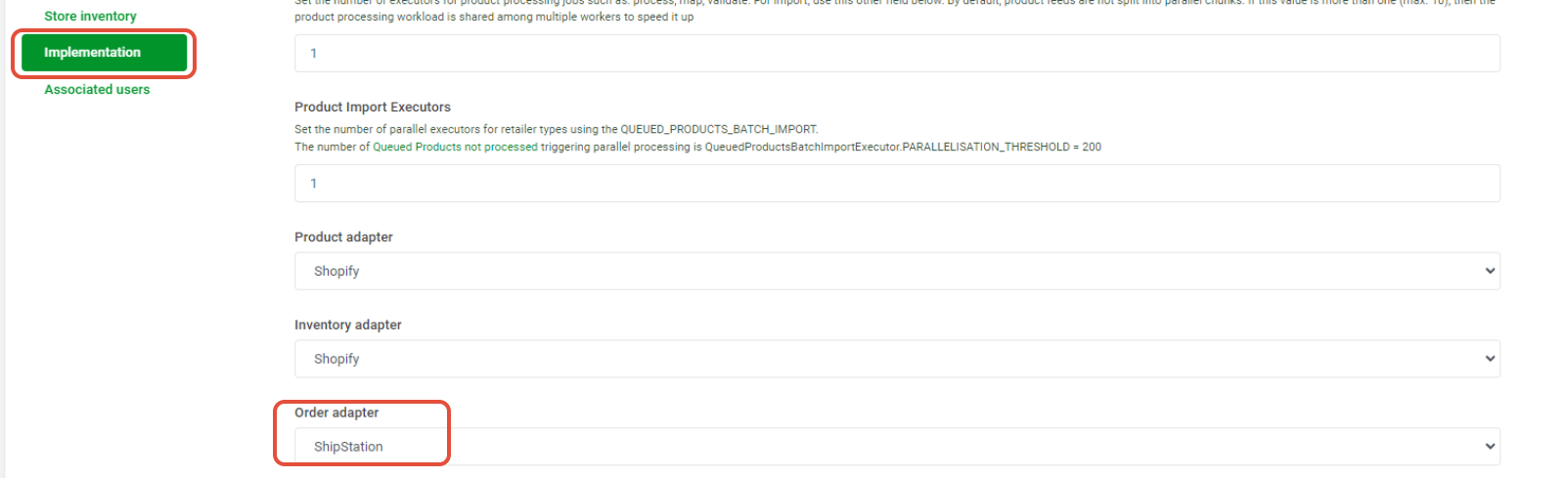
- Click Update
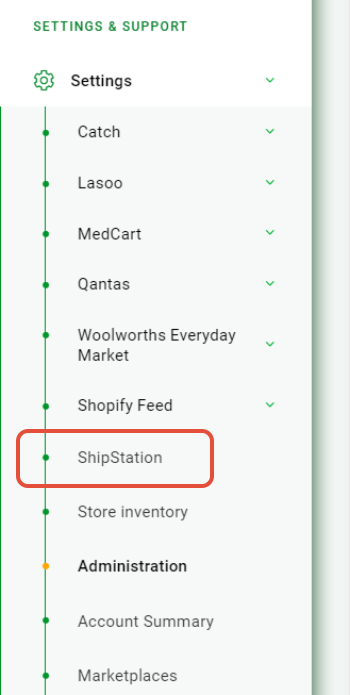
- The Ship Station Menu will now be visible in the Settings Menu.
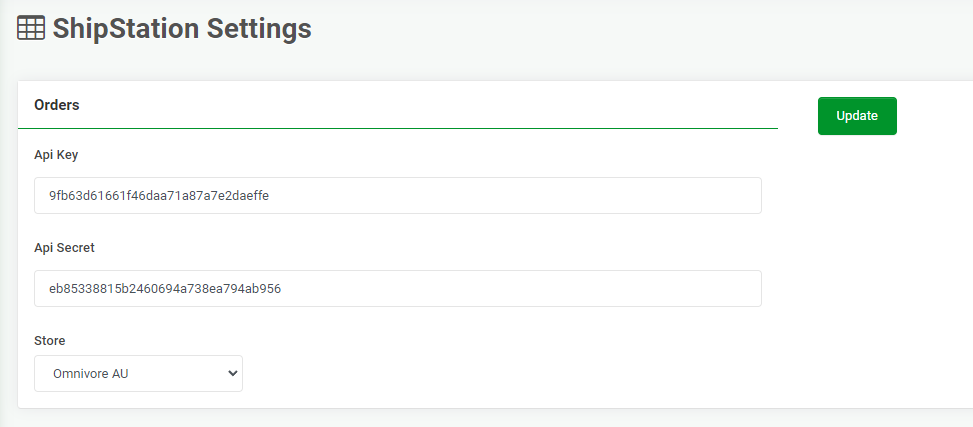
- Complete this new Ship Station Config page with API Key - API Secret - Store.
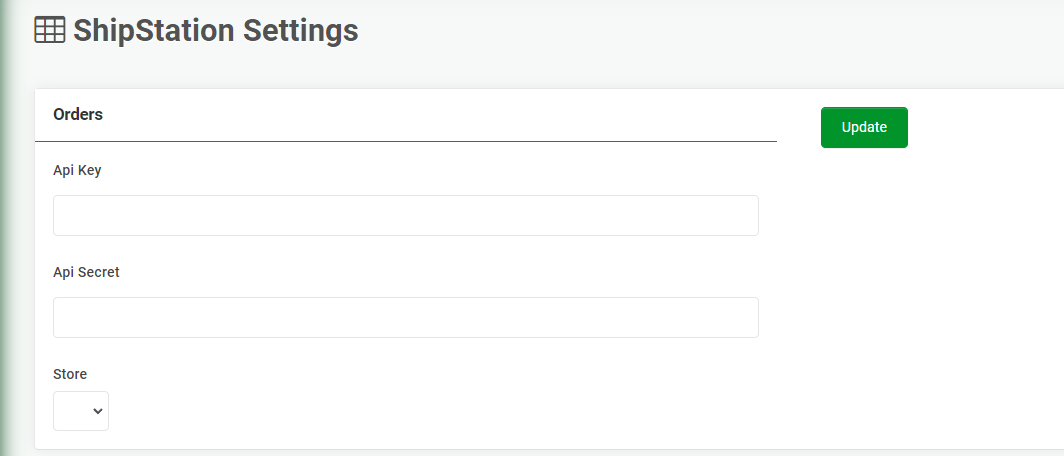
- Enter the API Key and Secret Key from Ship Station and hit Update. See image below that show this page in Ship Station.
- If this data is NOT correct the menu options in the Store field will not show.
- When you can see the Store drop down options select the relevant one.
- Hit Update
- Completion look like this:
Obtaining Key from ShipStation
- Log in to ShipStation
- Navigate to Account - API Settings
- Click the Generate (or Regenerate) API Keys button.
- Copy and paste the API Key and Secret Key from this page to Omnivore
- See step 8 above.