
TABLE OF CONTENTS
What Happens When a Onceit Category Doesn’t Support Variations
If you’re listing a product on Onceit that has variants (like different sizes), and the Onceit category you’ve chosen does not allow variations, the marketplace can’t accept the product in its standard variant format. In this case, Omnivore adapts your listing so it can still be sent to Onceit.
How This Works
Some Onceit categories don’t support product variations such as size or colour.
When this happens, Omnivore creates separate listings for each variant instead of one listing with multiple options.
Omnivore then appends the variant detail (like “Wok 28cm, 20cm etc”) to the end of the product name so each variant becomes a standalone listing in Onceit’s system.
This process happens automatically when you upload your listings to Onceit through Omnivore.
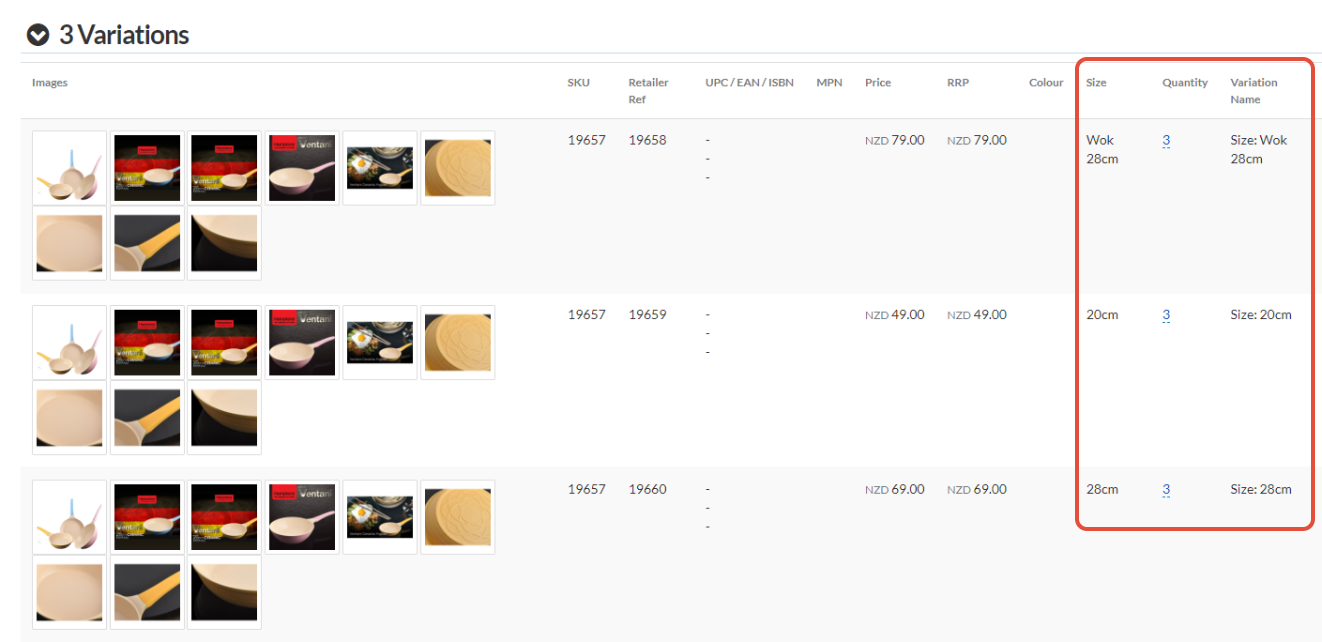
The title/name of the 3 listings as they will appear in Onceit:

What You Should Know
This behaviour is determined by the Onceit category rules — if the category doesn’t allow variants, Omnivore must list each variant separately.
If you’re not sure whether the category you’re using accepts variations, contact your Onceit Marketplace Account Manager for help.
If this variation handling doesn’t match what you expect when listing in a specific category, share the product details, variant type, and category with Support so they can investigate.