
TABLE OF CONTENTS
Overview
OnePass at Kmart is an opt‑in offer applied at the SKU level, allowing sellers to decide which individual products are enabled for OnePass via their offer feed.
Enable One Pass in Kmart
Sellers can enable OnePass through their offer feed and must also turn on OnePass at the store level.
We advise contacting Kmart Seller Support at sellersupport@marketplace.kmart.com.au to proceed and start using One Pass.
- Store-level setup:
Sellers simply need to select “Yes” for “Will any of your products participate in the OnePass Program?”.
This confirms participation and agreement with the Minimum Service Obligations. - Offer-level setup:
When the OnePass Eligible attribute is set to True, the product will automatically display the OnePass logo at checkout.
Setup Instructions in Omnivore
When One Pass is enabled in Kmart you can follow the instructions below to setup the Product Action and Product Group in Omnivore.
- Create a product group in Omnivore for the products that you want to be eligible. Go to 'Products - Product Groups' then click 'Add a product group' and use the different criteria available e.g you may only want products over $100 to be eligible for OnePass. Ensure you make the product group Marketplace Field ALL or Kmart.
- Go to 'Products - Product Actions' then click 'Create One Pass'

- Complete the fields, choose the Product Group you created in step 1, select the Kmart Marketplace, and click Save.
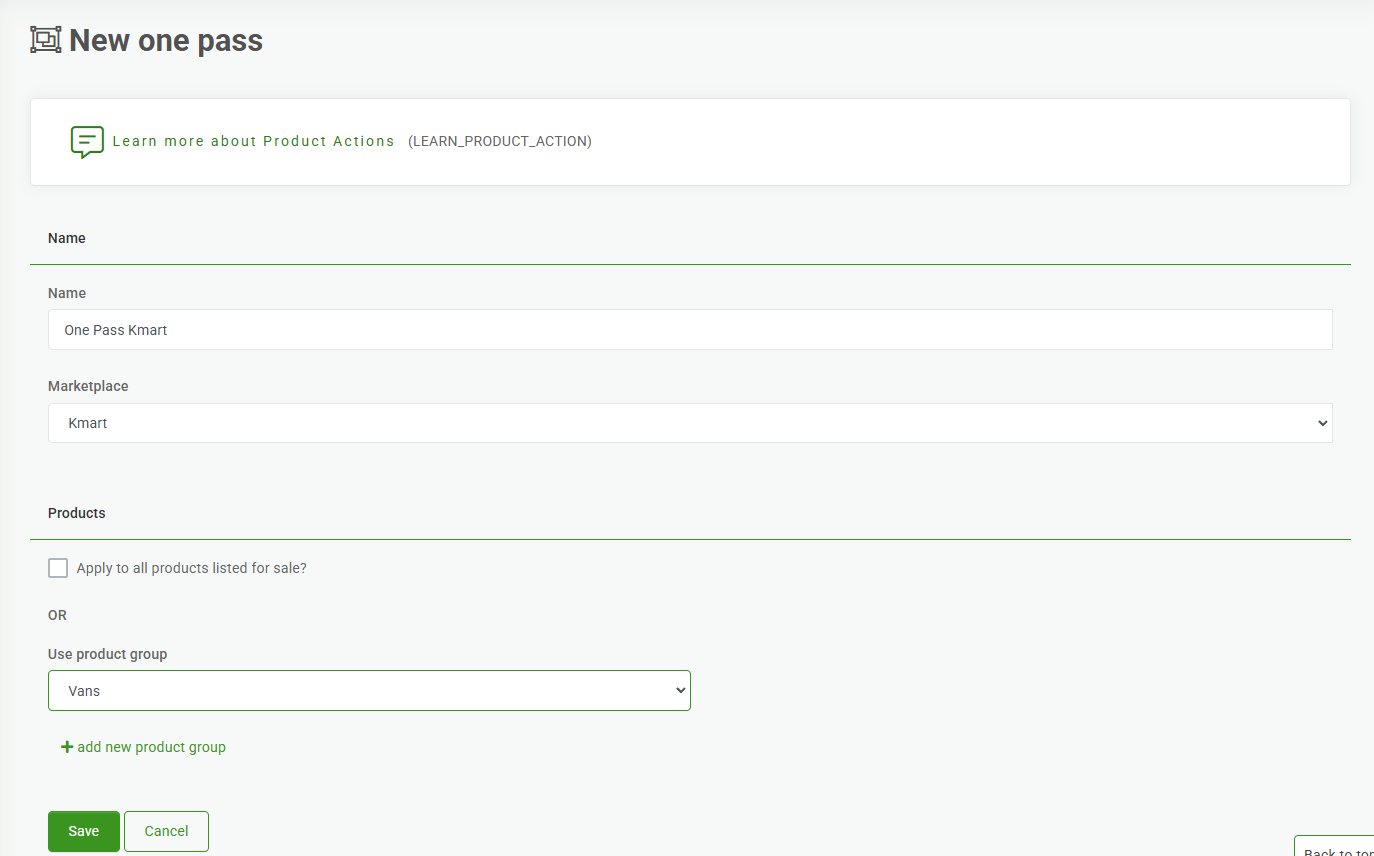
- The Product Action that is connected to the Product Group will then assign the One Pass Edibility flag and mark it as True in Kmart for those products.
- Go to the Dashboard and click 'Upload to Kmart', this will send the product action to Kmart and set the necessary flag as required.
- When your listing appears on Kmart it will have this logo showing:

Additional FAQ's
Create a product group: