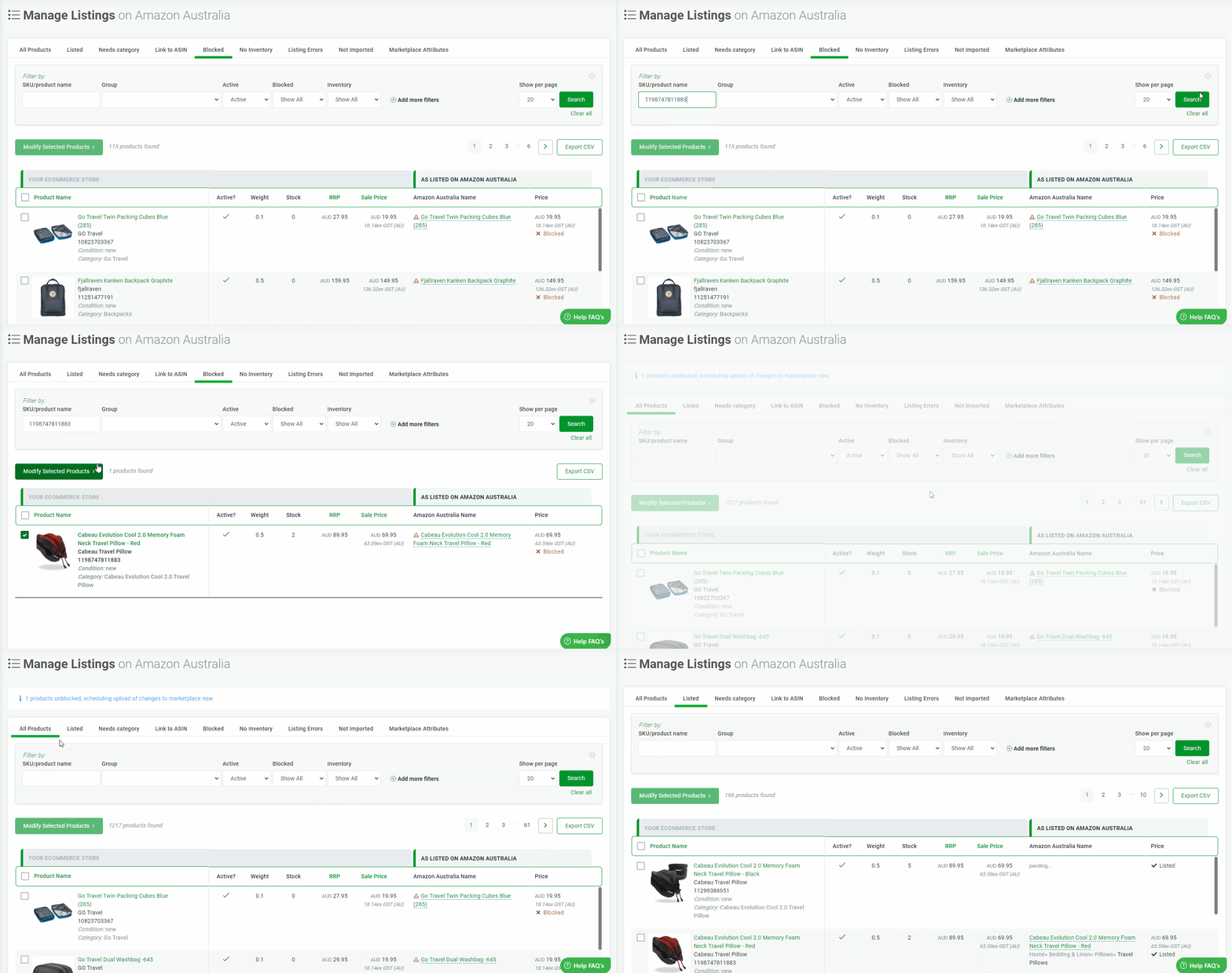
You can block a product or a selection of products via the Manage Listings search screen using the Modify Selected Products Dropdown..
How to Block and Unblock product(s)
- Go to Products - Marketplace Name (eg Amazon) - Manage Listings section.
- Select the product/products that you wish to block by checking the check box on the left.
- Click the drop down on the 'Modify Selected Products' button at the top and choose 'Block all selected'.
- When you have finished blocking and want to push the changes to the marketplace, go to the dashboard and click the 'Upload To .... ' button at the top.
- If you would like to unblock an product the procedure is the same, just choose the "Unblock all selected" from the dropdown.
Blocking
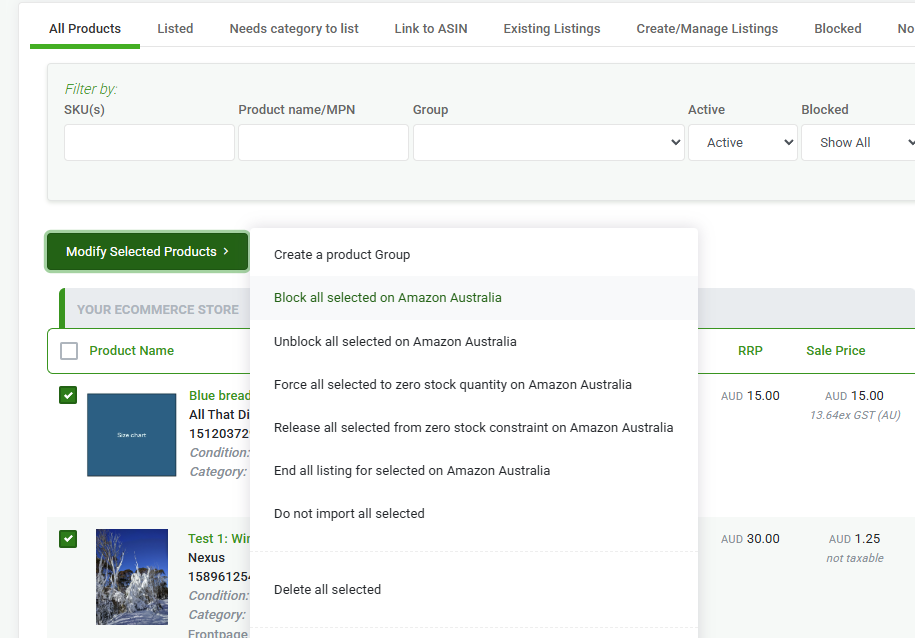
Unblocking