TABLE OF CONTENTS
Overview
You can add Afterpay as a payment option on your Trade Me listings (Afterpay fees apply).
Afterpay allows buyers to buy now and pay later in four interest-free fortnightly payments, while you receive the full payment upfront. Before enabling Afterpay on your listings, you must first register for an Afterpay account.
To register, click here.
For more information on how Afterpay works on Trade Me click here.
How to Activate Afterpay on All Listings
Log in to Omnivore / Trade Runner
Go to Settings → Trade Me → General
Enable the checkbox “Enable payment by Afterpay as well as standard payment methods”
Click Update Settings
Go to the Dashboard
Click Upload to Trade Me
Afterpay will now be enabled on all eligible Trade Me listings.

How to Activate Afterpay On A Group Of Products
Use this option if you only want Afterpay available for specific products (for example, items over $100).
Log in to Omnivore / Trade Runner
Go to Products → Product Group
Create a Product Group containing the products you want to enable Afterpay for
Go to Products → Product Actions
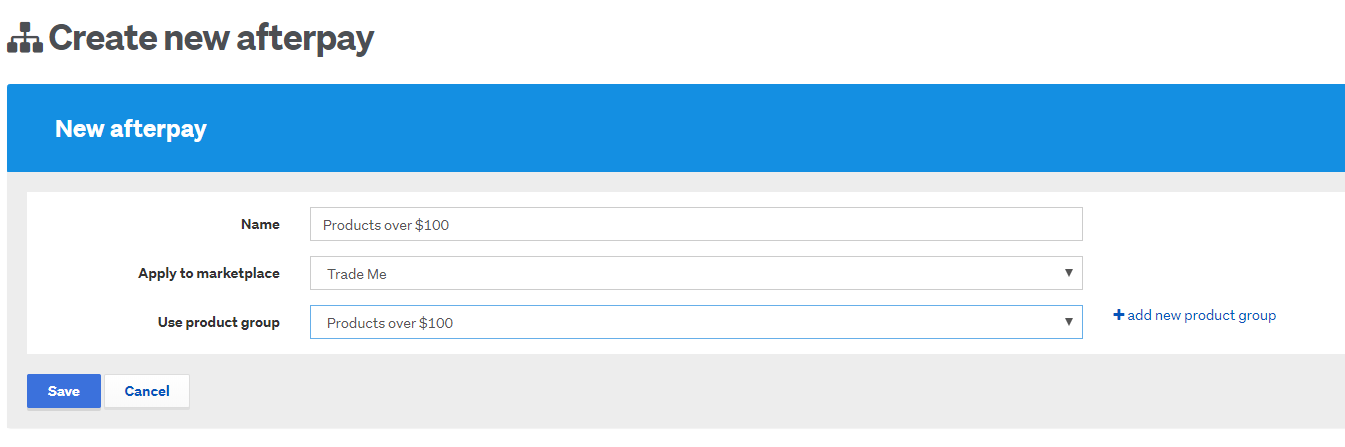
Click Create Afterpay payment method
Complete the required fields and click Save
Go to the Dashboard
Click Upload to Trade Me
Afterpay will be added only to the Trade Me listings included in the selected Product Group.