
Internal only.
Adding a significant dev change made Sept/Oct 2025, see here
https://citybeachsoftware.freshdesk.com/a/tickets/171750
Problem
- Discount are causing rounding issues at more than one level, cases
- ubereats discount: amount split between a quantity of more than one sku { discount: 1000, items [{sku:..., qty:1},{sku:..., qty:2},...] }
- omnivore has per qty discounts on a line item {sku, amount per item, discount per item, quantity of items}
- "can't" have multiply line items for a single sku (retailer and or marketplace)
- omnivore bundles, line items are exploded
- ubereats selected_modifier_groups can change the sku and qty { sku -> [{sku, qty},...] }
- Each time the discount is calculated we can have rounding errors and needs to be handled.
- We can always end up with an unmanageable rounding amount, eg 1c left over on a line item with a quantity of 3.
- First steps I can think of:
- only distribute the discounts once, after the bundles are exploded and after selected_modifier_groups are applied
- have somewhere to put the rounding error on the order, maybe in the whole of order discount (?)
- Questions, is this a really problem for the retailers? (grant total is correct, "total" under the line item is a display problem).
Summary of the fix written by Will.
- the columns for base unit price and marketplace unit price were displaying the current product values (not from the order)
- the base unit price and marketplace unit price on the order have been replaced and reworked:
- Base Unit Price - from the marketplace order
- Unit Discount - calculated from the marketplace order
- Transaction Unit Price - calculated from the marketplace order
- under the line items and above the delivery and total you "may" find "Rounding Adjustment", this is a calculated value to handle issues with the calculation of line item discounts.
What the order line item headings use to look like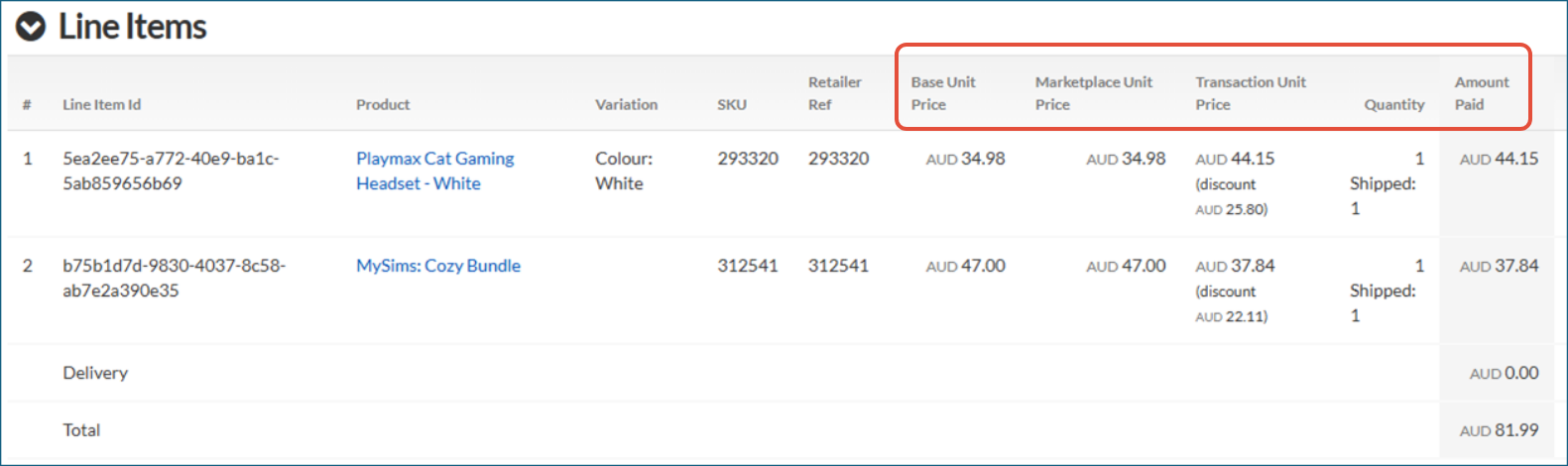
What it looks like now:
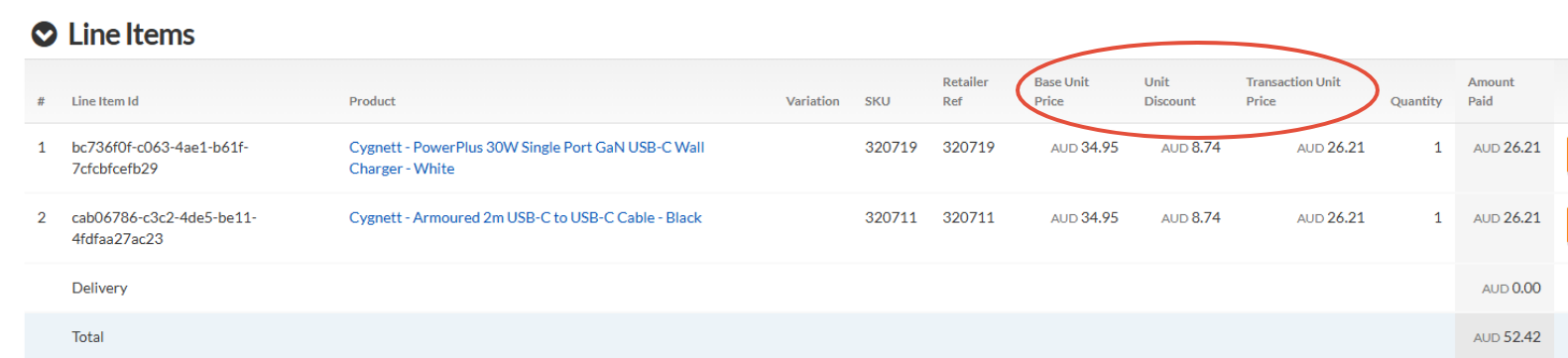
If there is Rounding Up applied in the order it will now be displayed on the order page (see 7 and 8 under Problem above)
https://m2.omnivore.com.au/retailer/ebgames/order/61c96a3c-28b6-4698-99f0-a9b3089dd239