
If you encounter issues with the marketplaces reporting that a retailers account is not sending any product data there is a way to check exactly what is being uploaded to the marketplace.
On the retailers account go to Retailer Admin > Jobs List. From the filters select UPLOAD_PRODUCTS_TO_MARKETPLACE on the Filter by Type dropdown list, select the marketplace from the Filter by Marketplace drowdown list and in the extra info field enter: "type":"PRODUCT"
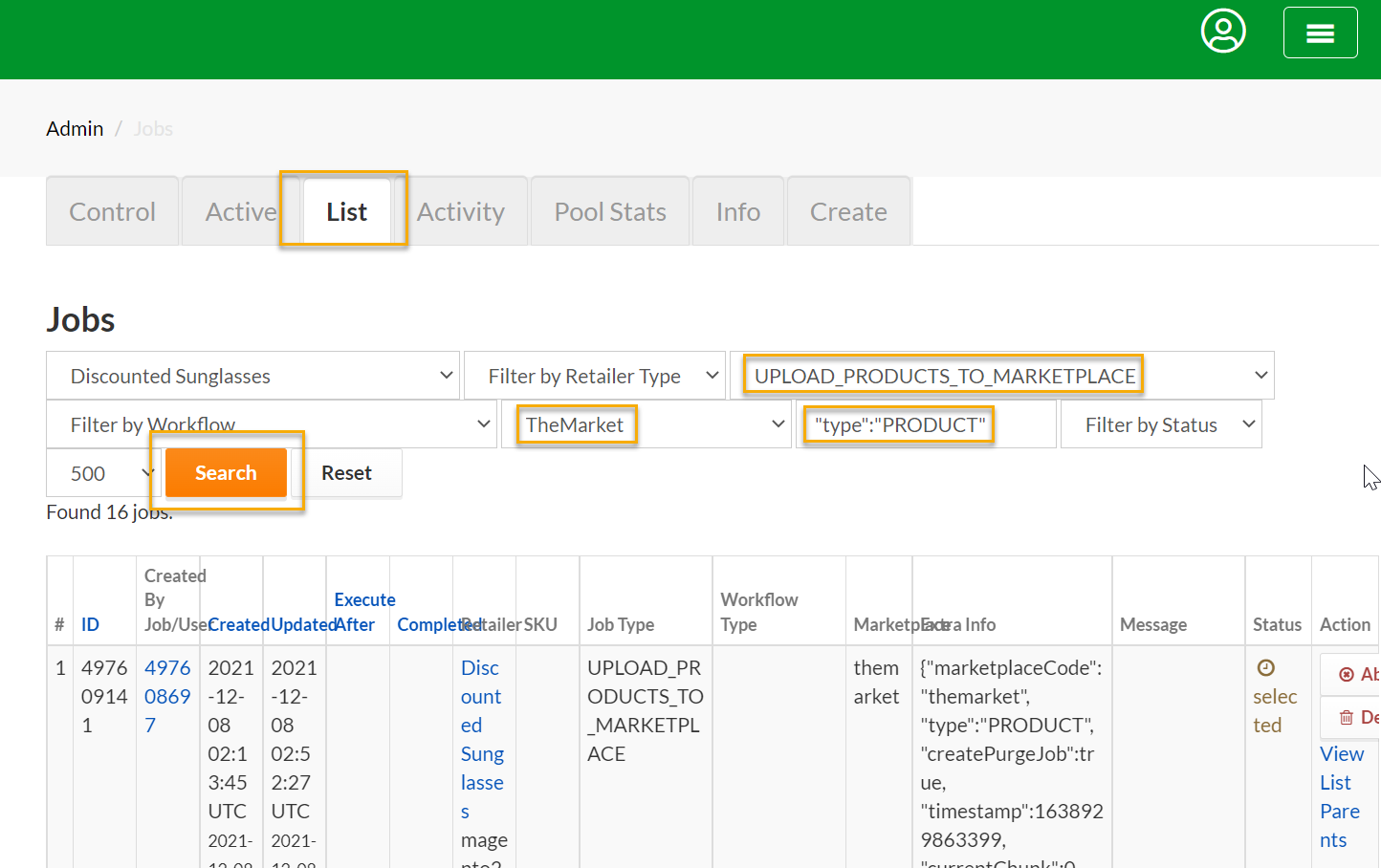
From the results, check the Status field. If the Status is failed then we are not uploading products to the marketplace. If the Status is selected it means that this particular job is still processing. Ideally we want to find the most recent job with the Status set to success (as shown on the following image):
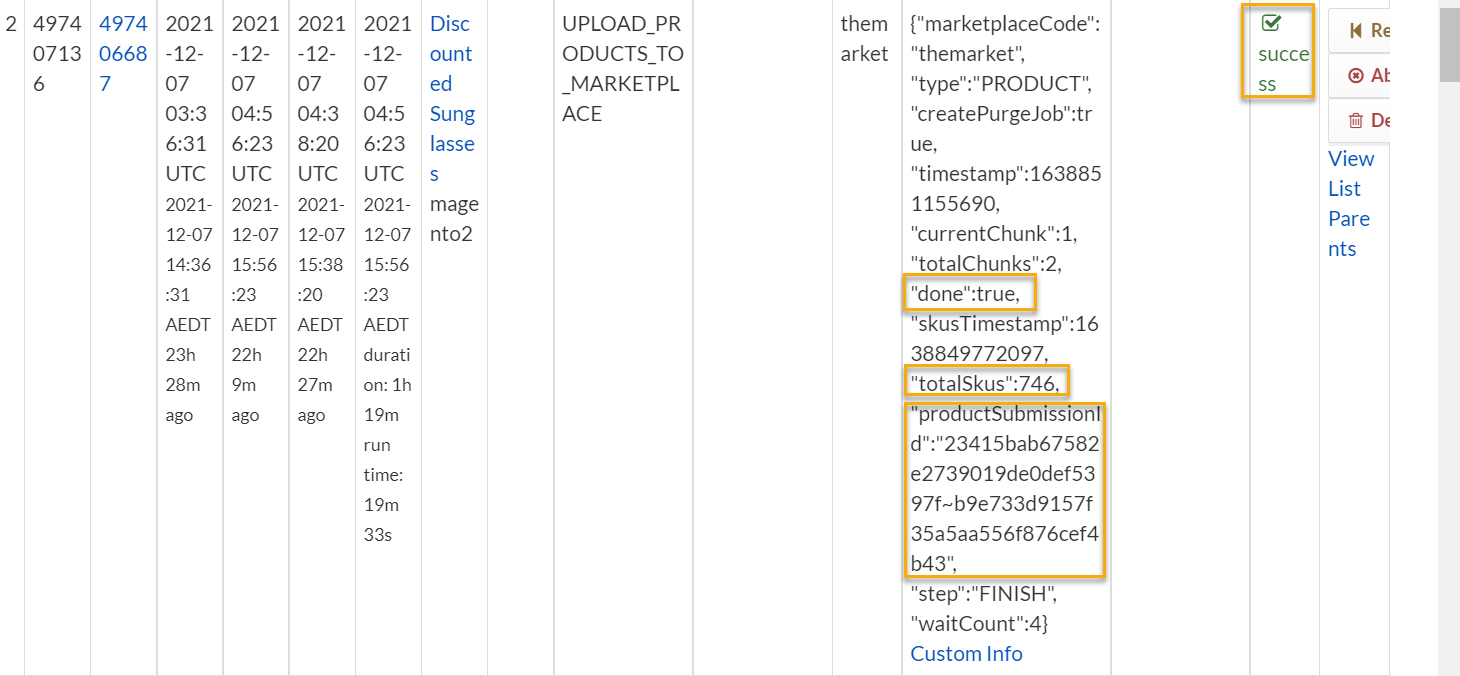
For example, on the image above you can see that the Status = success.
The "done":true value in the extra info field tells us that the job completed successfully.
The "totalSkus":746 value tells that there were 746 product SKUs that were processed and the "productSubmissionId":"23415bab67582e2739019de0def5397f~b9e733d9157f35a5aa556f876cef4b43" value tells us that there were 2 marketplace submission IDs (multiple batches are separated by the ~ symbol).
The submission IDs can be broken down as follows:
23415bab67582e2739019de0def5397f
b9e733d9157f35a5aa556f876cef4b43
This information can be sent to the marketplace (please include the number of products as well) where it can be checked on their system where they will be able to see what happened to these products.
All the usual Date Creates, Date Updated and Date Completed information can be found on the left columns.