
Internal use only.
Overview
- How to setup an existing seller so they can send a feed to Mosaic
- What that feed does and does not do
- Getting started integration steps
- Key things you should know.
There are two active seller so far - https://m1.omnivore.com.au/dashboard/william-valentine-custom-feeds#marketplace-mosaic
https://m1.omnivore.com.au/dashboard/briarthorn
Some contacts and info about Mosaic Brands:
carolina.marquez@mosaicbrandsltd.com.au, danielle.melick@mosaicbrandsltd.com.au, divya.sarin@mosaicbrandsltd.com.au, leanne.davis@mosaicbrandsltd.com.au
https://www.mosaicbrandslimited.com.au
Mosaic brands include Noni B, Rockmans, W.Lane, Beme and the recently acquired Millers, Katies, Crossroads, Autograph and Rivers.
Setup Process in Omnivore
- Ensure the seller has contacted Mosaic Brands and that they are ready to list. Mosaic should have created an account for the seller.
- Reach out to Mosaic as well (see below) they may created an account for us under the sellers account so we can access documentation.
- This is a login we have for briar thorn - https://vms.mosaicbrandsltd.com.au/
request@citybeachsoftware.com - C1tyb3ach! - See the attached documents to do with product updates and product update feed files.
- Check the note in this ticket from Kim on 5.10.23 - https://support.omnivore.com.au/a/tickets/126790
- Check to see if they have existing listings and follow the Mosaic process to handle them.
- Check Mosaic Team for specific Attribute Types if any.
- Add the Mosaic Feed to the account from the Marketplace Menu in Omnivore.
- This will setup a basic feed.
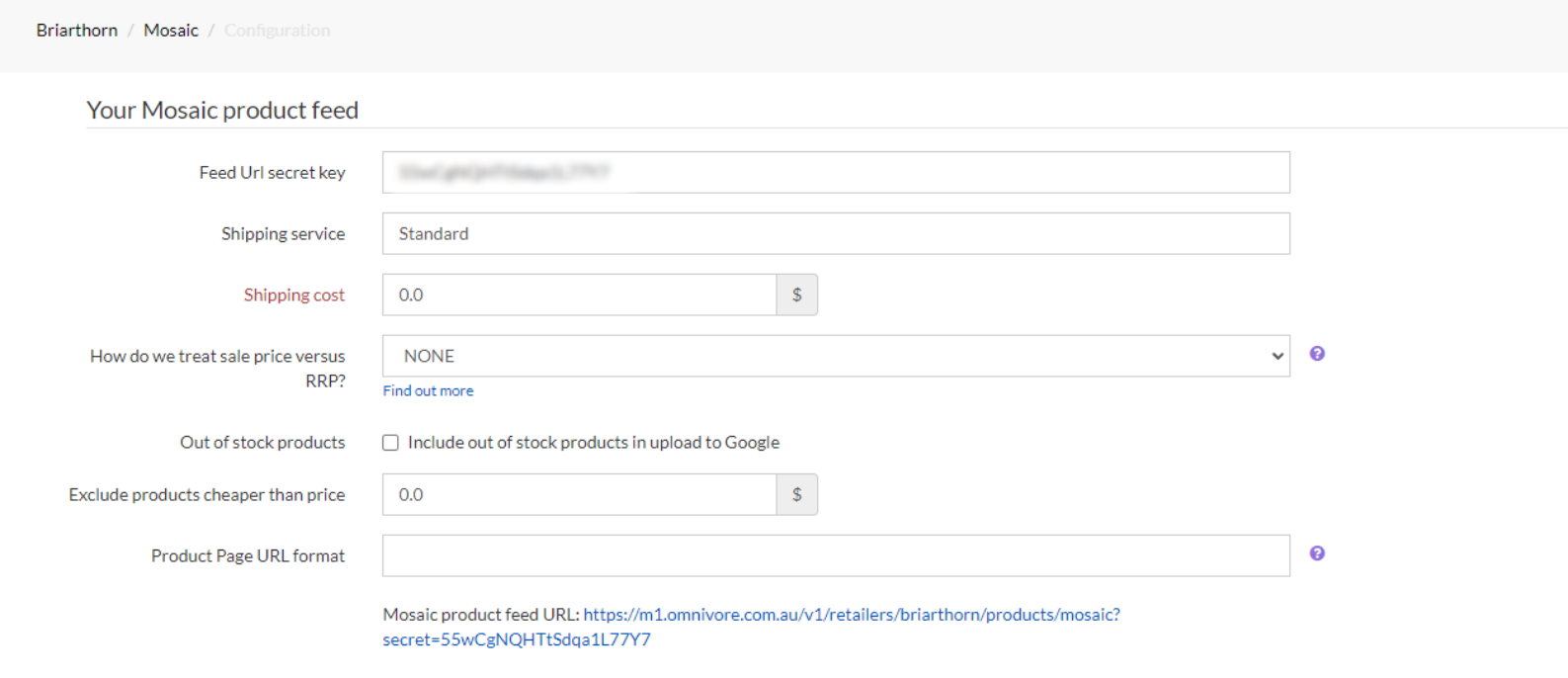
- The seller can supply Shipping cost, in most cases it will be 0.00 which is FREE.
- Map the products as normal and NOTE that the ONLY category to choose will be called DEFAULT. Use that.
- Reach out to Mosaic to obtain there pre Start Selling checks.
- Hit Start Selling in Omnivore, you can do this with a few mapped to test first or map all of the products.
- Monitor to check for orders.
- Add any notes or integration key points to the notes section in Omnivore.