
You can choose what the Retailer uses for the SKU in the marketplace. This is useful for Retailers with existing listings - if the Retailer is using MPN or SKU in the marketplace, you can set Omnivore to also use the MPN or SKU so that the listings can be linked up and kept.
This currently works for:
- eBay
- Google Ads
- Kogan
How to Set Up (this is currently Admin Only):
- Go to the Settings: Marketplace Config page i.e Settings - Google Ads - General - scroll down to Admin Only Settings
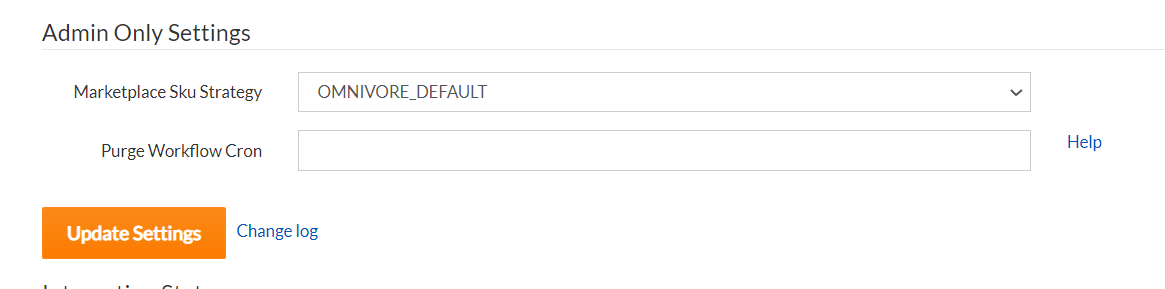
- This default to OMNIVORE_DEFAULT - this is SKU-Retailer Ref
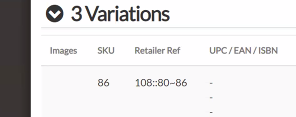
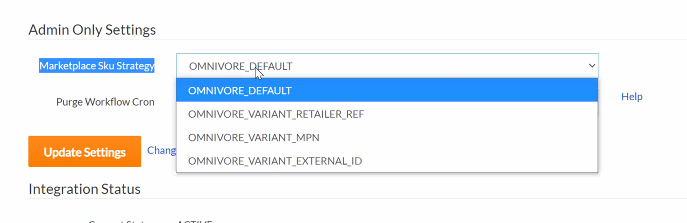
- Variant retailer ref – field on the variant. If Shopify, value is unique.
- Variant MPN – Shopify; MPN is what the retailer calls SKU, not compulsory in Shopify, can have duplicates
- Variant External ID - same as retailer ref
- After you change the settings, check on a product - Go to the Product Page: validate or process map validate. Go to marketplace section and check if marketplace sku has changed.
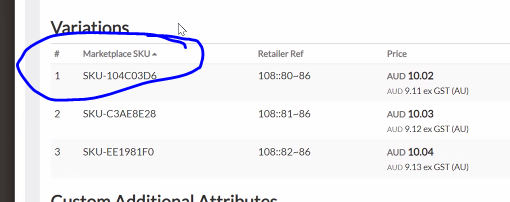
- After you change the setting, you need to validate all products. Need to run a full validate on all products (import ALL products from ecom store – red button)
Outstanding:
Existing Products – how do we check if they have existing listings? Do you want to use your product SKU?
Check box – do you have unique SKU
Other Marketplaces: eBay, MyDeal