
In line with new and revised eBay Conditions Omnivore now has more options to map retailer product condition.
This is an admin function therefore we will need to ask the seller to setup condition in their store and/or provide us with the conditions they want mapped
Ticket Reference - https://support.omnivore.com.au/a/tickets/94312
Condition Data
The Omnivore standard condition codes are as follows. Retailer condition codes must be mapped to one of the following, otherwise the condition will be defaulted to 'new'.
If you make this change and still see condition code 1000 (new) in the Omnivore data then your json entry did not work.
Currently this is only available for Magento 1 and 2. (You can share this list below with the retailers).
"new"
"new-with-defects"
"new-other"
"refurbished"
"seller-refurbished"
"excellent-refurbished"
"very-good-refurbished"
"good-refurbished"
"certified-refurbished"
"used"
"used-very-good"
"used-good"
"used-acceptable"
How To
- Go to Settings Magento Feed - General, scroll down to find the Product Conditions Field.
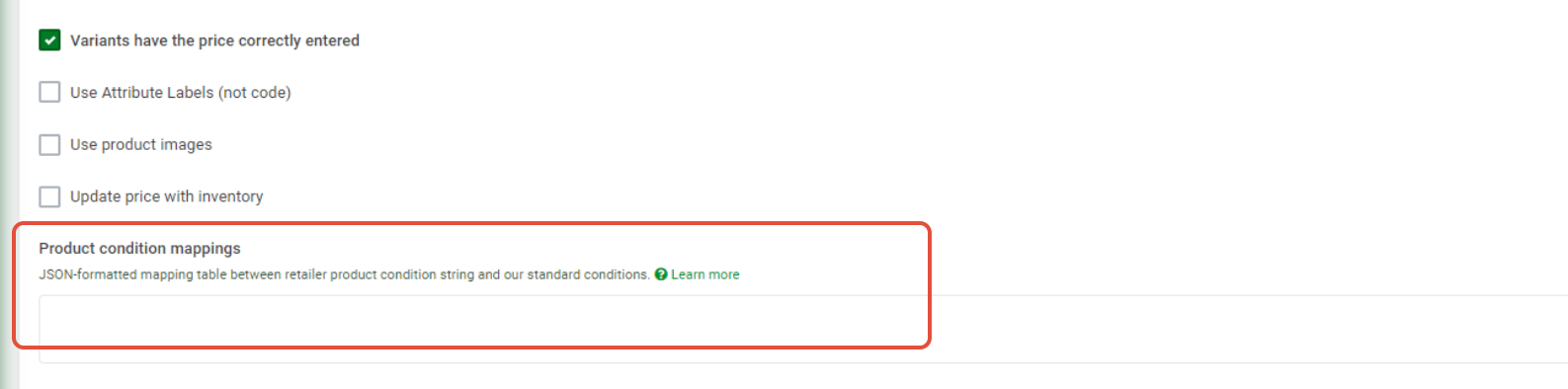
- This field only accepts json syntax which looks like this basic eg: {"Excellent - Refurb_A" : "excellent-refurbished"}
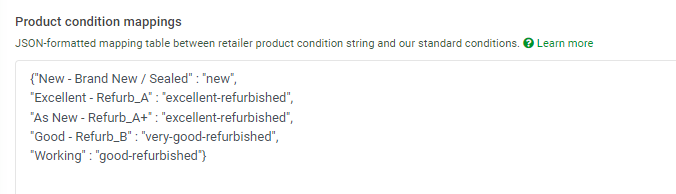
- The first value is the retailers condition the second value is the omnivore condition code that will be uploaded to the market.
- This shows an example of a working mapped condition:
Troubleshooting
- You may need to use a JSON checker.
- After you make this change test it on one product by doing a single product update.
- If you need to check the Conditions the seller has sent you against what we can see in Omnivore see more steps below under Magento Attribute Page.
- Condition code 1000 in the data means the change has not worked.
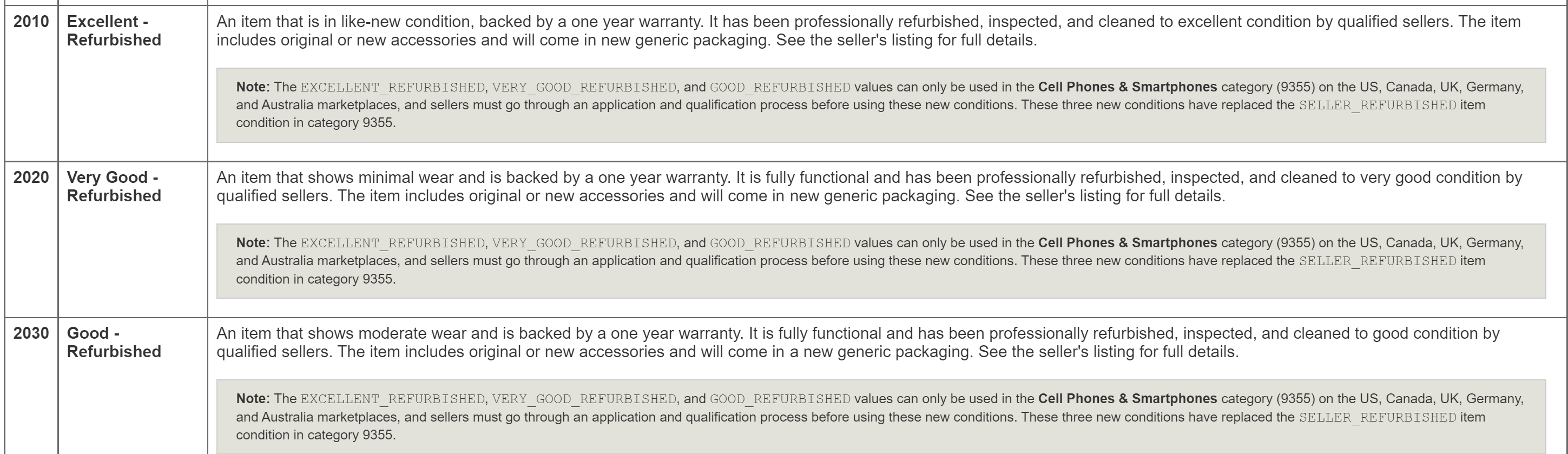
eBay Conditions

Magento Attribute Page
If you want to check the Condition Data we can see vs what the Seller has sent you go to Settings - Magento 2 Feeds - Available Attributes button.

Control F to find Condition (or any other attributes) then click green plus to reveal.

This can be a handy tool to check what attributes we can see if the seller sends you incorrect data OR is you are setting up any attribute mapping.