Omnivore MCA (#163848930)
- Product disapprovals - aim to keep the % of product disapprovals under 20%. We have approval for 1000 subaccounts but disapprovals needs to be under 20% for further increases.
- If a Retailer is no longer with Omnivore, you can unlink the Sub Account from the Omnivore MCA
- If there is a DUPLICATE GMC account and the retailer has another GMC account which is verified, claimed being and used you can delete the GMC account in Google.
- Best practice is to send communications to the Retailer linked to that GMC to give them a heads-up they have disapprovals to amend and a timeframe to do that before the GMC account, including any associated feeds and items is deleted.
- Regarding unlinking GMCs or deleted disapproved product offers, this is only for those who are not commercially engaged with Omnivore and have high levels of disapproved products (definitely not for those using their GMC and running Free Listings).
Steps to unlink a subaccount GMC from Omnivore MCA:
- Login to the Omnivore GMC and click the ? button on the top right
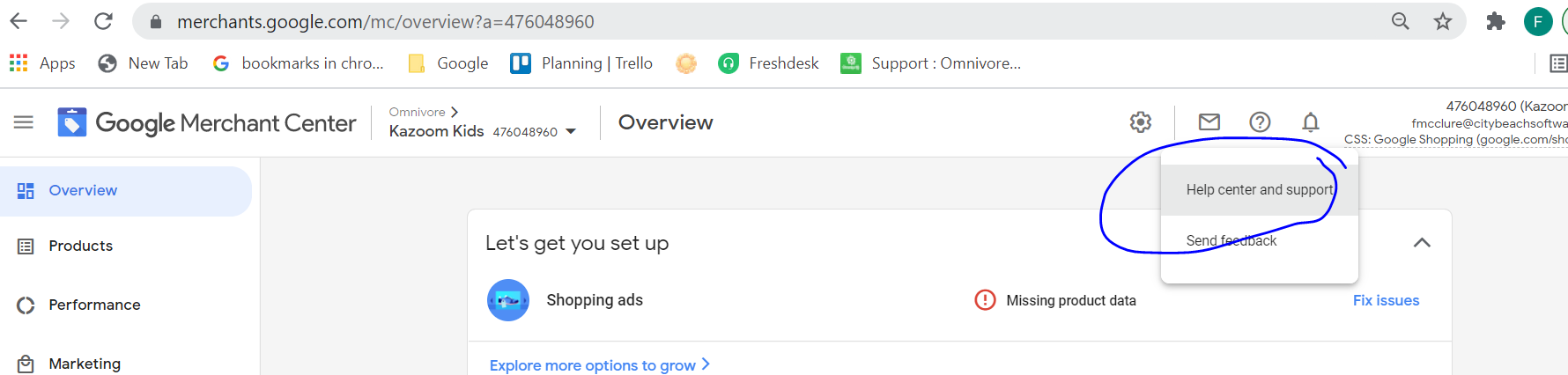
- Send a Support Request with a list of the GMC IDs and business names requesting Support to turn the subaccount into an account (not associated with Omnivore MCA 163848930)
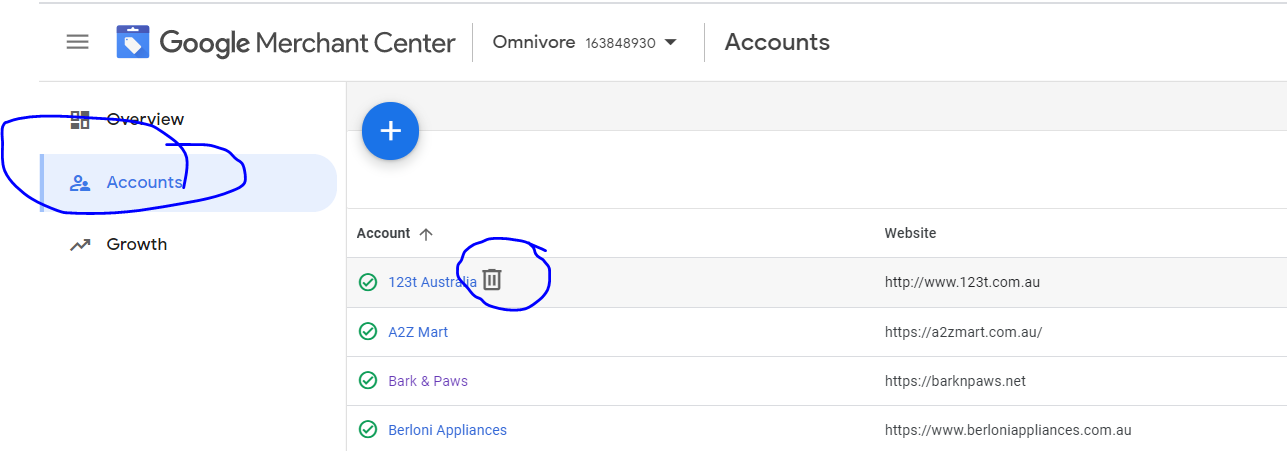
How to Delete a GMC
- In the Omnivore MCA > Accounts > trash can icon when hovering over the subaccount > confirm.
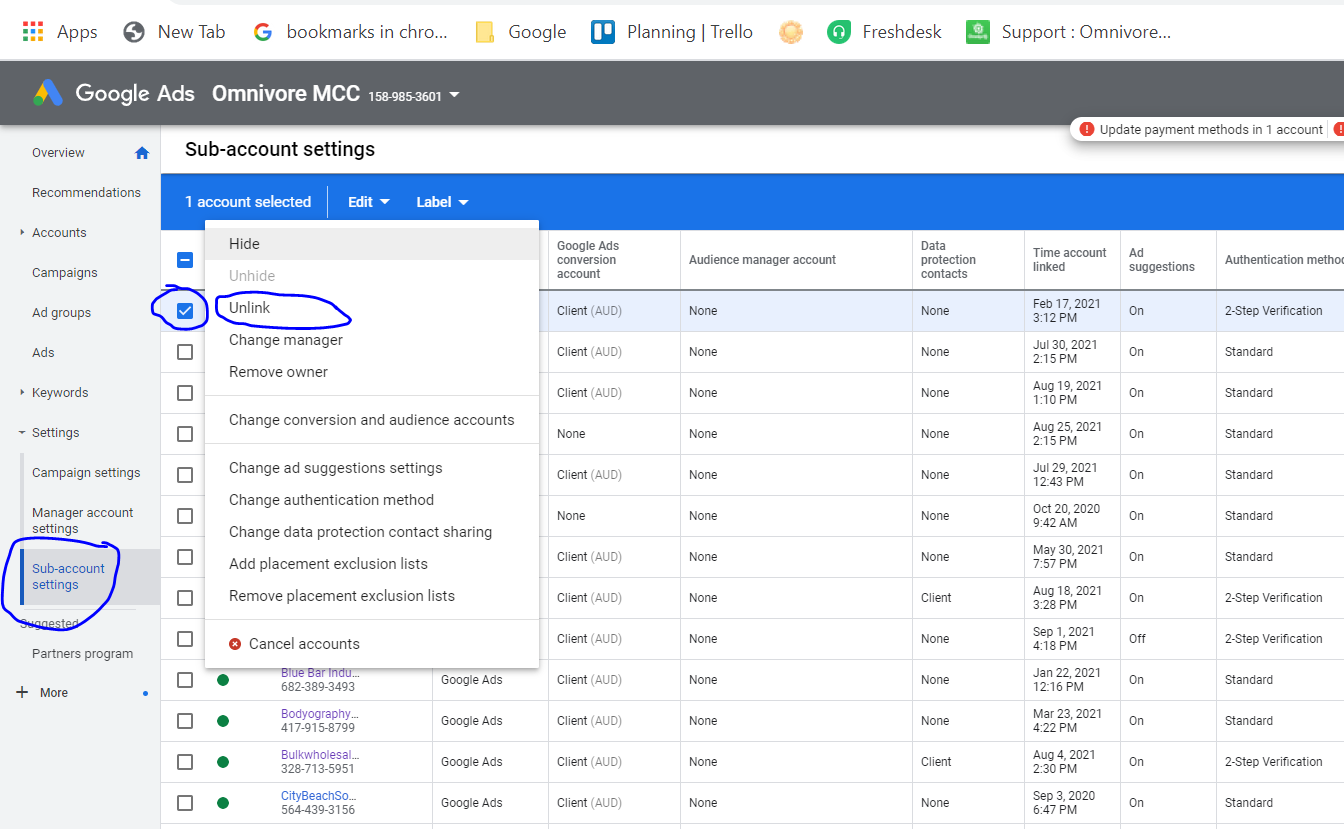
How to unlink Google Ads accounts from the Omnivore MCC Ads account
To unlink an account from your manager account:
- Sign in to your Google Ads manager account.
- From the page menu on the left, click Settings, then click Sub-account settings at the top of the page.
- Select the accounts you want to unlink.
- Click the Edit drop-down menu and select Unlink.
https://support.google.com/google-ads/answer/7456531