
Installation
- Go here to view the Omnivore Extension in the Magento Marketplace
- The method preferred by Magento for installing packages is via "composer".
Connect & Create Your Omnivore Account
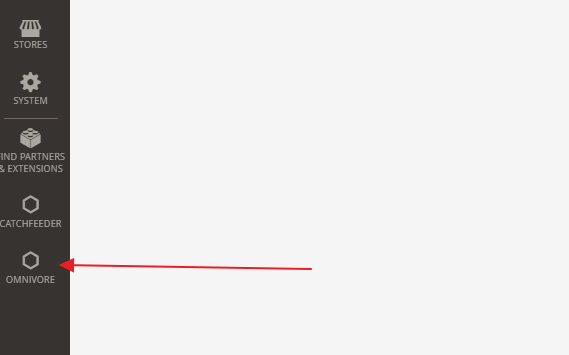
After the packages are installed you should see 'Omnivore' in the Magento admin page (bottom-left). Click this to navigate to the Omnivore page on your Magento admin site.
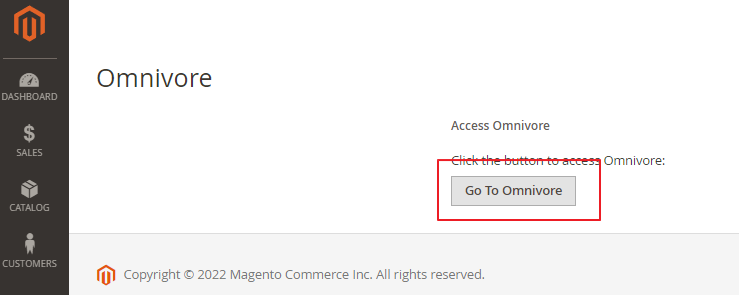
Then click ‘Go to Omnivore’. This button will then link you to the Omnivore site registration page (or Dashboard once you have registered).
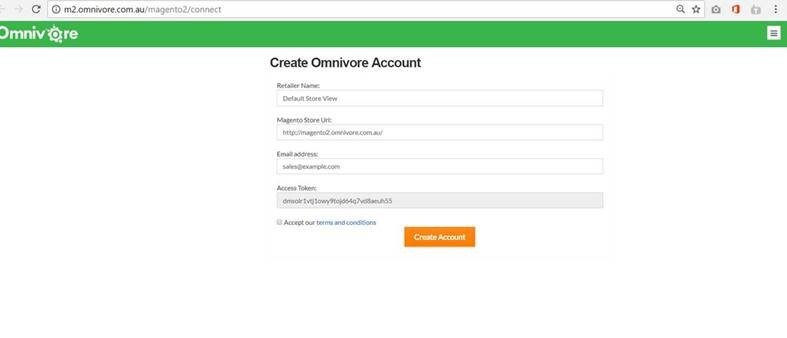
Check the information on the Create Omnivore Account screen, accept the terms and conditions and click ‘Create Account’.
Troubleshooting
If you have any problems connecting to Omnivore, please review these troubleshooting guidelines.