
Here is a link to an overview provided by Werner:
Passcode: cicv0N@9
Products approved at time of onboarding, then after that products are allowd to go live without being checked.
Default Shipper - if we see Australia Post - map to AUP etc. Kogan have a carrier code that we need to use. Retailers can apply for approval and we can override in settings - default shipper. If get order errors because sending things without tracking. Need to get AUP/ELMS turned on in Kogan, then we need to add that in Omnivore. Usually set up by the onboarder at Kogan.
Shipping - custom shipping table; we don't send anything to Kogan and they set it up on Kogan side. We can't ask Kogan what they have via the APIs
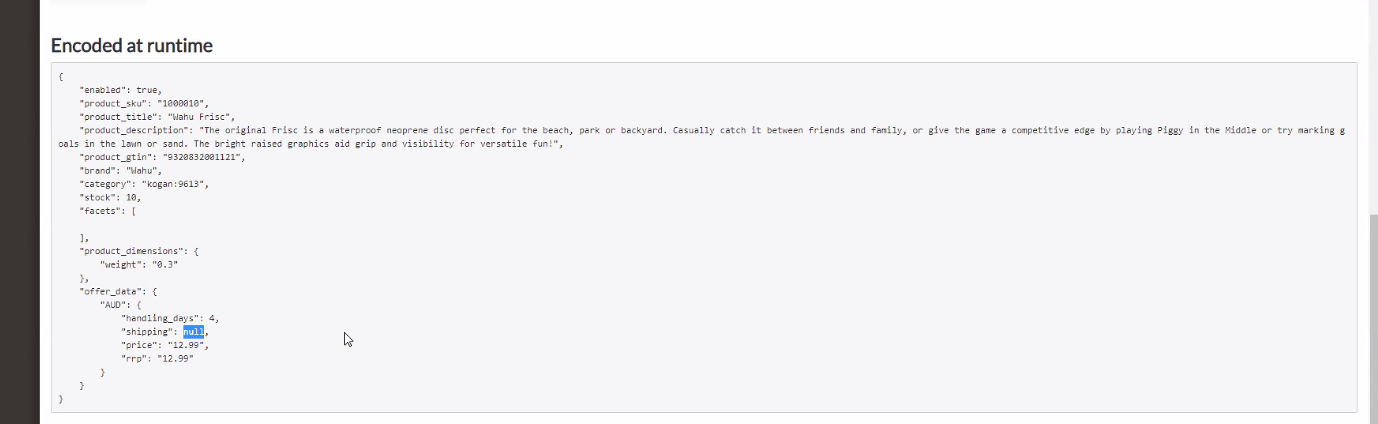
Product payload:
To update marketplace categories, there is one update each month that runs automatically. Or you can force an update.
Upload products to Marketplace = full product upload to kogan
9 product full upload - parent job; creates the Upload products to Marketplace = full product upload to kogan
Once complete; download, process, insert purge job,
Upload jobs in batches of 100.
4 Inventory: inventory delta every 20 mins.
Product job:
Create a product
then its always an update
If existing seller on kogan, item already exists,
every product will fail, then the second upload will succeed.
Orders: Kogan can withhold orders for 30 mins as customers can cancel an order within 30 mins. If so, the order won't come through for a further 30 mins to Omnivore.
If you sell on Kogan, you will get listed on Dick Smith also.