
Useful links to how other integrators handle images:
https://www.netohq.com/support/s/article/add-images-to-products
Have option for retailer to fix/change images in marketplace then have an omni a "do not update images in marketplace" setting
Ideas on how to do this?
checkbox at both a product level similar to the "stop updating in marketplace" (but just for images), a marketplace level or in a bulk way by sku (swimilar to the bulk block feature)
Positives
This would allow a retailer to make changes in the marketplace to images and not have us override these changes
Negatives
More of a quick fix - moving away from automation by Omnivore
Examples
https://support.omnivore.com.au/a/tickets/67706
Ability to exclude individual images from the omnivore product page (at a marketplace level OR all marketplaces for multi marketplace retailers - currently it is very manual and at a marketplace level)
Ideas on how to do this?
Could we have an "exclude from eBay", "exclude from catch", "exclude from all marketplaces" options?
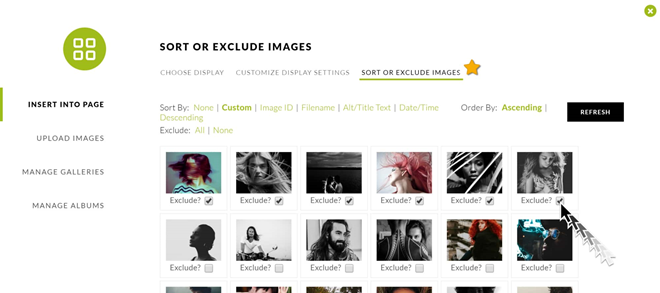
above image is from https://www.imagely.com/docs/excluding-images/
Positives
This would allow a retailer to block images in an easy visual way from the omnivore product page. Retailers should also have an undo option if they change their mind later.
Negatives
Examples
https://support.omnivore.com.au/a/tickets/70161
https://support.omnivore.com.au/a/tickets/69029
Add images at a parent level within Omnivore
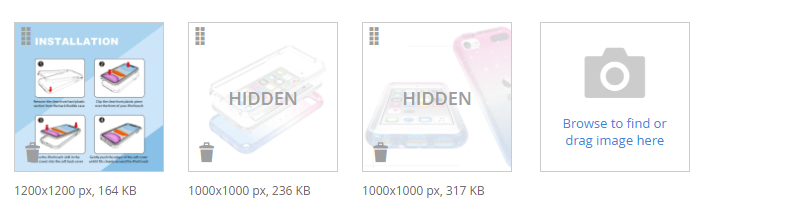
Would be great if we could upload images directly in the product page at parent level
Ideas on how to do this?
Have an upload to product option within individual omni product pages. While csv could be an option/extra this is not user friendly and is prone to user error
Positives
- Retailers could have main images in Omnivore that do not exist on their website product page. This would be useful when a marketplace requires different formats or layouts that do not suit their website styling and they do not want to add extra images into their website product data. This would work really well with the above option to exclude images from within Omnivore (above)
Negatives
- csv option, while handy for larger retailers, smaller retailers might struggle with the data side of this, especially finding the urls etc. Possiblity of accidentally mixing up data and uploading incorrect images to products. We would need image visibility at a product level if the csv option was used.
- Adding more data to the ""marketplace attributes"" page would not be a great user experience. It is already too messy and hard to navigate. I feel images should have their own page of somesort if there is a csv upload option
Add images at a variant level within Omnivore
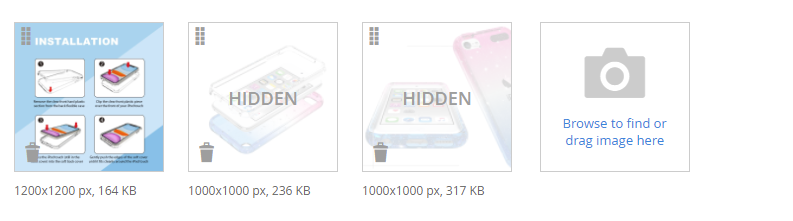
Would be great if we could upload images directly in the product page
Ideas on how to do this?
Have an upload to product option within individual omni product pages. While csv could be an option/extra this is not user friendly and is prone to user error
Positives
- BigCommerce and Shopify only import one image per variation. All marketplaces encourage more than one view per variation.
Negatives
- csv option, while handy for larger retailers, smaller retailers might struggle with the data side of this, especially finding the urls etc. Possiblity of accidentally mixing up data and uploading incorrect images to products. We would need image visibility at a product level if the csv option was used.
- Adding more data to the ""marketplace attributes"" page would not be a great user experience. It is already too messy and hard to navigate. I feel images should have their own page of somesort if there is a csv upload option
Examples
https://support.omnivore.com.au/a/tickets/67706
https://support.omnivore.com.au/a/tickets/68066
https://support.omnivore.com.au/a/tickets/65848
Change/rearrange image order in Omnivore
Ideas on how to do this?
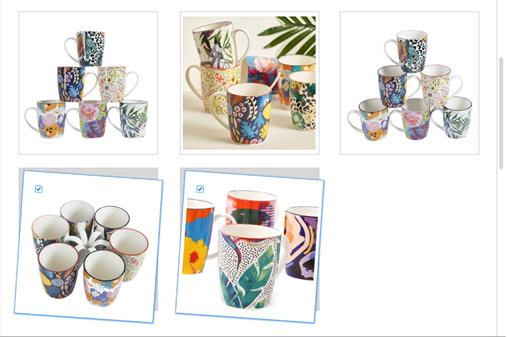
drag and drop within product page would be great (see link below)
Positives
- Changing the image order in the website does not always reflect in the product in Omnivore
- Some marketplaces have different requirements for the main gallery image, this could solve that problem. i.e. drag marketplace compliant image to the first position
Negatives
- dev work
Examples
https://support.omnivore.com.au/a/tickets/69330
https://support.omnivore.com.au/a/tickets/69185
Selecting a different image within the product page to display as the main image on a Marketplace
Ideas on how to do this?
drag and drop or select as main image (similar to how facebook has "Make cover photo)
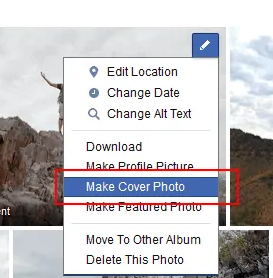
Positives
If retailer has a main website image that does not conform to a marketplace all white background for thte main image for example, they can drag or select a white background image that is in their website product gallery as the main search photo
Negatives
If this is not available at a marketplace level this would not be ideal, for example eBay allows "graffiti" so retailers want this. eBay will also accept lifestyle images but other marketplaces will not
Examples
https://support.omnivore.com.au/a/tickets/69330