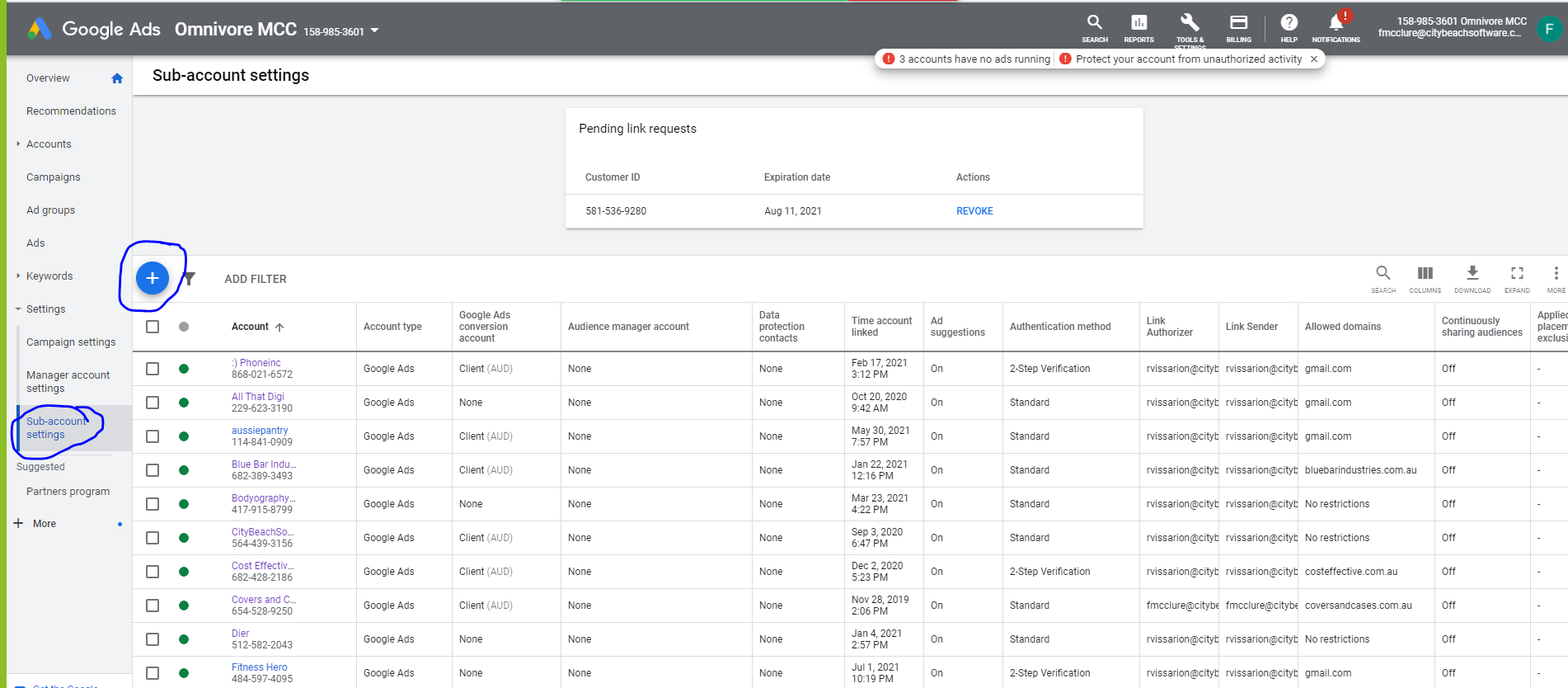
If your client wishes for you to manage their existing Merchant Center account and you have a multi-client account:
- Gather the ID for your MCA and for your client's Merchant Center account.
- Choose Help (? -> Help center and support) menu in the upper-right of the Merchant Center.
- Choose the Contact Us section under the help topics.
- Request that the Retailers (our client) Google Merchant Center account be converted to a sub-account of the Omnivore MCA (multi channel account), provide both the ID for the Omnivore MCA account ( 163848930) and the GMC ID for the retailers/client's Merchant Center account and the email address on the retailers GMC account.
This process can be later reversed by contacting Google in the same fashion.
Omnivore MCA 163848930
You will need to do a chat session to request the permission. To start a chat session follow steps 2 to 4 above. se the Retailer will receive the email below.
Once the GMC is a sub account of the Omnivore MCA you will need to:
- Remove any existing product feeds. Go into the GMC to do this and Feeds
- In Omnivore, go to Settings - Google Product Feed - Admin - check the site verifcation and claim boxes if the site has been verified and claimed already.
- Add the GMC account number in the field Google Merchant Center Account Id then click 'UPDATE'
- UPload the feed to google.
Example email:
Hi, Hope you're well! I'm Ruksana, a Shopping Ads Specialist.
I'm writing to you as per request by Fern McClure (fmcclure@citybeachsoftware.com) over our chat conversation today. Fern has reached out to us requesting to link MC ID 280429753 to Multi-Client Account (MCA) 163848930 (Omnivore).I'm reaching out to you with regard to Merchant Center 280429753 (Cost Effective Maintenance) since you are the sole admin on the account.
We're happy to assist you with making changes to your Google Product Feed account.
To give us one-time approval to make the changes that you want, please use the approval template below. You should (1) review the template carefully, (2) fill in all of the blanks, and (3) send your request to me by copy-pasting the completed template below:
----------------
Name: {}
Email: {}
On behalf of my company, {INSERT COMPANY NAME}, I give Google my approval to make all of the following types of modifications in Merchant Center 280429753 (Cost Effective Maintenance) without first notifying me:
Request 1: I authorise Google to add Merchant Centre account 280429753 (Cost Effective Maintenance) as a sub-account to Multi-Client Account (MCA) 163848930 (Omnivore).
Google Product Feed Account CID: {}
Campaign name(s): {}
----------------
It’s important to note that Google doesn’t guarantee or promise any particular results from implementing the changes that you authorize. You will be responsible for any impact these changes have on your account, including impact on your campaign performance or spending. Make sure that you monitor your account regularly so you understand what’s happening and can make campaign adjustments as necessary.
Please also note that any changes that you make in your Google Product Feed account while Google Product Feed Specialists are working on your requested changes may be lost. You may want to wait until we have finished making your requested changes before making any changes yourself.
You can read more about Multi-Client Account in this Help centre article.
Once we receive the mandatory written consent from the respective admins for both MC and MCA , we shall proceed with the next steps.
Please do let me know if you've any questions. I'll be glad to answer them.
Awaiting your response.
Best regards,
Ruksana | Shopping Ads Customer Support Team
NB: If you need to reference this support ticket in the future, the ID number is 4-3586000030771
We will receive this email::
Hi , I'm writing to you in continuation to our chat conversation today.
I understand that you would like us to add the Merchant Centre account 280429753 (Cost Effective Maintenance) under the Multi-Client Account (MCA) 163848930 (Omnivore).
I'm reaching out to you with regard to MCA 163848930 since you are the admin on the account.
We're happy to assist you with making changes to your account.
To give us one-time approval to make the changes that you want, please use the approval template below. You should (1) review the template carefully, (2) fill in all of the blanks, and (3) send your request to me by copy-pasting the completed template below:
----------------
Name: {}
Email: {}
On behalf of my company, {INSERT COMPANY NAME}, I give Google my approval to make all of the following types of modifications in the Multi-Client Account (MCA) 163848930 (Omnivore) without first notifying me:
Request 1: I authorise Google to add Merchant Centre account 280429753 (Cost Effective Maintenance) as a sub-account to Multi-Client Account (MCA) 163848930 (Omnivore).
Google Product Feed Account CID: {}
Campaign name(s): {}
----------------
It’s important to note that Google doesn’t guarantee or promise any particular results from implementing the changes that you authorize. You will be responsible for any impact these changes have on your account, including impact on your campaign performance or spending. Make sure that you monitor your account regularly so you understand what’s happening and can make campaign adjustments as necessary.
Please also note that any changes that you make in your Google Product Feed account while Google Product Feed Specialists are working on your requested changes may be lost. You may want to wait until we have finished making your requested changes before making any changes yourself.
You can read more about Multi-Client Account in this Help centre article.
Once we receive the mandatory written consent from the respective admins for both MC and MCA , we shall proceed with the next steps.
Please do let me know if you've any questions. I'll be glad to answer them.
Awaiting your response.
Best regards,
Ruksana | Shopping Ads Customer Support Team
Moving an existing Google Product Feed account to Omnivore's MCC:
https://support.google.com/google-ads/answer/7459601?hl=en