
Internal Use Only. It is advised to read this FAQ in full before attempting to do the setup changes. This content is constantly being revised.
See this latest trello below - when support want to migrate a seller to Graph QL need to ask Radu.
Recording of information session: Passcode: PF#+Nb1J
Example site to use to check settings - https://catchfeeder.omnivore.com.au/dashboard/go-slash#marketplace-trademe
Introduction to GraphQL
Shopify GraphQL implementation. One should understand:
1. How many categories the products have, see the limitation below.
2. How many variants the products have. One should attempt to set the variants number for the query so that most products are retrieved in one single query.
3. If they use metafields for product attributes and how many they have.
4. If they use metafelds for variant attributes and how many they have. My opinion on this is that variant based attributes derived from metafields will not work with the existing Omnivore code.
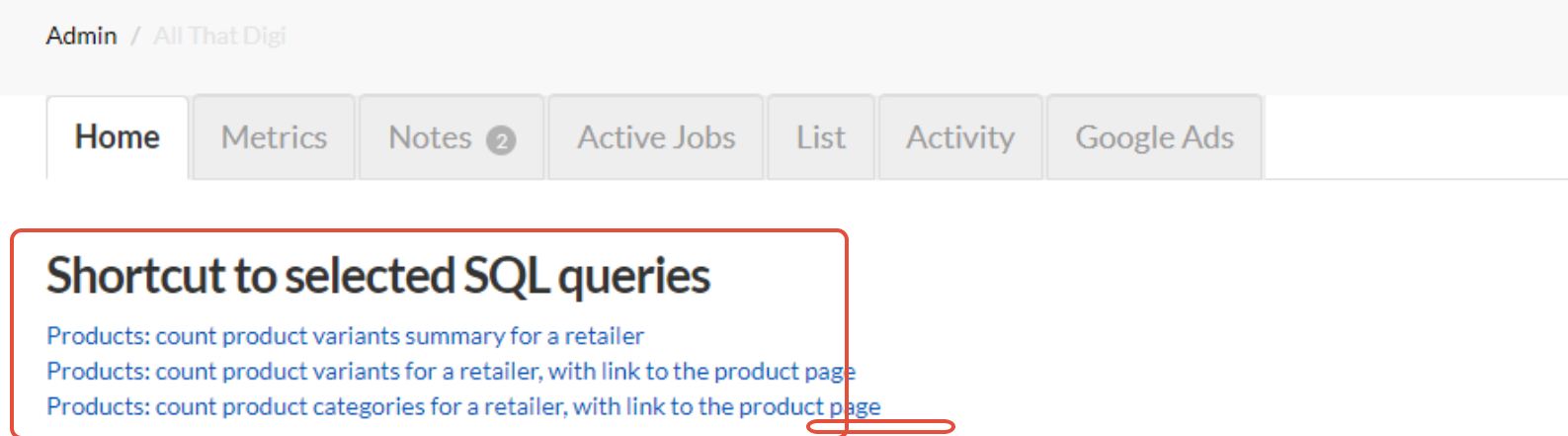
Helper queries are available at the top of the Retailer Admin New Dashboard in the Shortcut to selected SQL queries section.
Data gathered at points 2, 3, 4 is added into the Shopify config page.
The other options are explained in the config page.
Stuff that doesn't work
- If the site uses Shopify inventory for product quantities from multiple locations.
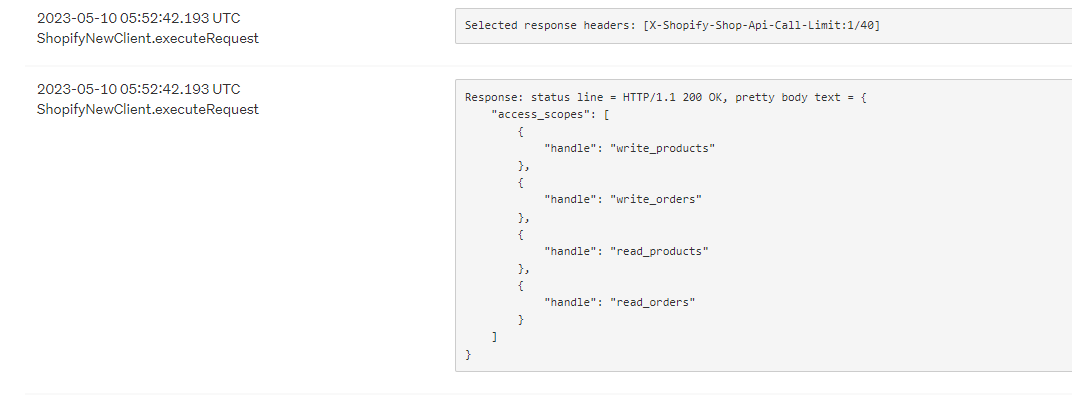
- The GraphQL query doesn't work if the app was installed long ago and there is NO read_inventory permission.
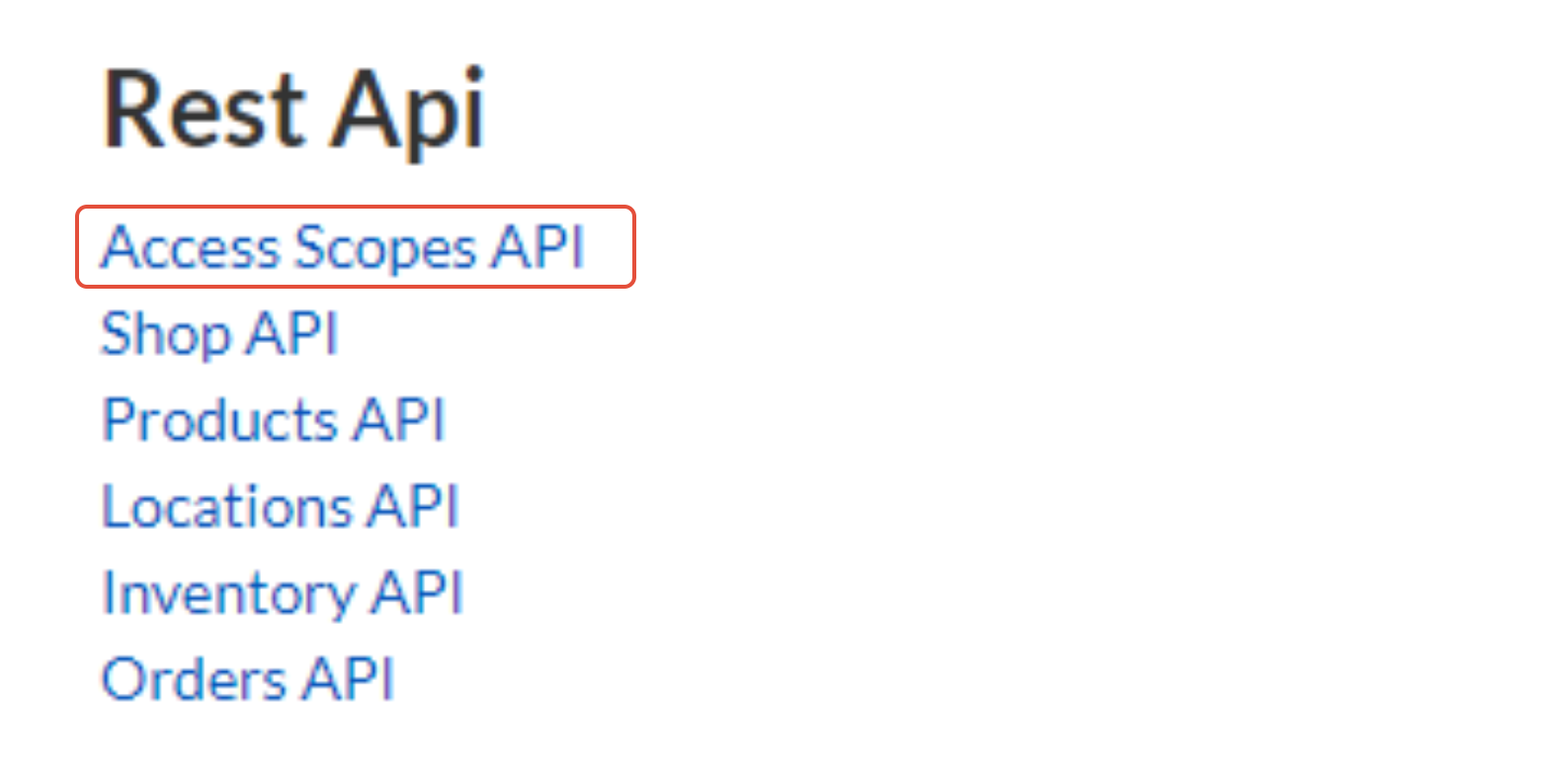
- Permissions are visible from the Retailer Admin New Dashboard -> Access Scopes API. Applicable for older accounts.
- An older account will have this as per below because the access scopes does not have read_inventory in the list.
Switching a seller to GraphQL
If you see a permissions error during setup in Omniovre check to see if they are an old seller, they may need to reinstall the app. (see above under stuff that does not work).
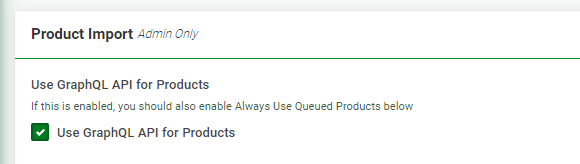
- Settings - Shopify Feed- General tick use GraphQL API for products.
- If metafields are being used tick Update Attributes from Metafields during import

- Identify whether metafields are being utilised for attributes or variants.Record the number of product metafields, variant metafields, and variants.Use the SQL queries mentioned on the retailer admin page to determine the number of variants and calculate the average value to reflect accurately in the user interface.
Additionally, verify the Maximum Number of Collections per Product to confirm that all collections are imported for each product. Note that this parameter may default to 20 but is editable, allowing adjustments above 20 if required to accommodate the retailer's needs.
*If you need assistance examining the SQL queries to define the exact settings below please ask L2 or Jo. You may need to do this a few times to take the query results and apply them to the UI value.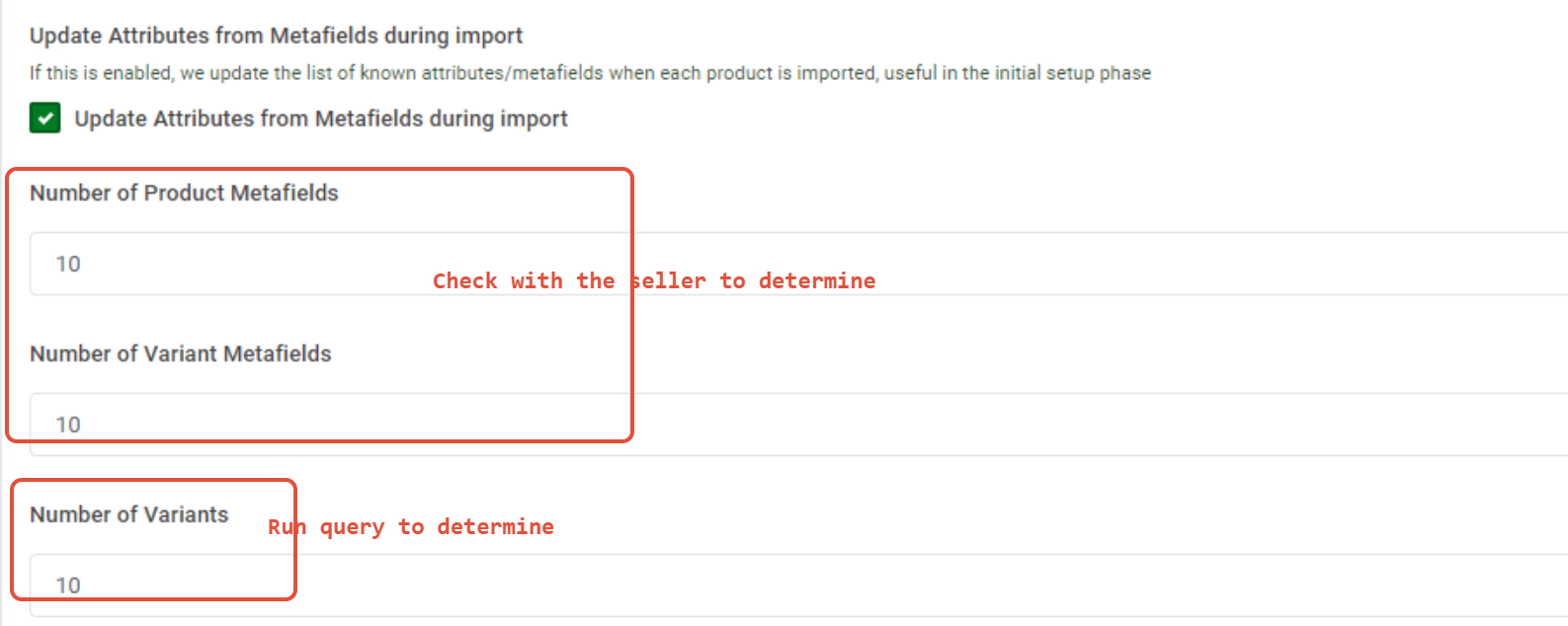
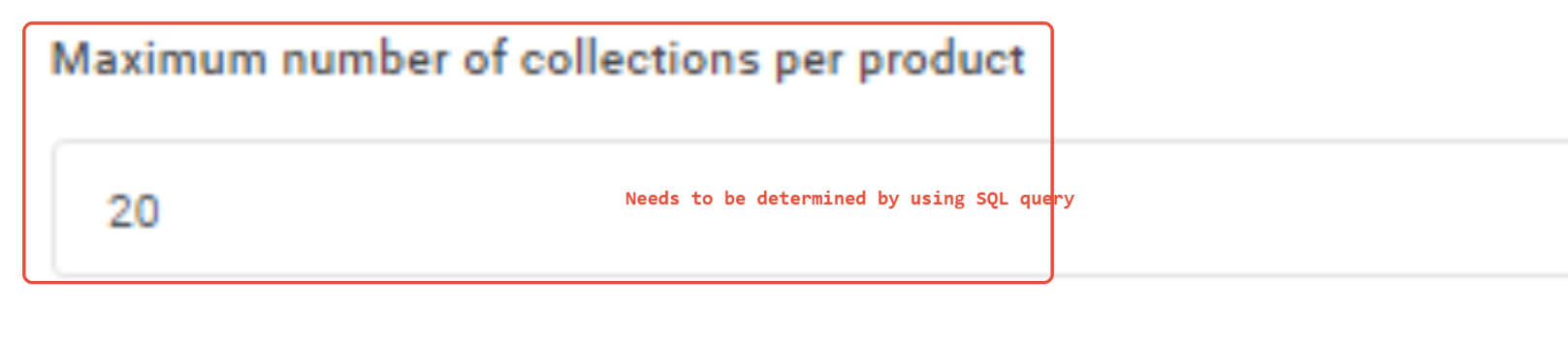
- See Spares Box seller as a guide. Also see goslash on M7.
- For Number of Product Metafields and Attributes Values ask the seller to confirm.
- Tick Always Use Queued Products - this setting doesn't seem to exist

- Note, GraphQL uses the Queued Products Import menu option the Products Menu.
- Check Settings - Administration - Implementation see Parallel and Product Import Executors. Should use multiple threads when using GraphQL
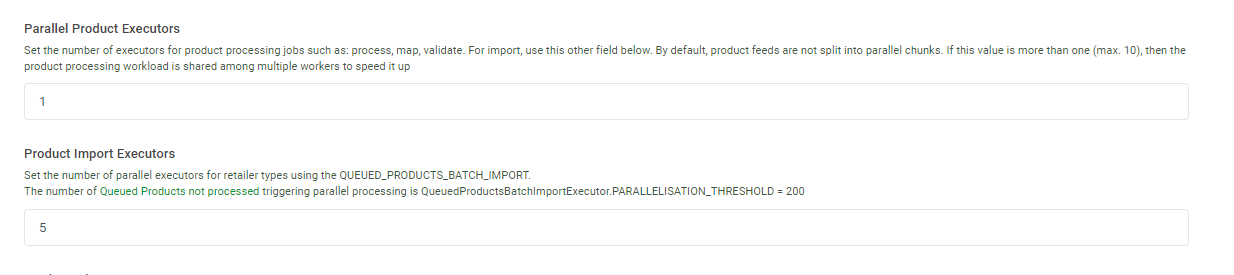
- The above setting was able to achieve importing 50 000 products in 2 hours. Check with Level 2 or dev on this setting. Be sure to click Update Settings.
- Check your work with someone else.
- Run a Full Product Import, the first job that should run is called Discover_Product.


- If the Discover_Products job does not trigger as one of the first jobs you have done something wrong. If there is a back log of jobs pending and or running the Discover_Products job may not appear after hitting Import.
- Check your work and try again.
GraphQL when using Metafields
This was newly tested recently (June 2024) to ensure the Metafields work correctly with GraphQL and they do work correctly. That said there are scenarios to be aware of:
Sellers using Metafields that are still using the REST API and switch to GraphQL in Omnivore.
Retailers in this scenario are marked as false / false / true in the spreadsheet of retailers that need to be migrated.
If you have to make a change like this, to get Metafields to work with Graph QL after after the switch, you will have to do the following steps:
- Take a screen capture of the field mapping page.
- Delete all attributes at the bottom of the mapping page
- Reimport using a Red Import
- Click Use Defaults on the field mapping page
- Remap attributes again.
- Red import again.
Sellers using Metafields that are still using the REST API and using the INVENTORY API that need to switch to GraphQL
Retailers in this scenario are at the bottom of the spreadsheet of retailers that need to be migrated and marked as false / true / true.
- Take site offline for engineering
- Retailer admin / new dashboard / migration – click on migrate rest to graphql link
- Shopify feed / general – the use GraphQL box will be ticked from the action taken in point 2. Tick the Import Shopify Metafields as Additional Attributes box
- Set the max metafields, variants, collection field values as normal
- Take a screenshot of the existing mappings
- Go to a product page, click Update from Shopify at bottom of the page
- Go back to Shopify / map fields – you should see the new metafield values have come in
- Change the mapping rules to use the new values
- If not all values have come in go back to a different product and Update from Shopify again – you may have to repeat multiple times on different products to bring in all values.
- Last resort if you can’t do it that way is to run a full red import
- If you are going to run a full import the Product Import Executor on Settings / admin / implementation must be set to 1 whilst the full import is running
- Once all mappings have been updated save the new mapping rules
- If the retailer has a large number of products increase the Product Import Executor value from 1
- Put back online
- Run a regular import
This example shows the difference between the two attributes based on each import strategy:
Example
product custom:competition = GraphQL
vsCustom:care_instructions = rest
The same methods apply if you are switching a seller from GraphQL back to Rest API. Any switch requires the field mappings to be reset.
When and which retailers should use it
- Go to this trello to see the most recent list of sellers who can migrate to GraphQL Imports - https://trello.com/c/yscQl1Ka/2091-graph-ql-rollout
- Setting up sellers who are not on this Trello has to be determined by the business.
- Criteria of 20K Plus Products
- Not using Multi Location Inventory
- Not if they are an existing retailer already using metafields mapped to something in Omnivore. There is a semi-manual process in this case, Radu demo when you have to do one retailer. See https://support.omnivore.com.au/a/tickets/109307 and https://trello.com/c/Ij1YOqq3/2255-graphql-migration-was-import-manage-shopify-products-by-the-product-status
- Check sales volumes
- Check with Fern
- If you think a seller could benefit put the ticket in L2 with notes and it can be assessed.
Background Information
- Shopify has 2 API Sets, Admin REST and GraphQL. CBS has used the REST API only until now.
- REST API is one product call - then two calls for categories. 1 product = 3 calls. Excludes Metafields (extra call) and inventory.
- Category Update Strategy was a strategy to get two calls. Ideal to make retrieving products faster on the REST API.
- 5000 prods per hour using standard REST API
- GraphQL API is to speed up the product call process.
- With GraphQL You have to know the field names in the call, it will only return what you ask for (unlike REST). Advantage of that is that you can gather more data in a single call, but you have to know what you want to call, and it allows joining.
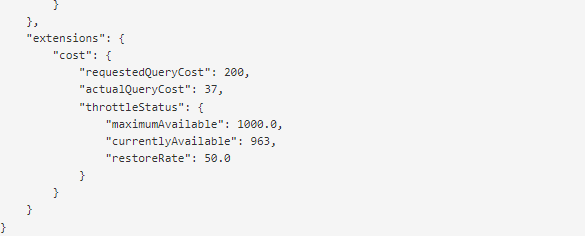
- Shopify uses 'Cost' - this dictates what we have access to. A Standard Shopify Store type would have a 'cost' of 1000 Enterprise Shopify Store Type would have a cost of 10000
- The idea is to Keep it under the maximum cost.
- MAX COST EXCEEDED if we go above 1000 on a product. This can be checked here on the product page - Product GraphQL query including metafields
Troubleshooting
Max amount of
Graph QL is set to import a max of 20 images. If a seller has more than 20 images on a product in Shopify we will not import them.
Radu can change the max number of images to be more but we need to check first. This is not a setting/value we can apply in the UI, its a dev change.
Sellers currently on Graph QL
You can check these sites when setting up a new account to compare settings and config.
simply wholesale
goslash
spares box
costume box
gmarley
movieshop
123t
hoppyco1935
pharmacy sales
goodgood-home