
Enable Purge Cron Work Flow on Kogan
Applies to Kogan and Catch
PROBLEM:
Some retailers are experiencing out of stock products due to Kogan Purges only running for weekly full product uploads.
eg:
Some retailers are getting out of stock products due to purges not running https://support.omnivore.com.au/a/tickets/126399
SUGGESTED SOLUTION:
Enable Purge Cron Work Flow for Kogan, such as other marketplace
This now enabled on Settings - Kogan - General.
Product Purge Cron Expression
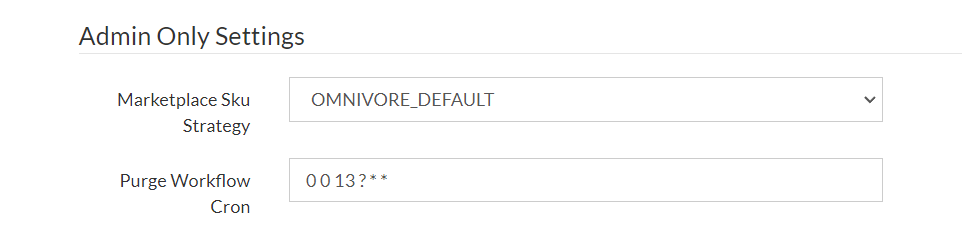
The HELP link on that page goes here to create the cron - https://m1.omnivore.com.au/admin/testCronExpression?cron=0+0+13+%3F+*+*+
Make your cron and insert it into the purge workflow cron field.
The CRON above runs daily at midnight AEDT (example)
