
Use CSV for products import
todo
Use CSV for orders export
Do in this order (because some config options are not visible otherwise):
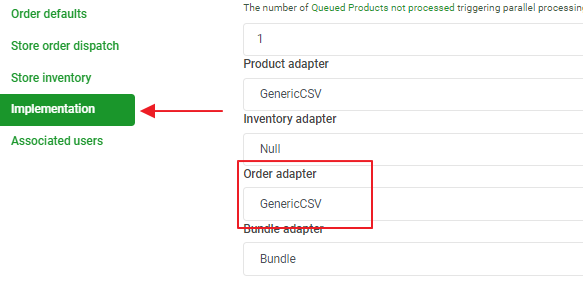
1. Select GenericCSV in the Order Adapter in this config page:
https://m1.omnivore.com.au/configuration/adminConfig/bambury-coles-> Implementation
2. Review the settings for the orders on this page:
https://m1.omnivore.com.au/configuration/genericCsvOrders?retailerCode=bambury-coles
If there is a cron value showing, the orders are exported in a batch by a job named BATCH_EXPORT_ORDERS scheduled according to the cron expression
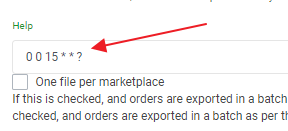
If this value is blank, the orders are exported as they are created, one at a time in separate files named order-marketplace code-order number.csv
3. If you need to export a job for a GenericCSV site, go to Retailer Admin -> New dashboard -> Create order
Click Create Job to export the orders
This is the same job as created by NewSchedulerService.scheduleOrdersExport() invoked by NewSchedulerJob for sites GenericCSV sites that have a value for orderExportCron:
SHIPPING
directory: "shipping", filePattern: "shipment*.csv"
so technically "shipments.csv" is "shipment*.csv"
best to add the date so we don't overwrite files