
Once a month the accounts / business team are required to review sites with issues across all clusters .
- Navigate to GENERAL ADMIN on the left hand menu
- Select SITES WITH ISSUES
This will navigate the user to the sites with issues page.
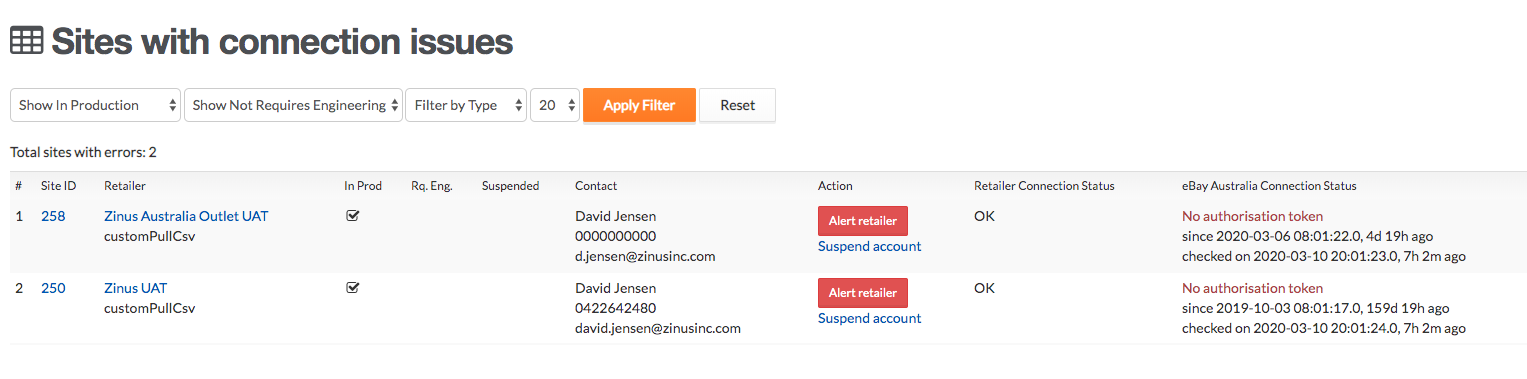
1. where an alert needs to be triggered select the red ALERT button and this will trigger an alert email to the retailer to action the error
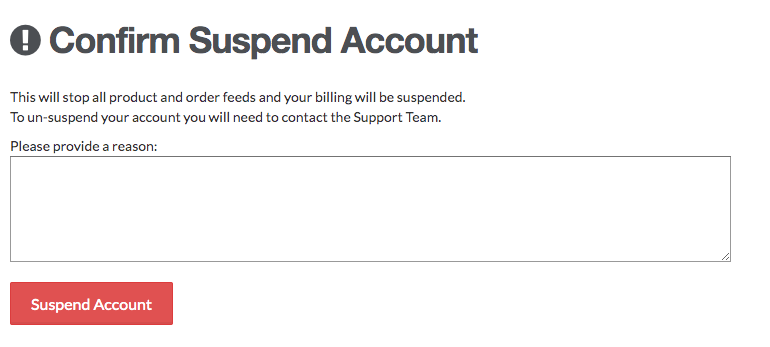
2. where an alert has previously been sent, 30 days has lapsed and no action have been taken select the SUSPEND ACCOUNT LINK . Being sure to note the original error, date of alert and that no action has been taken in the notes field.
3. where a retailer is trading across multiple markets and a single market has had an alert triggered but not actioned, you should email the retailer first and ask if they want to retain the marketplace else, you can uninstall the impacted marketplace.