
See onboarding package:
https://support.omnivore.com.au/assistance-for-getting-set-up
Onboarding
- Shopify: USD$450 for the first marketplace, USD$200 for each additional marketplace ex GST
- BigCommerce, WooCommerce, Magento, Maropost AUD$600 for the first marketplace, AUD$300 for each additional marketplace ex GST
Category Mapping
- additional category mapping is charged at $50/hour
How to Create an additional charge on the invoice
- Go to Settings > Account Summary.
- Click the Invoices Tab and click 'Create Invoice' under Admin
- Use code 1001 for onboarding, enter Description Onboarding Package (or some other description for the Retailer). Eg: {retailer name} {marketplace} {service} - {amount + currency} ex GST
- Enter Fee to be charged. [Note for Onboarding: Check if it's the first marketplace for the retailer, or additional marketplaces.]
- CHECK THE CURRENCY use USD for SHOPIFY and AUD for other retailers. Enter in cents format. Eg: Quantity 1 and 60000 to charge $600
- Enter a reason - copy description and add more details if relevant.
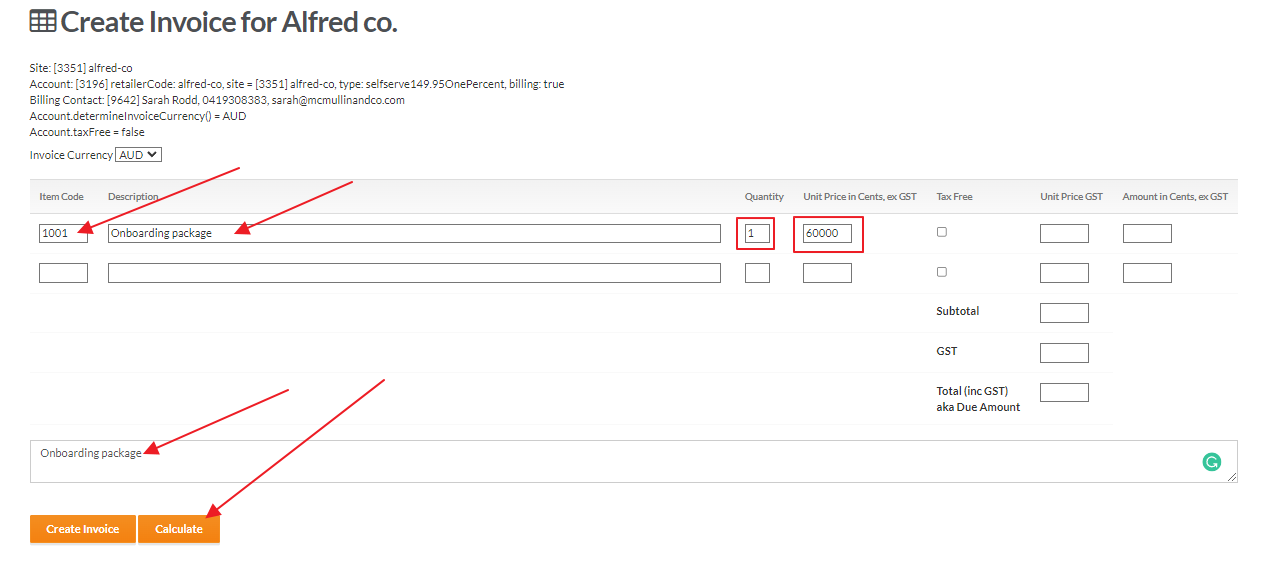
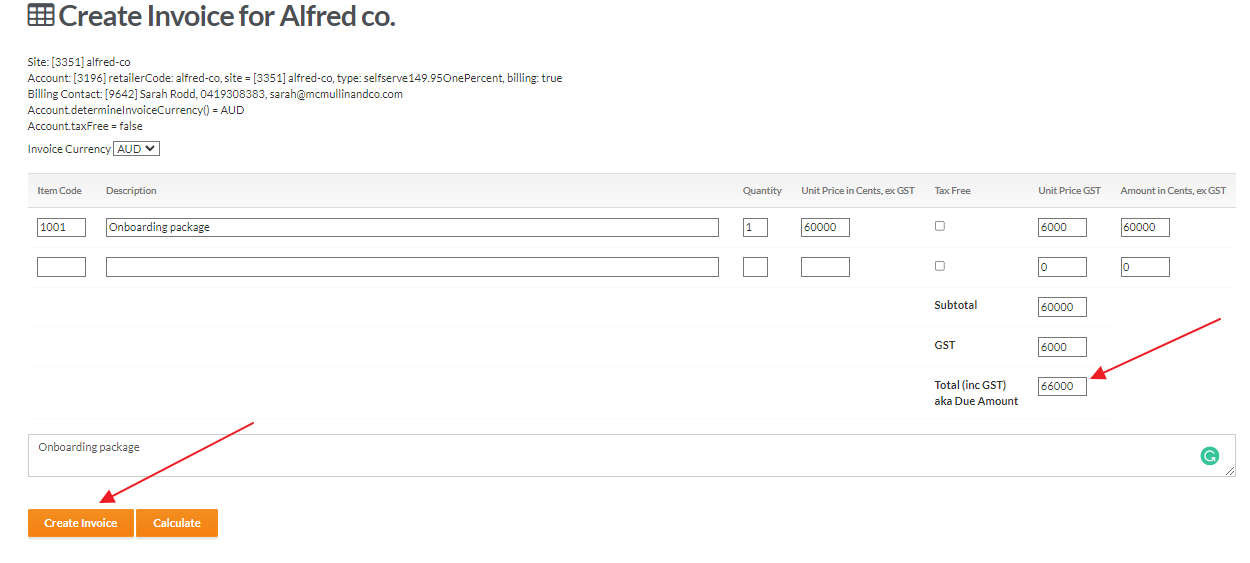
- Check the amounts
- Click Calculate
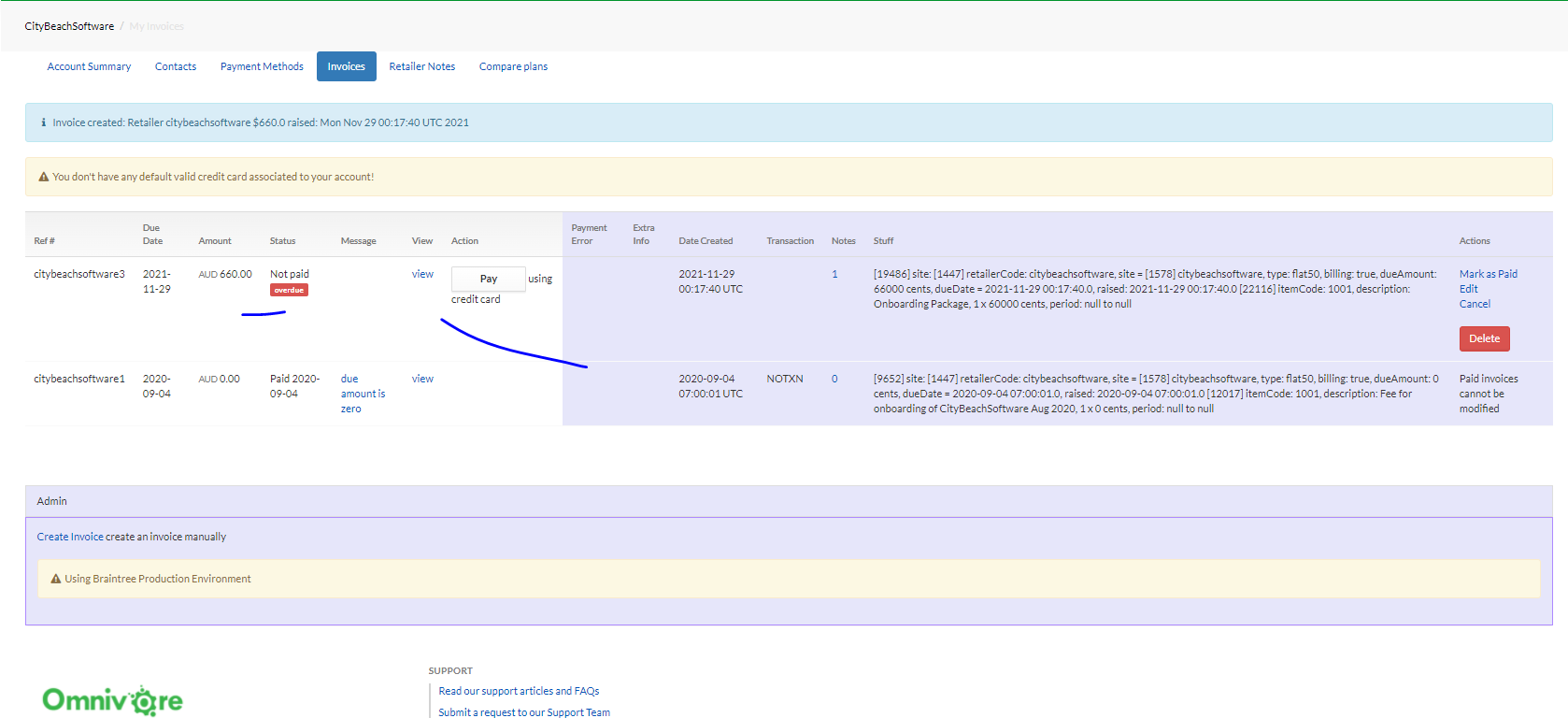
- click Create Invoice
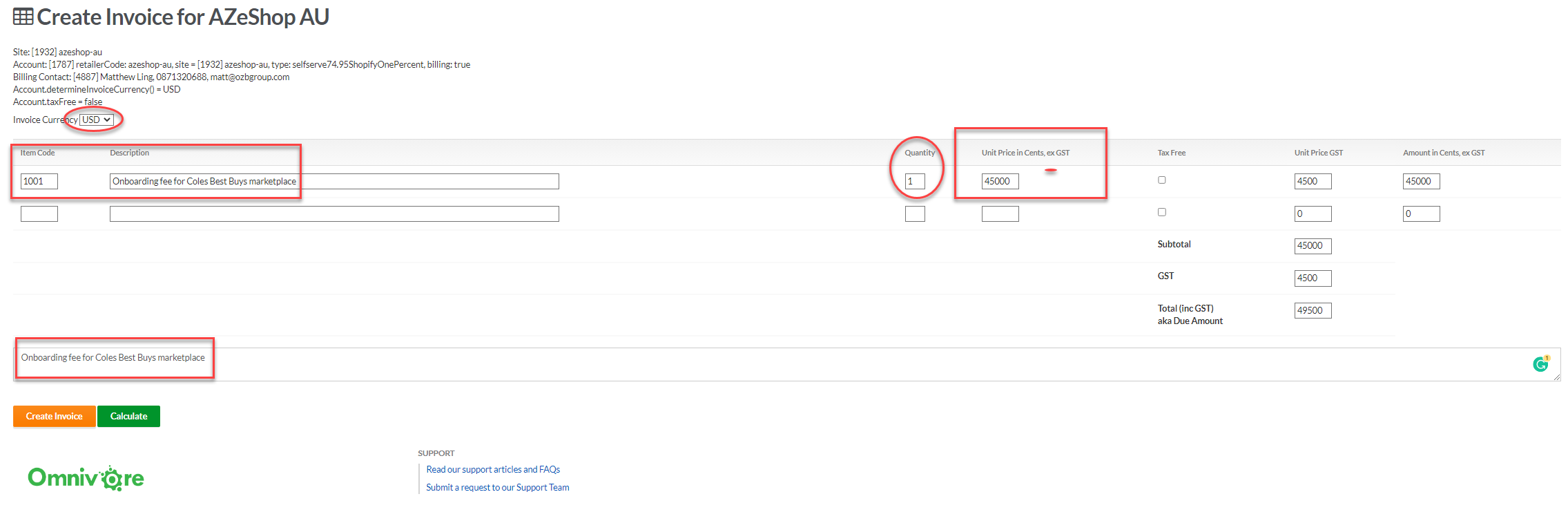
For Shopify in USD:
Check that the invoice is in USD
Make sure its 3500 for $35 and enter the hours/units.
Check if GST or not e.g if AU retailer then charge GST.
10. Note for Onboarding: Create New email to the retailer through Freshdesk. Use canned responses in the invoicing folder & request review by using canned response for relevant ecommerce platform.