
Steps the Retailer needs to take if they are able to link to existing Amazon seller center listings and have completed the rest of their setup.
1. Deactivate Codisto in your website backend following Codisto's instructions.
2. Log into your Amazon seller account and go to https://sellercentral.amazon.com.au/apps/manage
3. Once you're on the Manage Your Apps page, you should see Codisto listed as an authorized developer. Please hit Disable Authorisation. 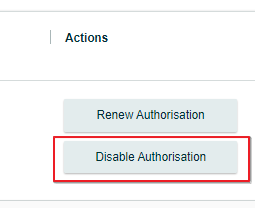
4. In Omnivore go to Settings-> Amazon Australia -> General and find the "Do not import orders before" box and input the date of the day when you make the changeover.
Make sure you scroll down and hit the orange Update settings button.
5. Make note of the last Amazon order you have in your website from Codisto
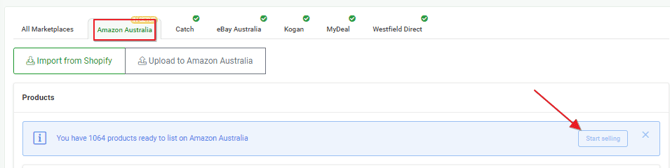
6. Go to the Omnivore Dashboard and hit the Amazon Australia tab. Click the start selling link
7. The only thing you need to be aware of is to make sure there is no overlap of orders as we will usually import any orders made the day of changeover (hence 6. above)