Changing the Shipping Price in Omnivore - Flat-Rate Policies Only
Use this procedure only if your eBay shipping policy is a flat rate fixed shipping cost per order that is managed in Omnivore.
Do not use this if your policy uses calculated shipping or rate tables (i.e. if Enable Calculated Shipping or Enable Complex Shipping is set to Yes on the shipping policy in Omnivore).
When This Applies
-
You are charging a fixed shipping cost per order (flat rate).
-
You manage the shipping cost directly in Omnivore, not via carrier calculations or dynamic rate tables.
-
Your eBay listing policy is configured for flat-rate shipping.
If your policy uses calculated shipping (weight/dimensions) or rate tables, then shipping cost is determined dynamically - this guide should not be used in those cases.
Steps to Change a Flat-Rate Shipping Policy in Omnivore
-
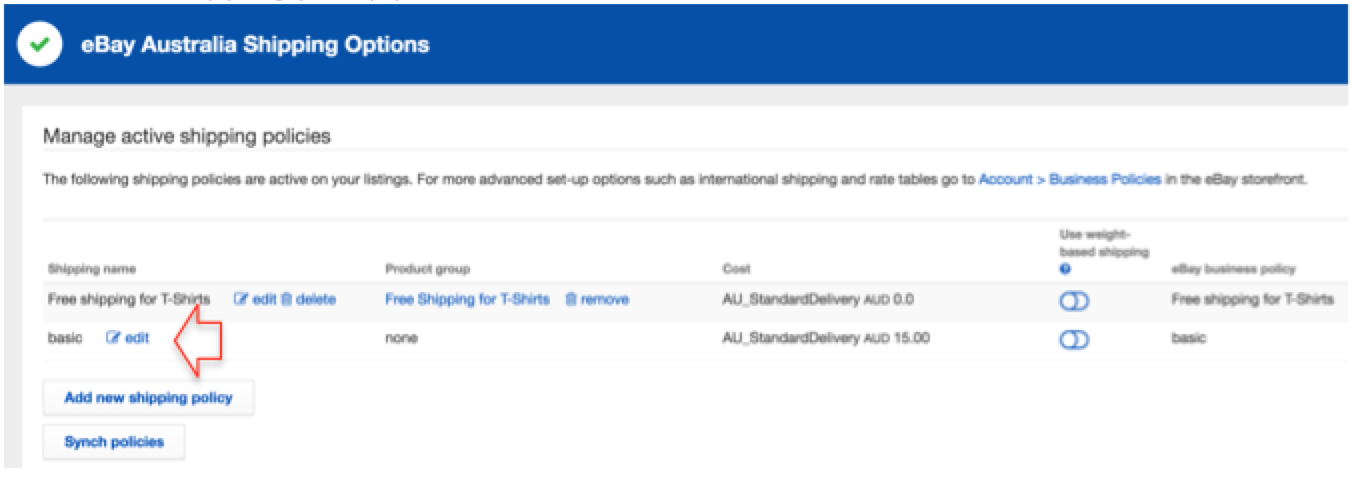
In Omnivore, go to Settings -> eBay Australia -> Shipping.
-
Find the shipping policy you want to edit, and click Edit.
-
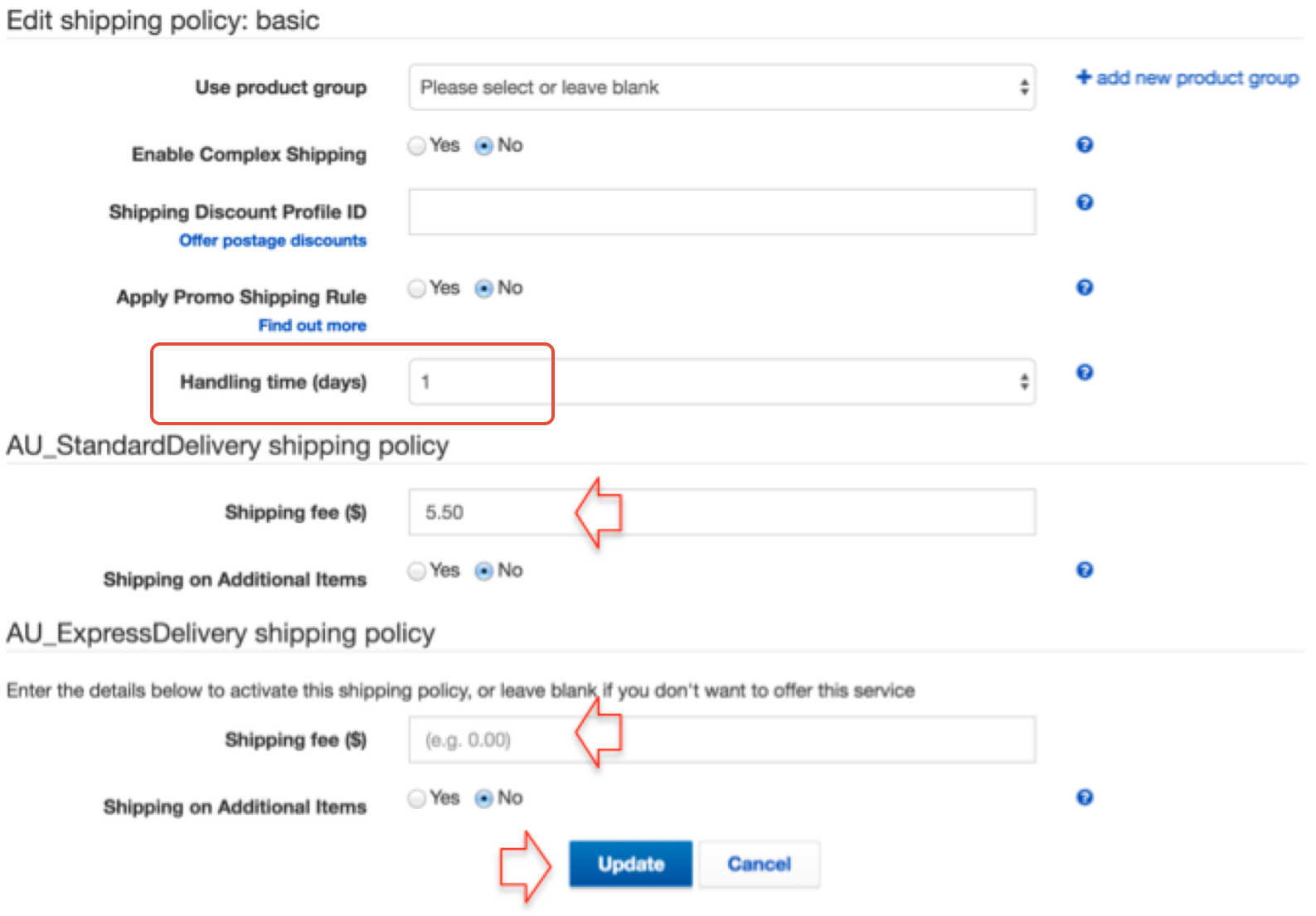
Enter your new shipping price(s) in the Standard and / or Express shipping fee fields.
-
Adjust the Handling Time (in days) if needed.
-
Click Update to save your changes.
-
Finally, click Sync Policies to push the updates to eBay.