
As Woolworths Everyday market is a curated marketplace, products are blocked by default and then unblocked when approved to list by Woolworths.
There are 2 options to unblock these products. It depends on if you have a small or large amount to unblock.
Unblock Only A Few Products
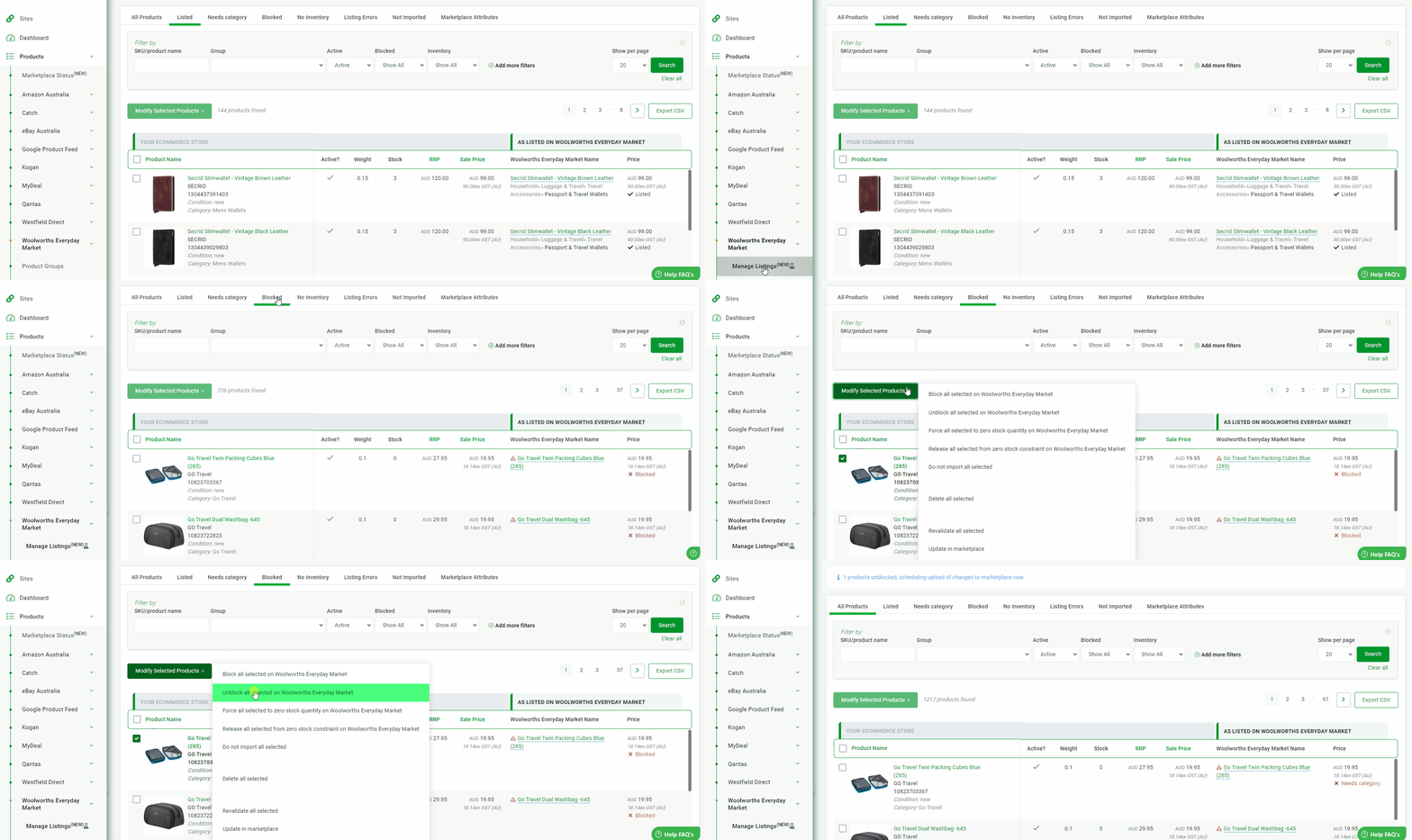
- If you have a small set of products navigate to Products - On Woolworths Everyday Market - Manage Listings
- Tick the checkbox of those you wish to unblock, then Modify Selected Productgs and select Unblock all selected on Woolworths Everyday Market.
Unblock in Bulk
- When unblocking a larger number of products, the bulk unblocking feature can be used. When using this method, it is important to make sure you have the correct value that Omnivore is using as the SKU.
You can double-check this by exporting your products from Omnivore - Products - On Woolworths Everyday Market - Manage Listings then clicking Export CSV.
You can then do a lookup in Excel against the list of SKUs that have been approved. Remove all columns from the Omnivore file other than the SKU column with the list of SKUs to be unblocked. Ensure you remove the column headers, these are not required. 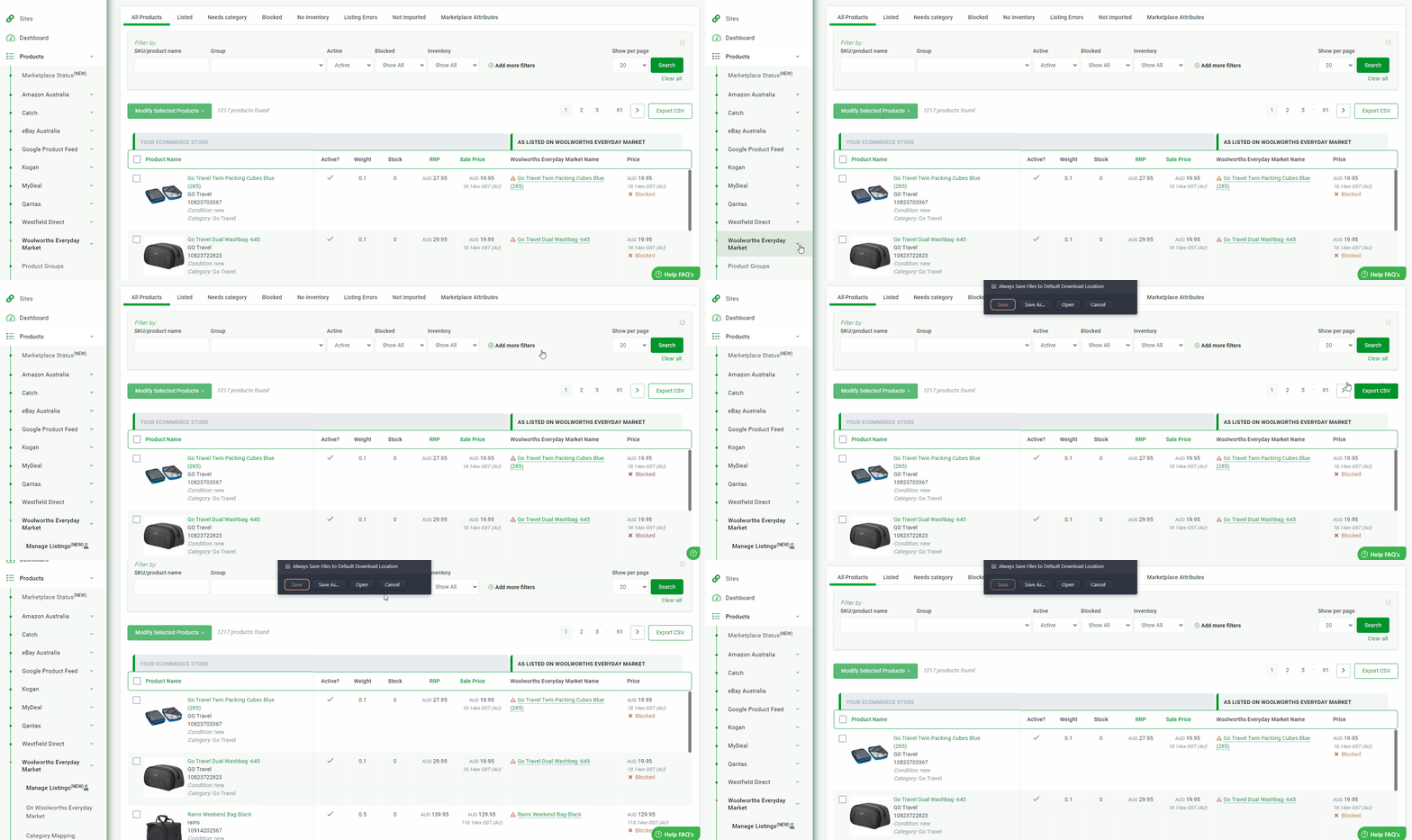
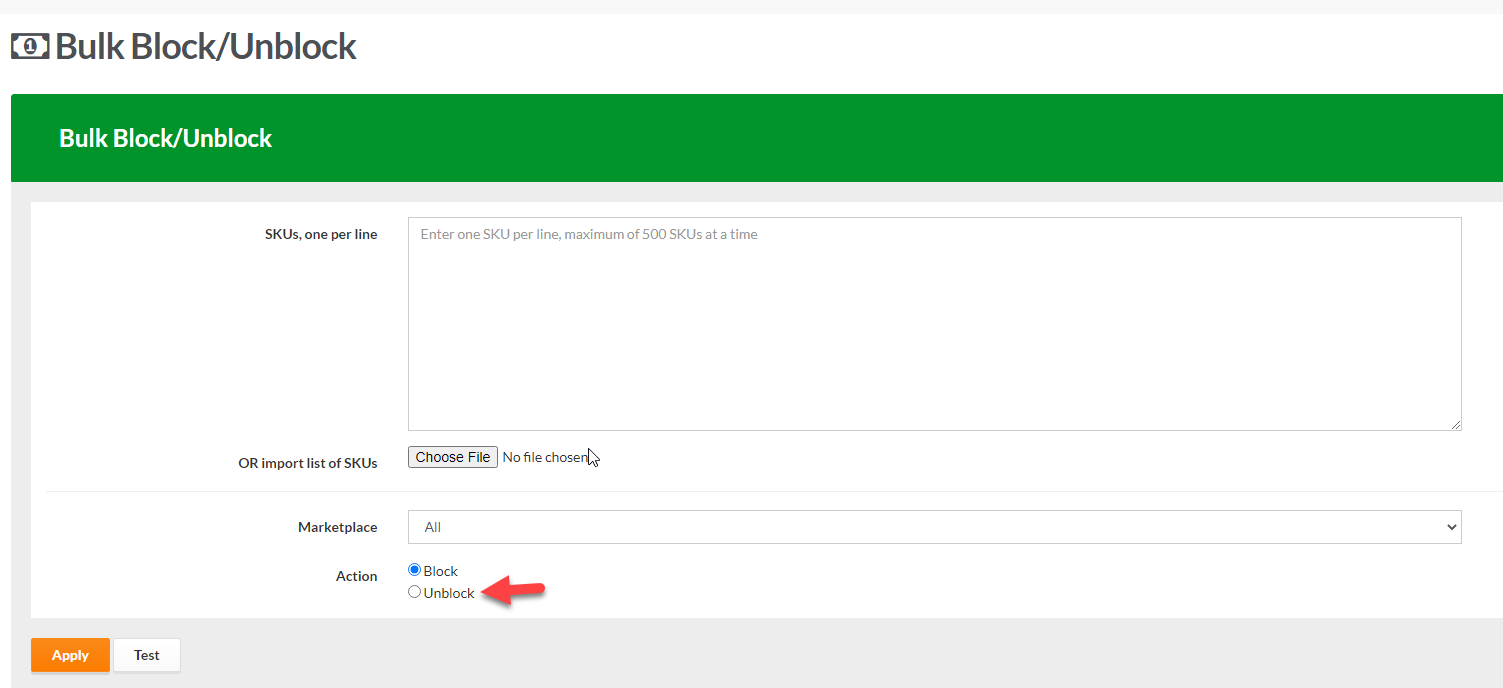
- Navigate to Products - Bulk Block. Here you can either copy and paste the SKUs into the SKU box (one SKU per line) or choose the edited file with the SKUs for launch.
- Select the marketplace Woolworths Everyday Market, and ensure the action is set to unblock. Click apply and these changes will be made.
For the full Omnivore article on Product Blocking us this FAQ