Holiday Mode on THE ICONIC marketplace lets you temporarily remove all your products from public view for a set period. This is useful if you're taking a break, doing a stock take, or shutting down operations for holidays.
How to Activate Holiday Mode in THE ICONIC
-
Log in to your THE ICONIC Seller Central account at: https://sellercenter.theiconic.com.au/
-
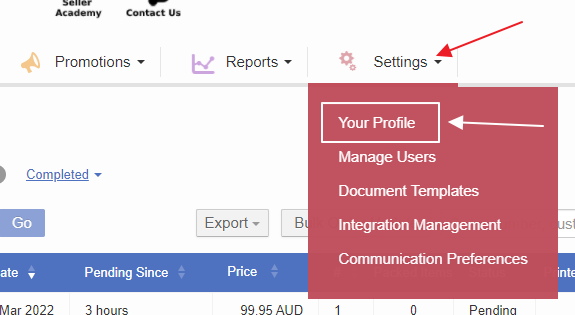
Go to Settings -> Your Profile
-
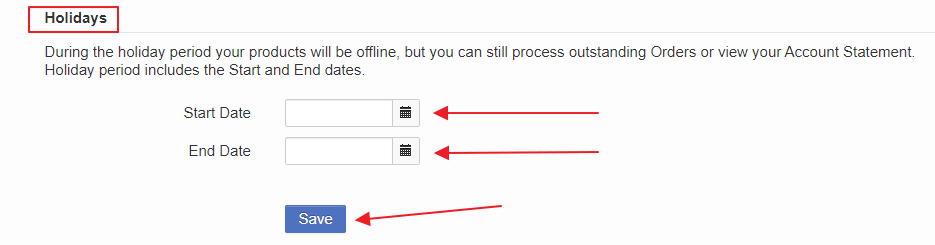
Scroll to the bottom of the page to find the Holidays section.
-
Enter the Start Date and End Date for your holiday period.
-
Click Save to activate Holiday Mode.
When Holiday Mode is enabled, your products will be temporarily hidden from the marketplace for the selected dates.