If you want to host your image files on Shopify, you can upload the images to Shopify's file storage and then copy the image URLs to use in your listings.
Steps to Upload Images on Shopify
-
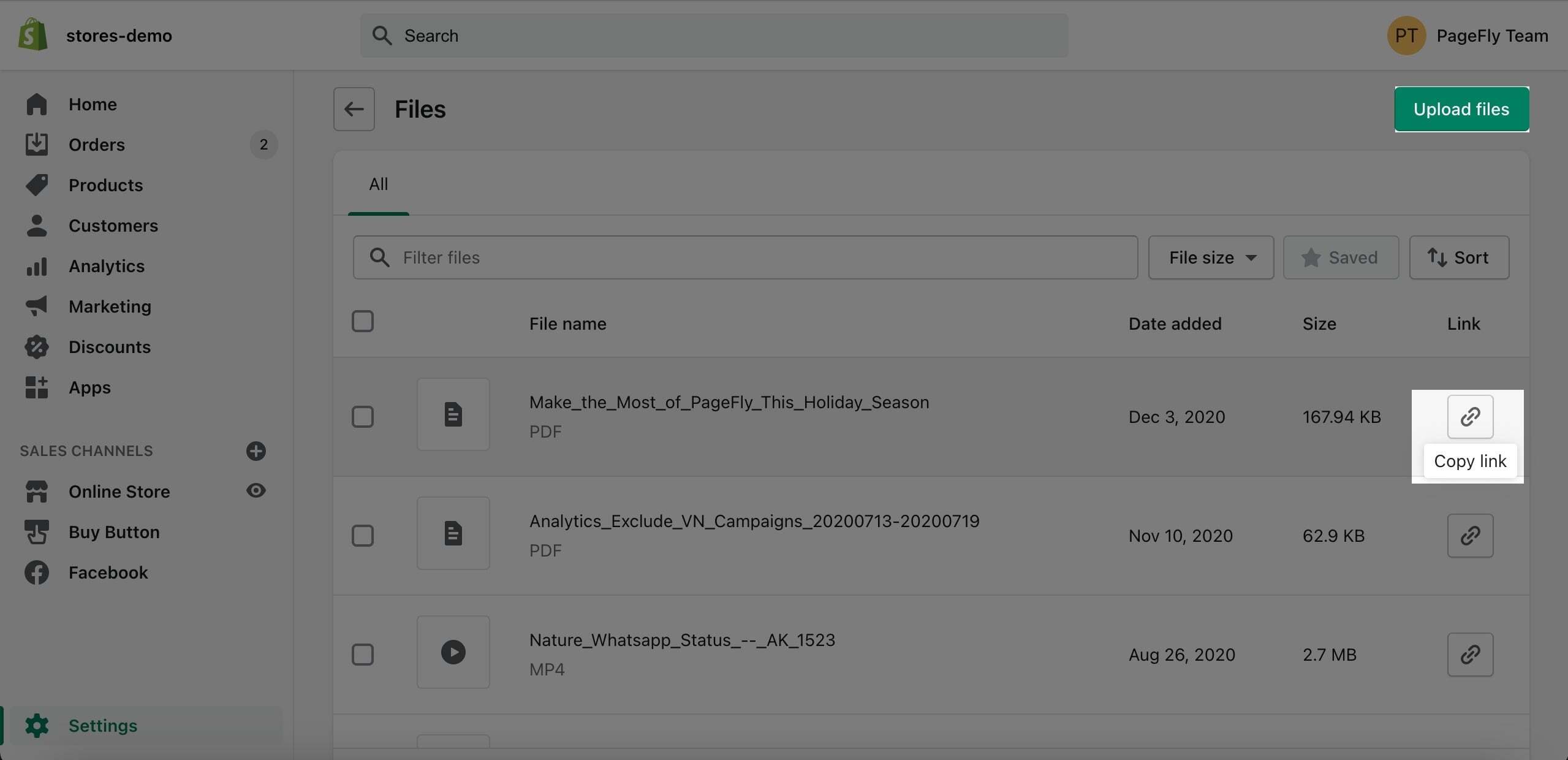
In your Shopify admin, go to Content -> Files.
-
Click Upload files and select the image files you want to host on Shopify.
Note: Shopify limits uploaded files to under 20 MB each.
How to Get the Image URL
- Once your image has uploaded, click the Copy link button next to the file.
- Use that URL wherever you need it - for example, add it to the Shopify metafield you've created for your ICONIC image. See this article on how to create Shopify metafields