
Note: These changes are made in your eBay seller account in eBay
Step 1: Go to "Combined shipping" in your eBay Selling Account
To set up an additional shipping amount for combined orders, you will first need to create a promotional postage rule in your eBay store.
- Log into your eBay seller account.
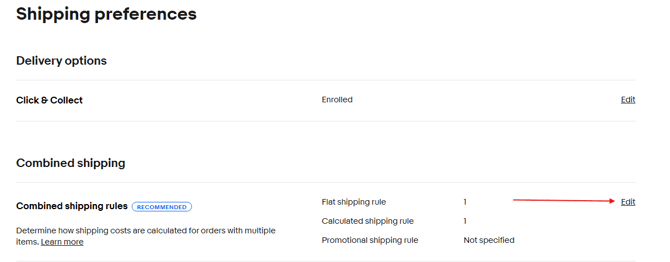
- Go to Account Settings then Shipping preferences at https://www.ebay.com.au/ship/prf. Scroll down to Combined shipping and click Edit next to Combined Shipping rules.
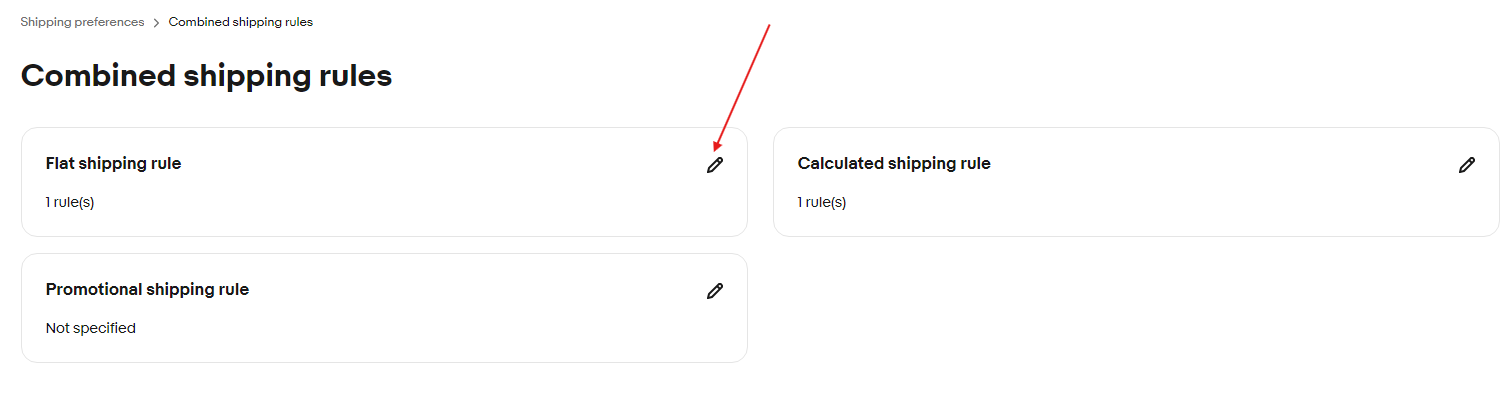
- Next click the pencil icon next to "Flat shipping rule"
- On the next screen, choose "Add an amount for each additional item" click "Add Profile" input the amount you want to charge for each extra item.
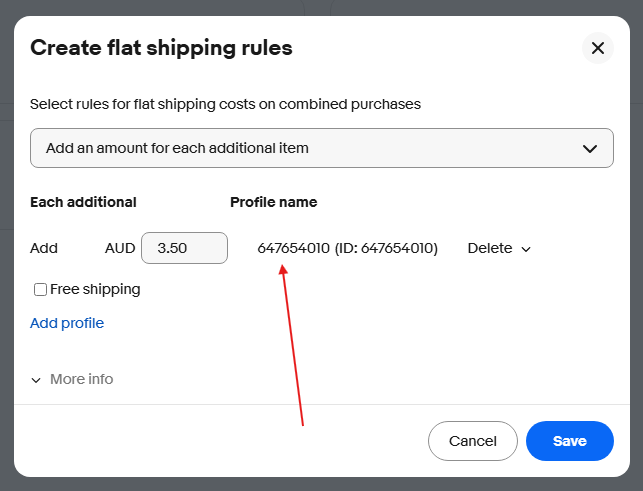
- Make sure you take note of the ID Number and Profile Name, you will need this in Step 2
- Review your changes and hit "Save"
- You will now need to apply your flat postage rule to your shipping policies in eBay.
Step 2: Apply the Rule to your eBay Business Policy/ies in your eBay Selling Account
- Go to Business Policies in your eBay Seller Account and select the postage policy that you would like to apply the flat postage rule to
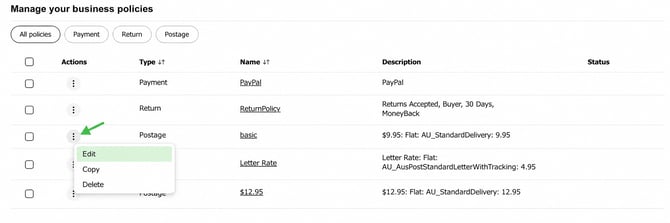
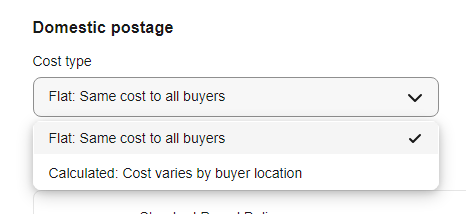
- Click on the relevant shipping policy/policies and choose Flat: same cost to all buyers from the Cost Type drop down
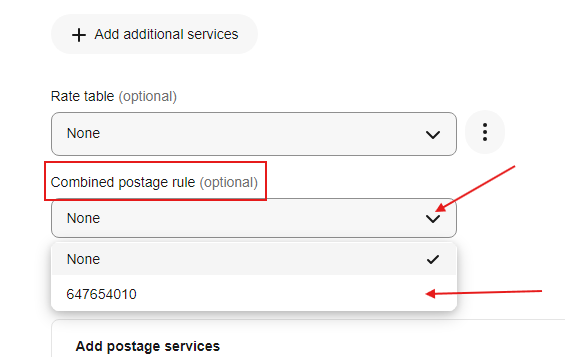
- Scroll down to "Combined Postage Rule" and select the Profile Name/ID you created in step 1.
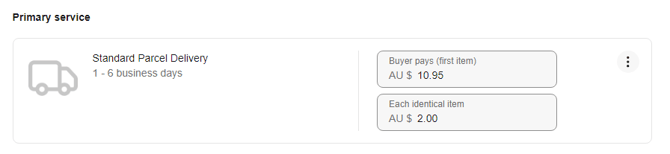
- In the eBay postage policy please add the additional amount here as well:
- Repeat for each postage policy that you would like to apply shipping for additional items.