This article applies to Kogan, Kmart and Myer marketplaces.
By default, Omnivore will send RRP and Sale Price to Kogan, Myer and Kmart marketplaces. You can send a third Additional Price to offer Kogan First, Myer One and Kmart Clearance pricing.
Kogan Set up
To offer Kogan First pricing, your products must offer the greater of $2 or 3% off the non-member price. For products priced above $68, a $2 discount will result in less than a 3% discount meaning the products will not qualify for Kogan First pricing.
See the article Kogan First Pricing for guidelines and how to set it up.
Kmart Clearance Pricing
Kmart follows an everyday low price model. Only use this if the products are genuinely being cleared, they must comply with ACL requirements, be end-of-line items, and be priced for clearance rather than using a high-low pricing approach.
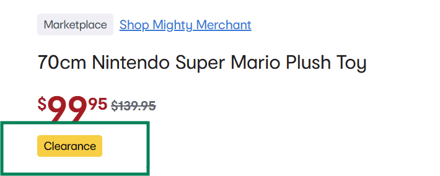
Sending a Clearance price to Kmart enables your listings to have a 'Clearance' badge.
- Go to Products - Product Actions and click Create Additional Pricing
- Provide a name for the action e.g Kmart Clearance products
- Decide if you want to restrict it to a group of products or all products. If you want to apply it to a group of products, set up a product group first.
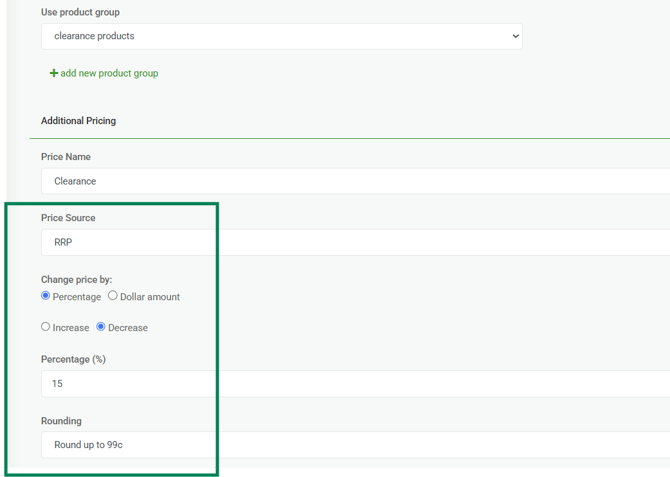
- Source - determine if the additional price is discounting the RRP or the Sale Price
- Choose the price change by a % or a dollar amount e.g by $10 and whether its an increase or decrease.
- Set the amount and rounding
- Save.
In this example, a group of clearance products are for sale with a 15% discount off the RRP on Kmart.
Products set up with a clearance price will receive a clearance badge on the listing:
Myer Marketplace
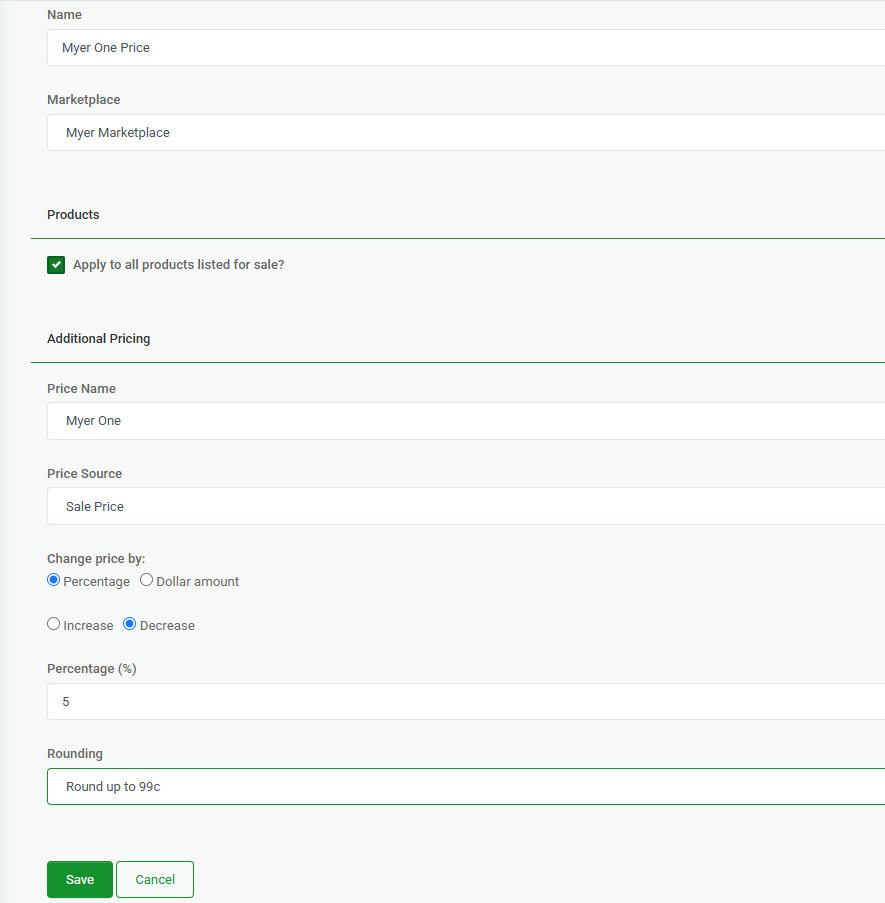
The additional price feature can be used to offer a special price for Myer One customers. For example, you may want to offer 5% off your regular pricing.
- Go to Products - Product Actions and click Create Additional Pricing
- Provide a name for the action e.g Myer One
- Decide if you want to restrict it to a group of products or all products.
- Choose Price Source - if RRP then the price change implemented below will use the RRP, if Sale Price then you will be changing the price.
- Determine the price change for example if you want to decrease the price for Myer One by 5%, select decrease and enter 5%
- Click Save then go to the Myer Marketplace Dashboard and click 'Upload to Marketplace'