
In this FAQ we show you how Omnivore can use product attributes that have been entered in BigCommerce to add additional details to your marketplace listings. This is useful for populating eBay item specifics and Amazon and Catch attributes.
Ebay Item Specifics
Item specifics in eBay is additional product data that can be searched/filtered by. This is typically things like material, style, size, colour etc and is different depending on the type of product.
See the Item Specifics article in the eBay Seller Centre
Data that eBay Requires
- To find out the 'name' of each item specifics (e.g style, material etc) each eBay category needs, please go to https://sellercentre.ebay.com.au/item-specifics and read the section on Tools to help you update Item Specifics in eBay.
- To find out the 'values' that eBay accepts for each item specific name, the easiest way to find it is to do a search on eBay for that category e.g womens jumpers https://www.ebay.com.au/sch/63866/i.html?_from=R40&_nkw=womens+jumpers and click on the left navigation bar to show the options for material
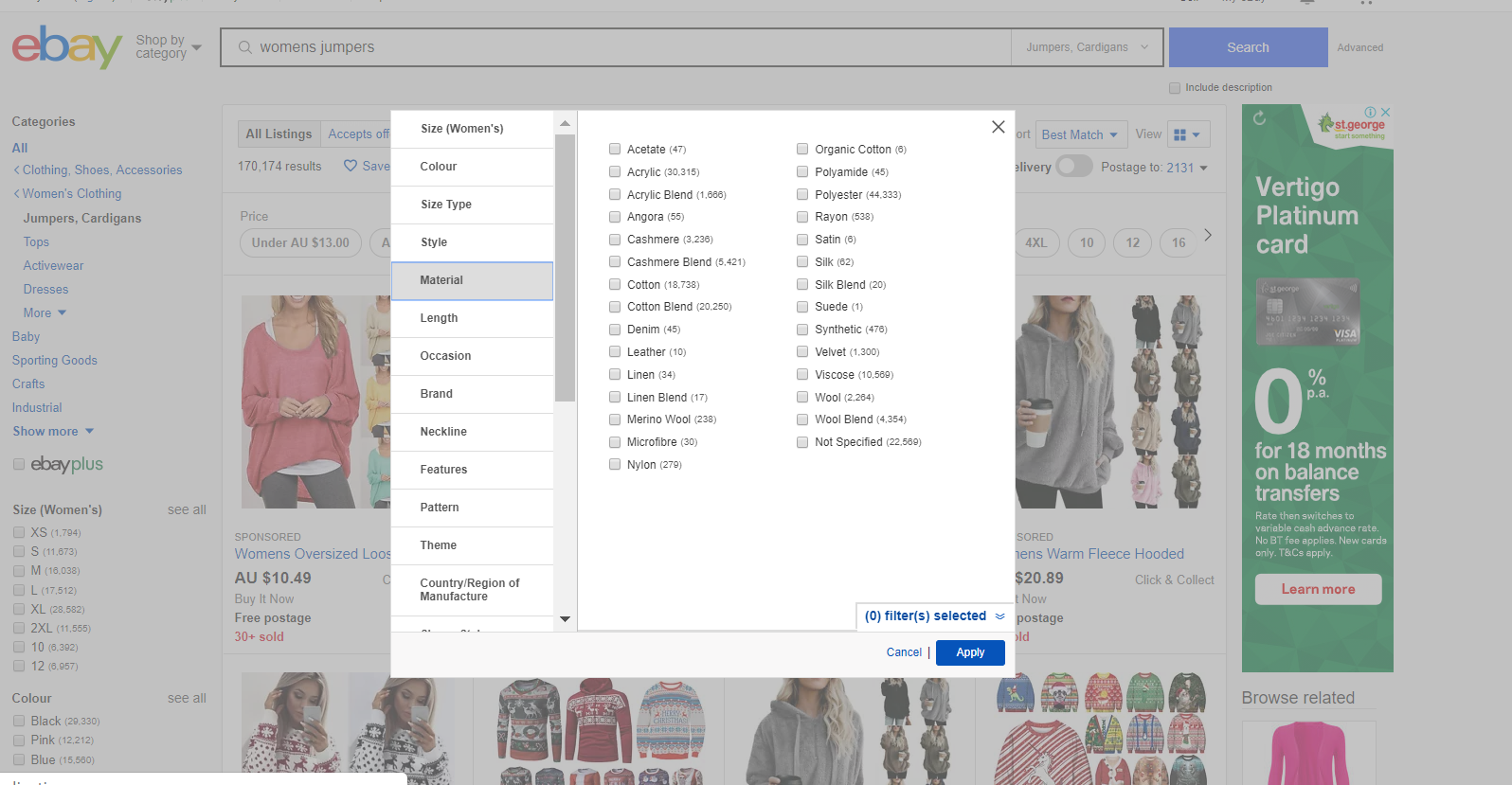
Now that you know the 'Name' and 'Value' you can add them in BigCommerce.
Add Product Attributes in BigCommerce
In this example, products in the eBay category Clothing, Shoes, Accessories:Women's Clothing:Jumpers, Cardigans requires the Item Specifics for Colour, Material, Neckline and Style.
- Login to BigCommerce and go to the Products section in the left navigation menu. Choose a product you need to add data to.
- Click 'Custom Fields' from the top menu.
- In the Name field enter eBay followed by the name of the item specific, then the value. Please note that eBay requires these tags to be case specific eg
- Name Material Value Merino Wool
not - Name material Value merino wool
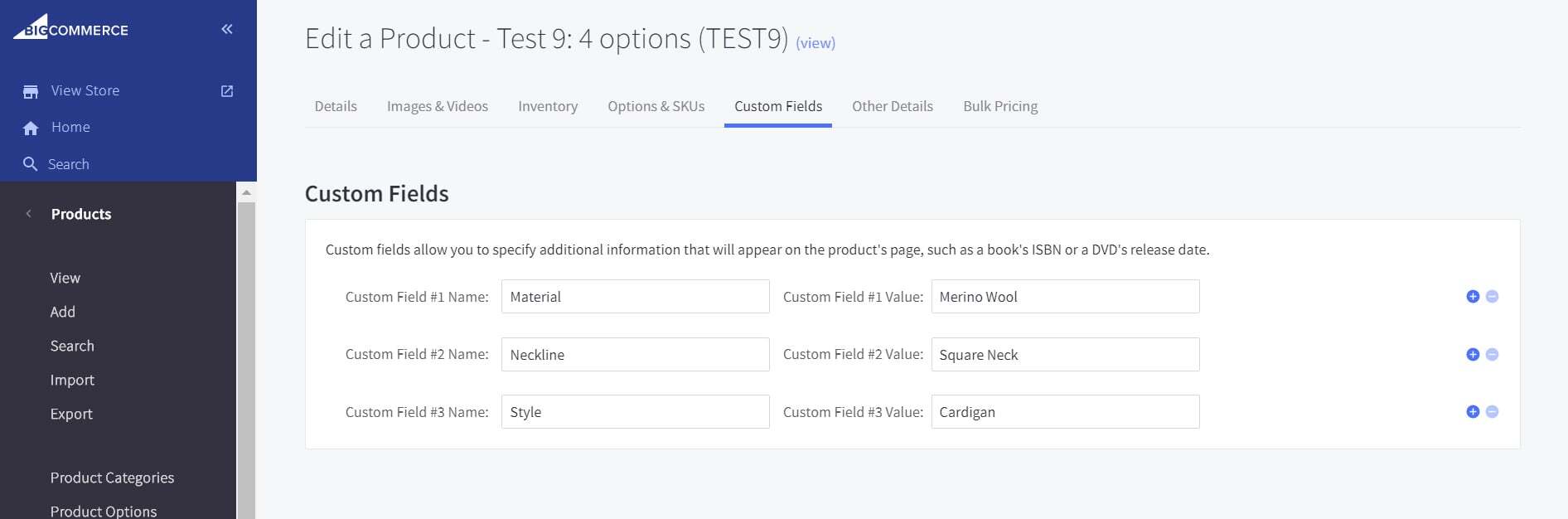
- Name Material Value Merino Wool
- Click 'Save'
Keep in mind
If your products require the item specifics Brand or Colour or Size you won't need to do anything as we already have this data available and will pre-populate it for you.