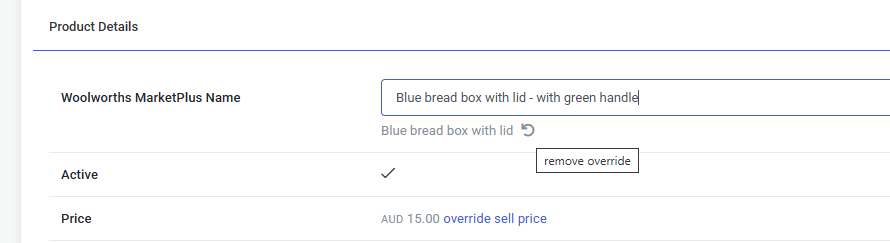
Omnivore allows you to modify product titles individually (a single product), or for all products by using Product Actions.
Modify A Single Product Titles
- To change just one product title, go to Products - On Marketplace.
- Find the product you want to modify and click the product name to view the product page, click onto the Woolworths Marketplace Tab
- Decide your new title, click into the Woolworths MarketPlus Name field and edit the product name in that field. In our example we added - with green handle.
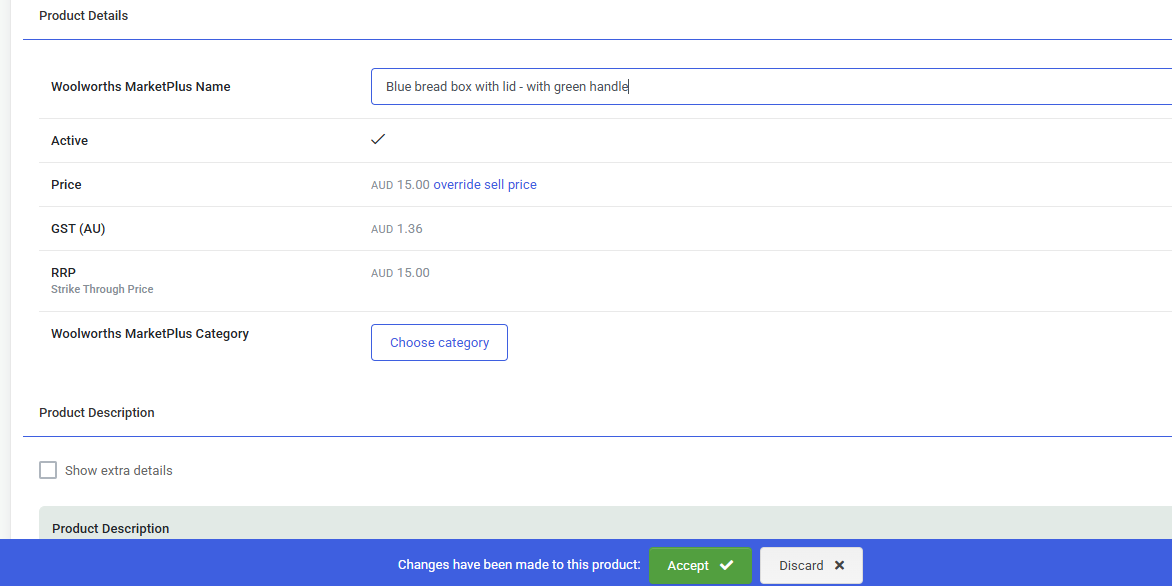 Click the Accept button that will pop up below that section.
- To remove the new name over-ride click the backward arrow that now appears under that field, This will revert the title back to the original name. Be sure to Accept changes.