
Add Your Connection Details
Pre connection points to consider:
- If you're new to Omnivore, simply select Amazon Marketplace during the sign up process after installing the Omnivore app and follow the prompts.
- Existing Omnivore Customers adding Amazon into Omnivore follow the steps below.
- You will have to be logged into your Amazon AU Marketplace Account and you will also need to access/login to Omnivore to complete this process.
- Omnivore needs you to authorise your connection to Amazon. If you do not have a seller account please click here - https://sell.amazon.com.au/sell
- Navigate to Settings - Amazon - General in Omnivore.
- Click Authorise Now and follow the steps.
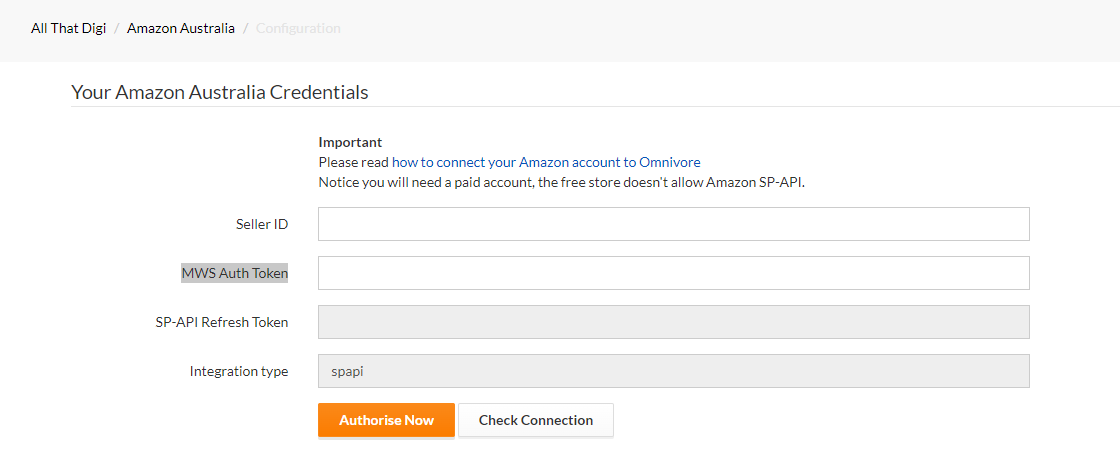
You will be redirect to this page after you click Authorise Now.
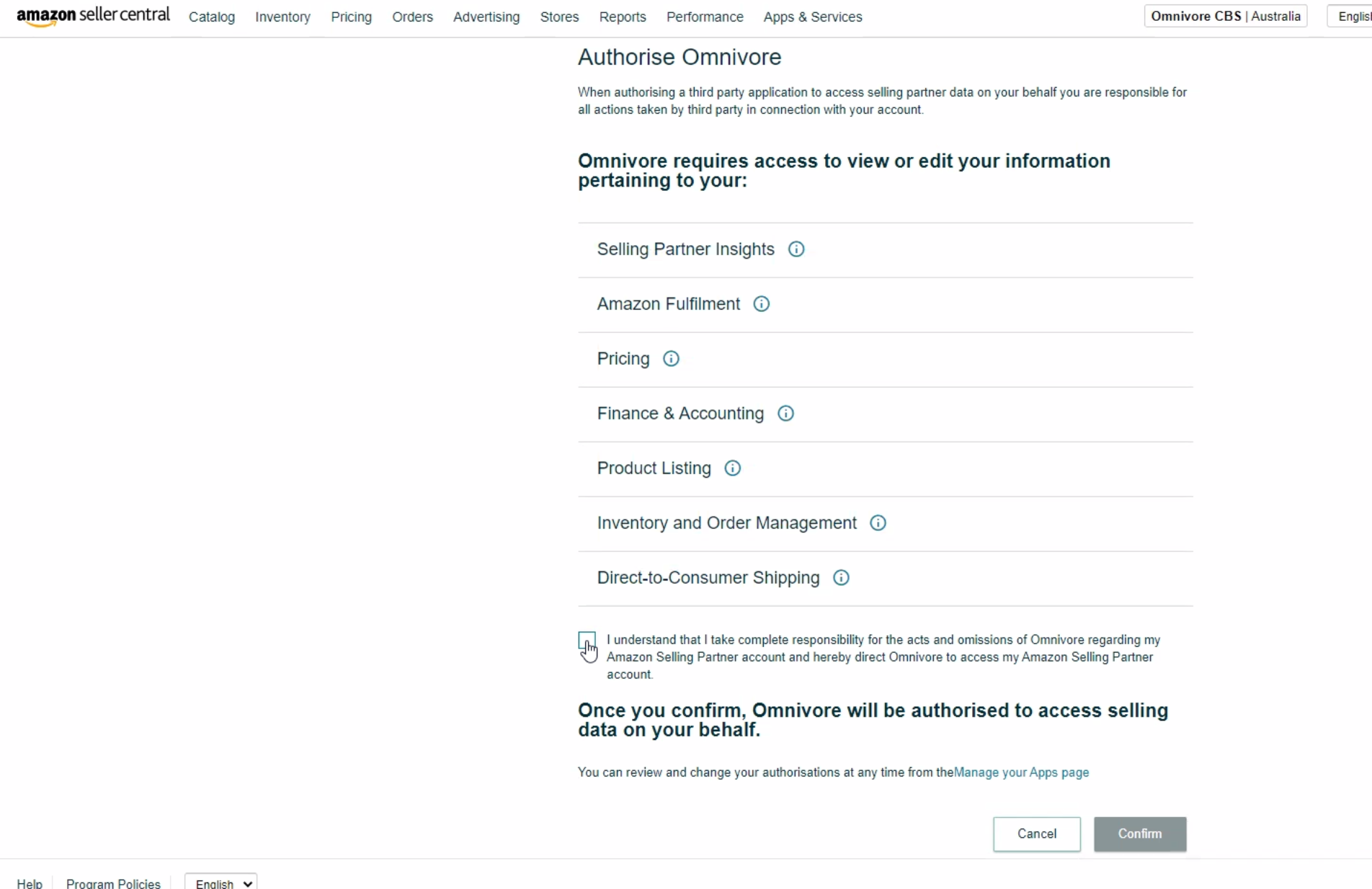
Once confirmed you will be redirected back to Omnivore.
Test Your Connection
The check connection button tests the connection from Omnivore to My Amazon. If you do get an error check the credentials and repeat the steps above.
Next Steps
Follow this link here and click on Amazon Setup to view the documentation and continue the Omnivore to Amazon setup process.