
In this FAQ you'll learn how to add a UPC/EAN or ISBN to your Shopify product.
Update/Add a UPC/EAN or ISBN to products in Shopify
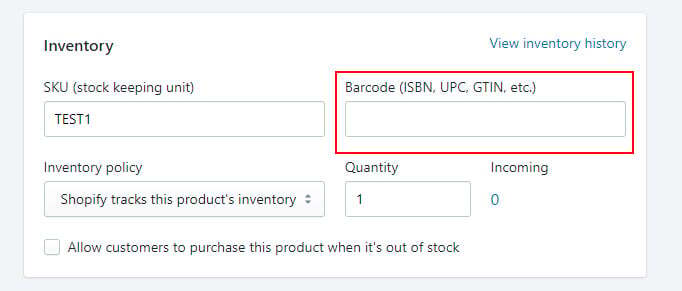
In Shopify click on Products in the left navigation then the individual product you want to add a UPC to.
Scroll to the Inventory section.
Add the UPC and click Save at the bottom of the page.
Update/Add a UPC/EAN or ISBN to products in Shopify - Bulk
You can bulk update your products in Shopify using the instructions on the Shopify site:
You can check GTIN existence and validation here https://www.gs1.org/services/verified-by-gs1