
- Login to your Cloudflare account
- Navigate to your domain.
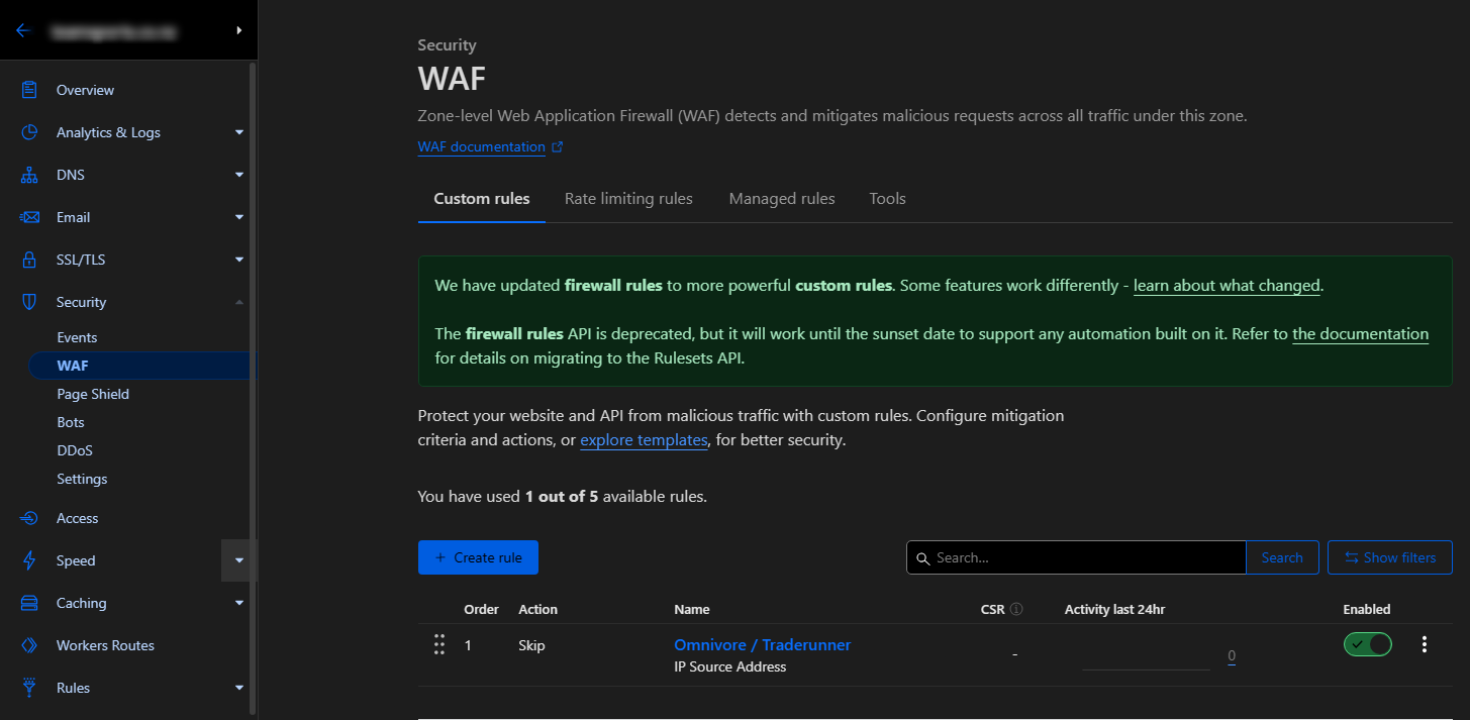
- IP addresses can be whitelisted on the Security > WAF page:
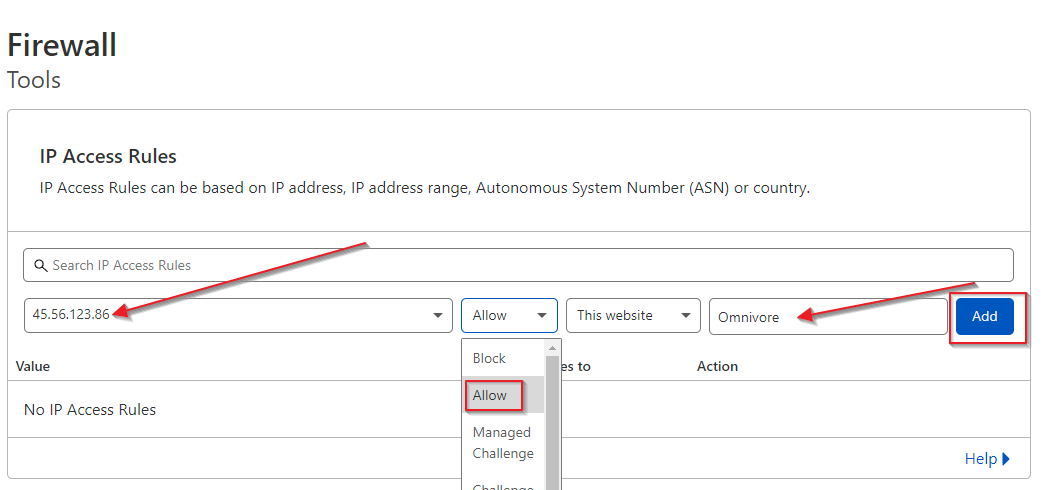
- In the IP Access Rules section, enter the first Omnivore IP address into the field as shown below.
- Make sure you choose the Allow option from the dropdown (this is important).
- Enter Omnivore in the notes area.
- Click the Add button.
- Repeat for our other IP addresses relevant to the Omnivore server your account has been created on.
- You can find the IP addresses in this article