
This guide applies to sellers using Omnivore / eBay LINK and wanting to offer free shipping when a buyer's order total reaches a certain threshold (e.g. AU $50) on eBay.
Step 1: Set the minimum purchase price for free postage on eBay
- Log in to your eBay seller account.
- Go to Account Settings -> Shipping preferences, which can be found under the Selling section https://www.ebay.com.au/ship/prf
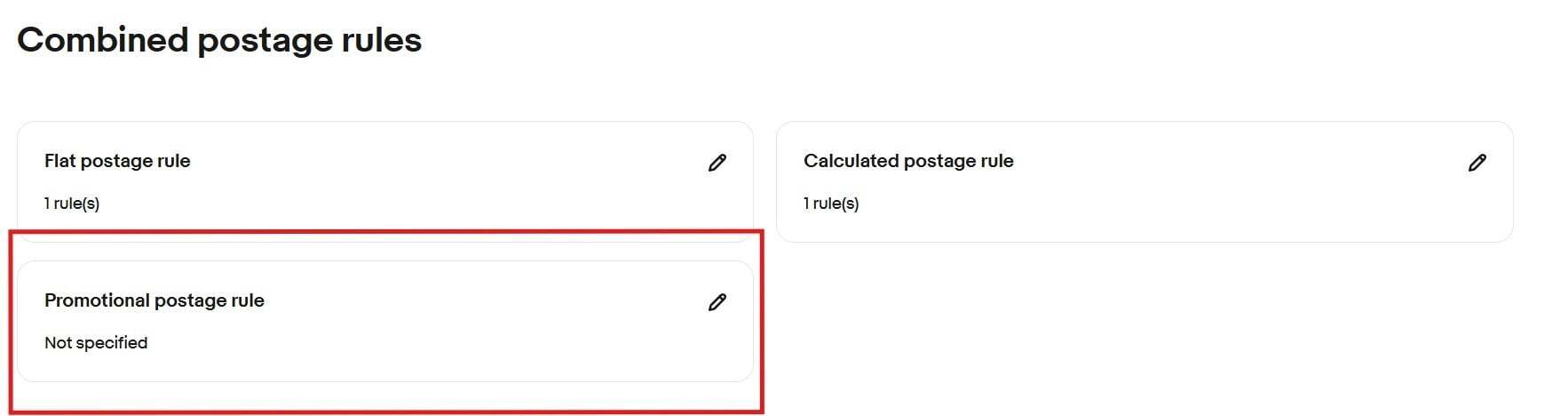
- Under Combined Postage Rules, click Edit.

- Click the pencil icon in the Promotional Postage Rule section.
- Choose the option "Minimum Purchase Price Amount for Free Postage.� Enter the purchase amount (e.g. 50.00). that you want to offer free shipping on.
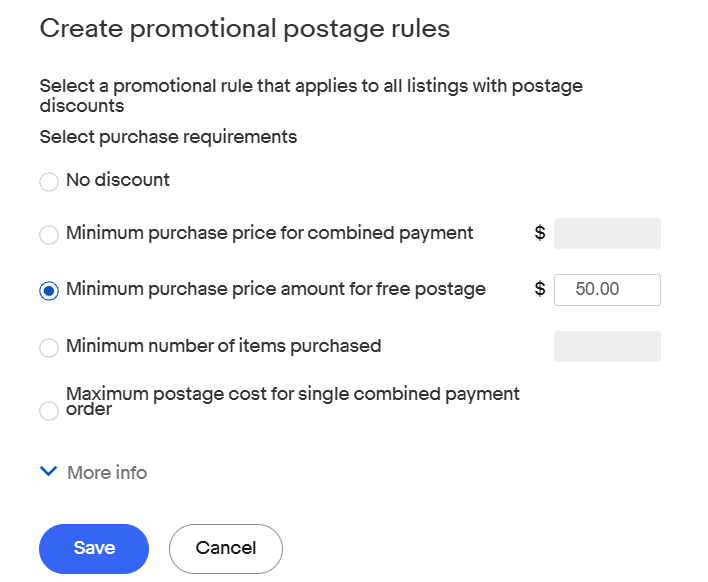
- Click Save.
Step 2: Assign the Free-Postage Rule in Omnivore / eBay LINK
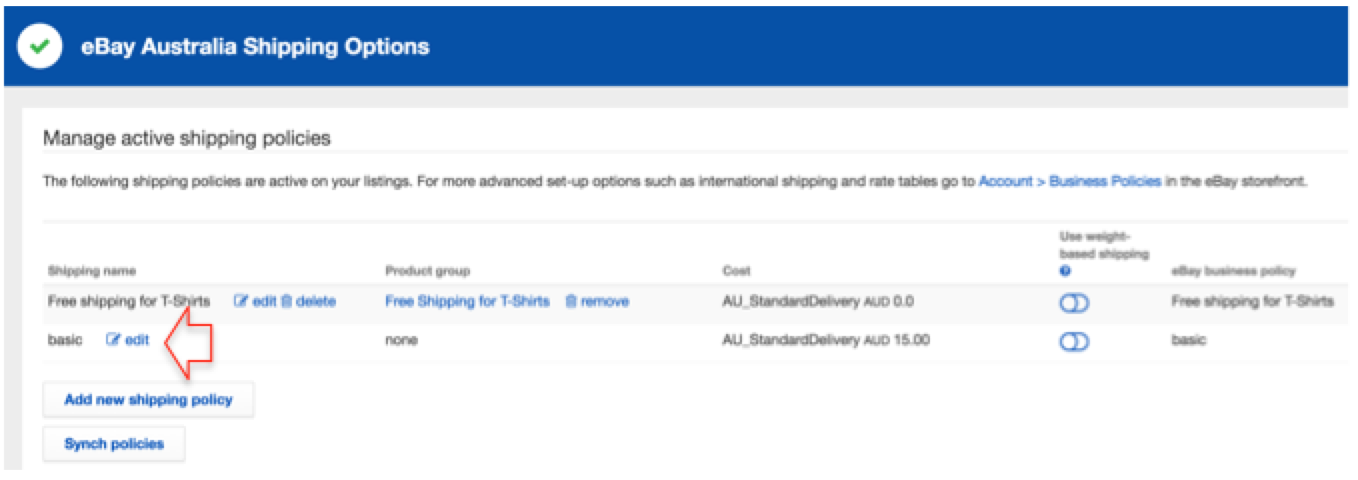
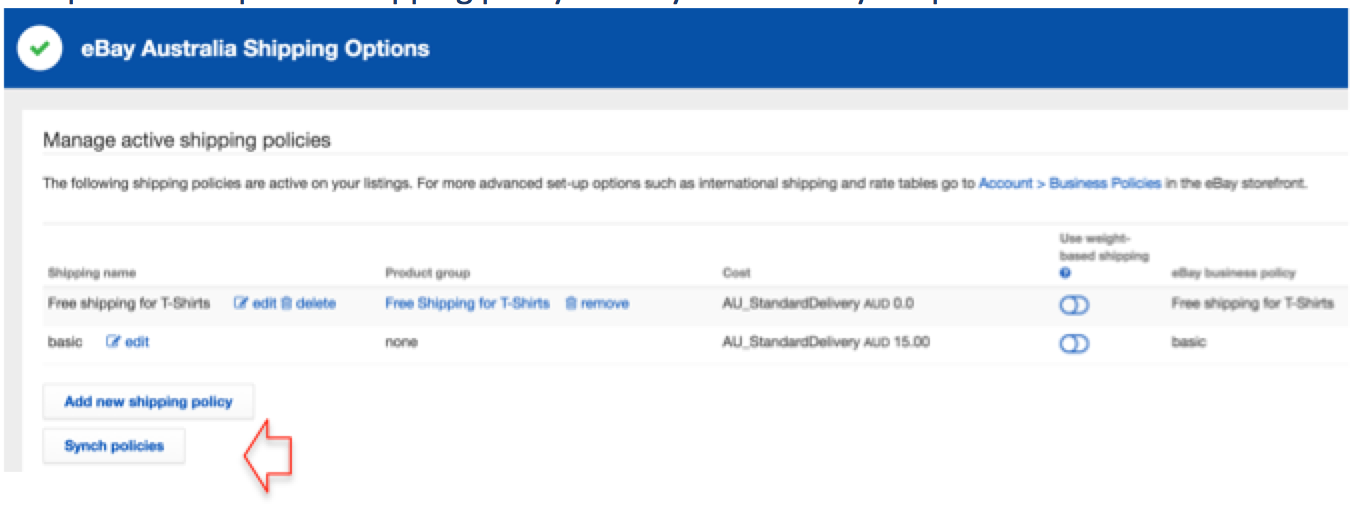
- Open Omnivore / eBay LINK and go to Settings -> eBay Australia -> Shipping.
- Locate the relevant shipping policy you want to offer free shipping on. Click Edit.
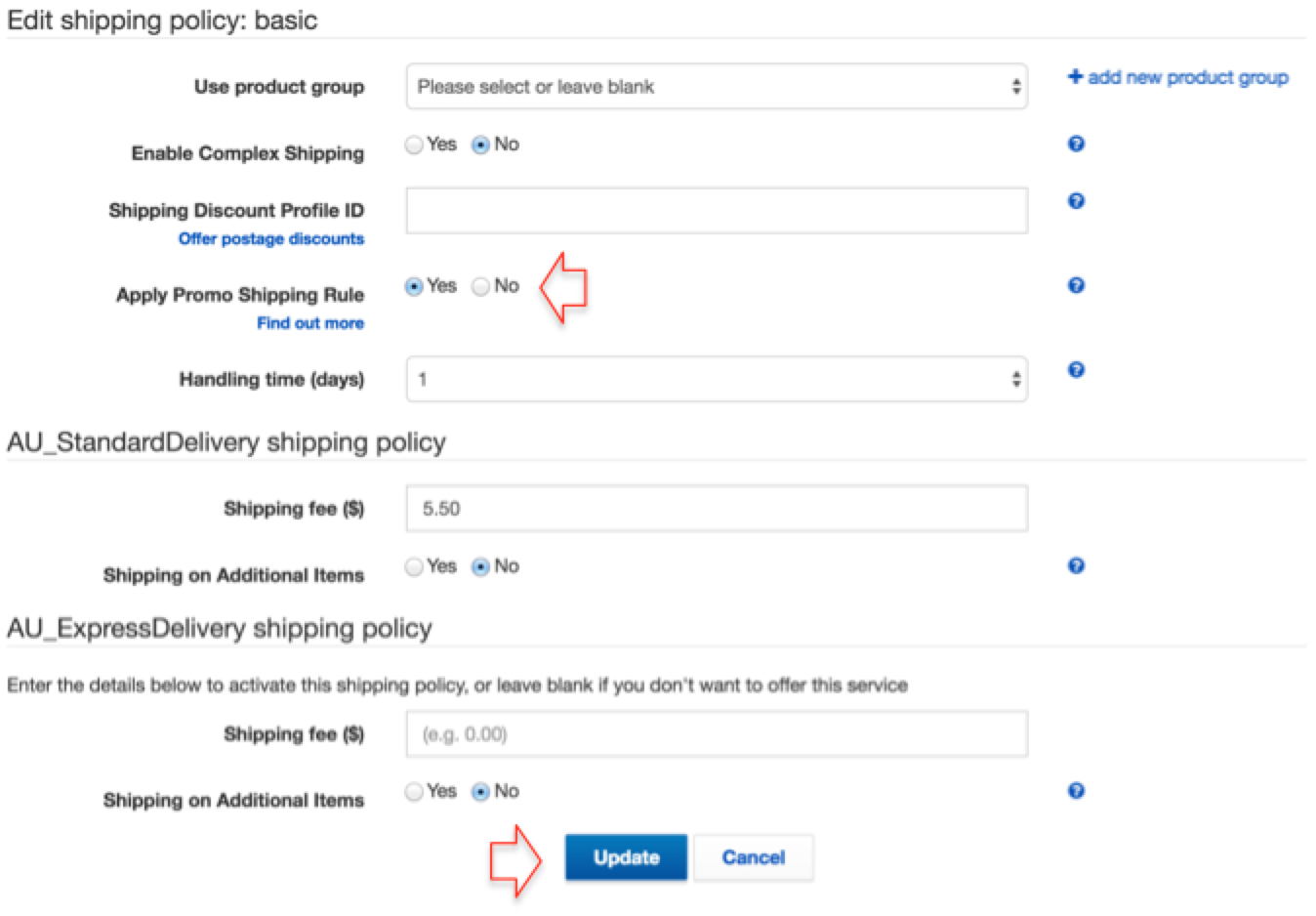
- Set the option "Apply Promo Shipping Rule� to Yes and click Update.
- Click Sync policies to send the updated details to eBay.
NOTE: If you run a promotion on products priced over $50, shipping will remain free even if the promotional discount brings the price below $50, because eBay applies free shipping based on the original price before discount.