The product title is a key part of the product data used by marketplaces to return the most relevant products to a buyer in search results.
However, the product titles on your eCommerce store may not be descriptive enough for a marketplace OR they may contain characters or data that will be rejected. You can edit / change product titles in Omnivore without impacting your eCommerce store and you can have different titles for different arketplaces.
Omnivore allows you to modify product titles for any marketplace individually, for a group of products, or for all products using rules.
This FAQ only covers how to edit the title of a single product. To learn more about modifying product titles for a group of products see here.
How to modify product titles individually
- To change just one product title, from the left menu go to Products > On 'Marketplace Name'
- Find the product you wish to modify and click on the product name to view the product page in Omnivore. In this example we have used the Trade Me Marketplace, on the product page click on the Marketplace Name Tab at the top.
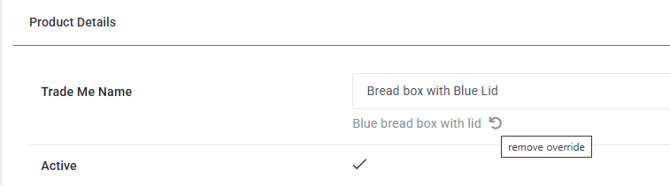
- Decide on your new product title. Scroll down until you see the Marketplace Name field, in this case Trade Me Name, click in the field and start typing your new name. .
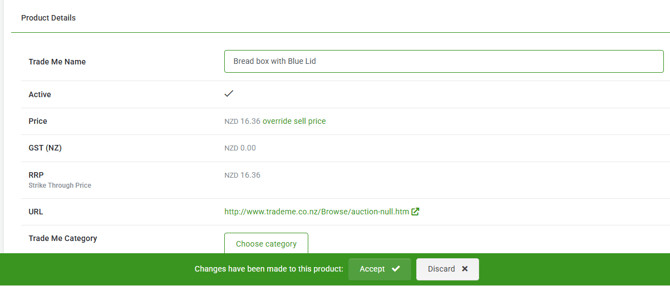
- Click Accept on the pop-up that appears at the bottom of the screen.
- To remove the new title and revert back to the original name, just click the round back arrow below the field to remove override.