
Omnivore has a great way to optimise product titles on different marketplaces using Product Actions.
Before starting this you will need to create a Product Group to which the Product Action will be applied.
Create product names/titles for a group of products
In Omnivore, go to Products from the left-hand navigation and then choose Product Actions.
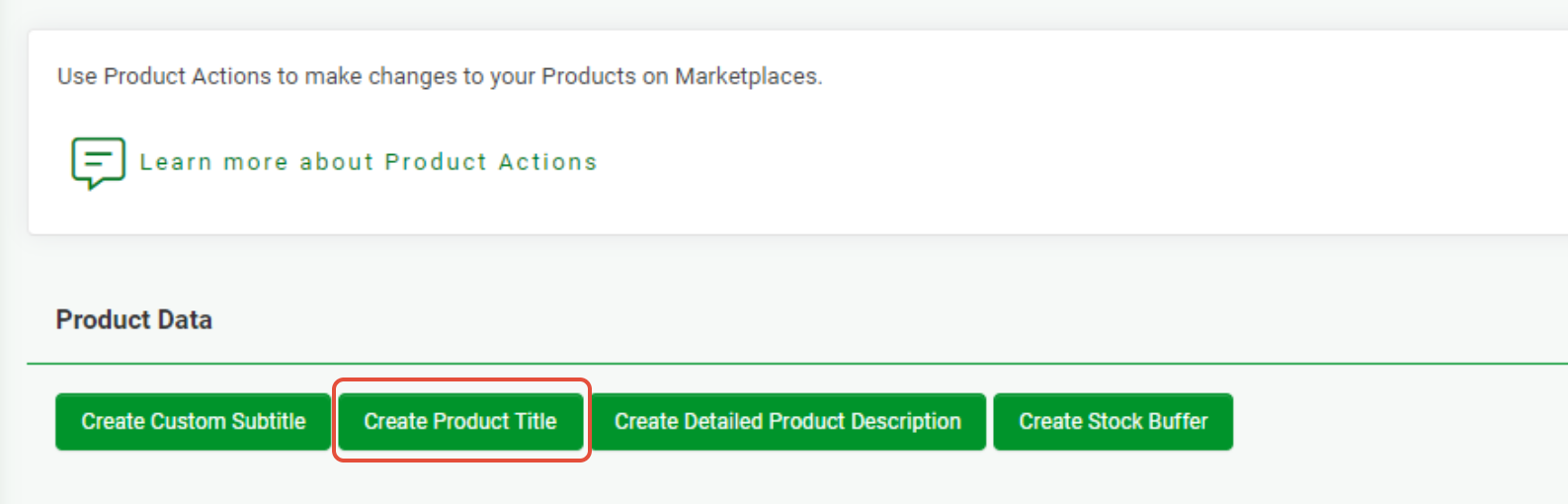
Click the Create product title button.
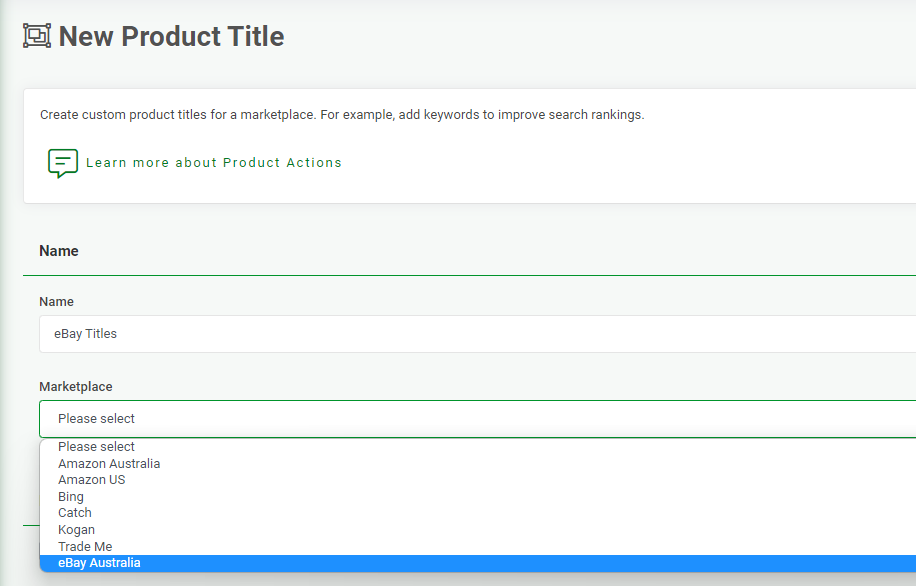
Add a Name that will be easy to identify e.g. in this example "eBay titles".
Choose the marketplace you want to apply the titles to from the Apply to marketplace dropdown e.g. "eBay Australia".
Next, choose the Product Group you created from the Use product group dropdown (in this example we have a Product Group named "Featured Products" which has been set up to include all products listing on eBay).
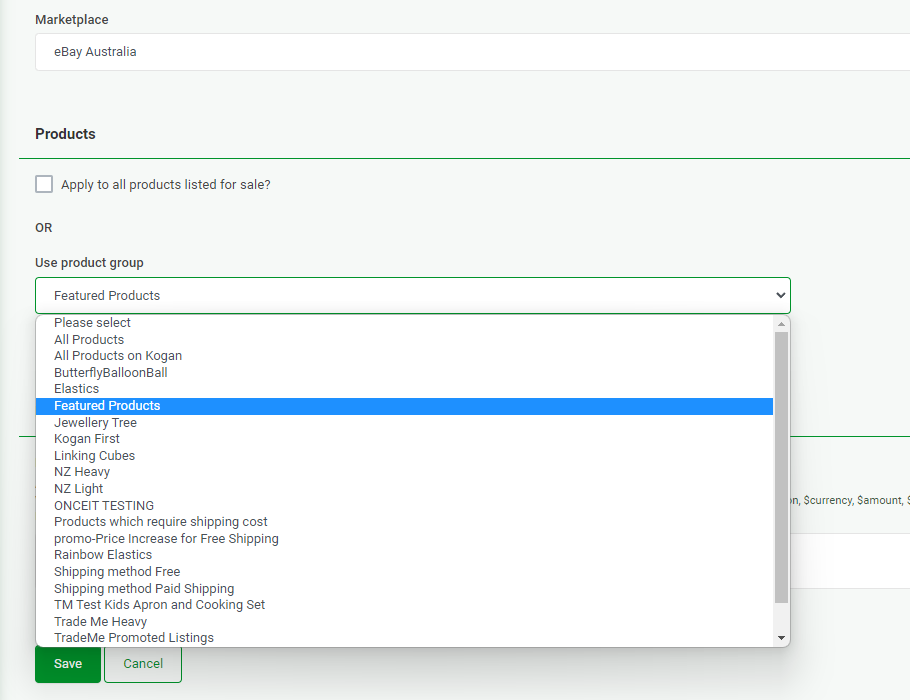
If you don't want to use a group, tick the Apply to all products listed for sale checkbox.
Now include the product naming convention to be displayed on the relevant marketplace e.g NEW $productName by $brandName.
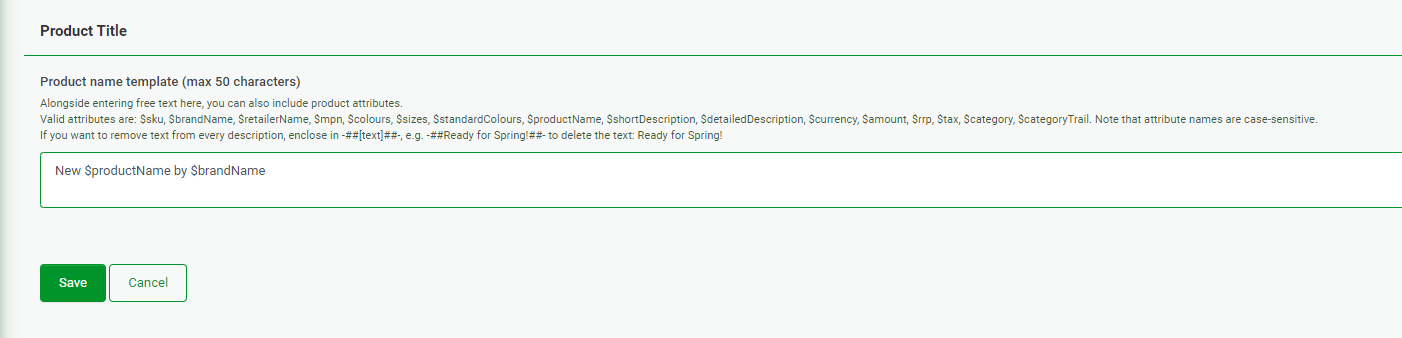
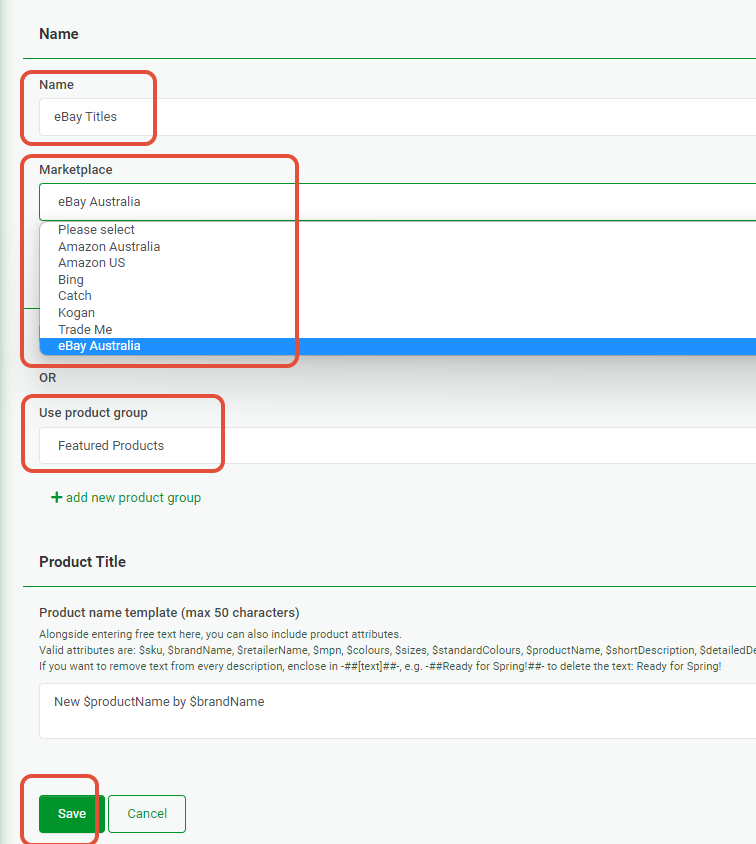
Once all fields have been completed hit Save. Make sure there are no leading spaces before or after any of the information in the product name template field.
Finally, in order to apply your new product group titles, you will need to navigate to the Omnivore dashboard and select the relevant UPLOAD TO MARKETPLACE button.
Description elements to optimise your titles
$sku - this is the SKU of your product.
$brandName - this is the brand name (if you have assigned one).
$retailerName - your store name.
$colours - if the product comes in different colours, the list of the colours as you described them, e.g. Coral, Midnight, Gunmetal
$standardColours - similar to $colours except the colour names are as mapped to the standard colour names, e.g. Pink, Black, Grey for the above example
$productName - the original title of a product.
$shortDescription - the short description of the product if provided.
$detailedDescription - the long description of the product if provided.
$amount - the products selling price e.g $89.95
$rrp - product's RRP price
$category - the category assigned to a product in the retailer feed/system.